7847i-E Installation and Setup Guide
3-8
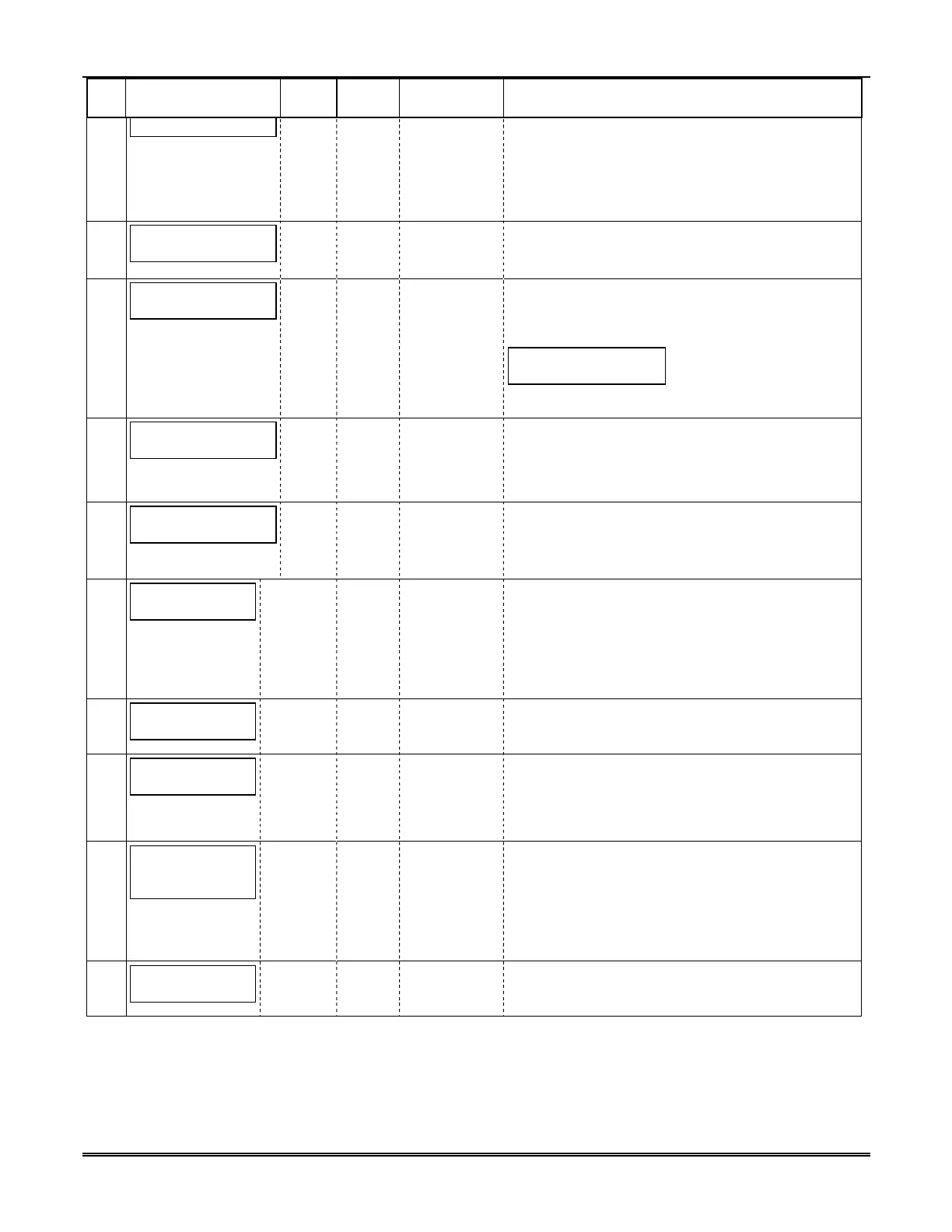
PROMPTS
ZONE
ENTRY OPTIONS DESCRIPTION
Press [Y] if you want to change the password.
NOTE: To clear an existing password, without entering
a new one, answer [Y] to the "Change Password?"
prompt, then press the [Enter] key when prompted for
the new password and its confirmation.
6
Enter Password
[0-9, A-F, N,
S, T, X, Y]
This prompt is displayed if [Y] was pressed in Prompt
4 or 5.
Enter a 4-digit password (0-9, A-F, N, S, T, X, Y).
7
Verify Password
[0-9, A-F, N,
S, T, X, Y]
Re-enter the password as confirmation.
If the password doesn't match the first entry, the
following is displayed followed by the "Exit Prog.
Verify Not OK
PSWD not created
Otherwise, the "Exit Prog. Mode?" prompt is displayed
directly.
8
Exit Prog. Mode?
Y/N_
[Y], [N]
[ESC]
Exits program mode.
Press [N] to go back to Prompt 3.
Press [ESC] to load factory defaults.
Refer to the Exiting Programming Mode paragraph in
9
Device Mode
(ECP)_
• ECP
• Zone Trig.
• 4204 Emu
Press the [space] key to scroll through the modes of
operation.
Press [ENTER] to select mode.
See Table 3 for ECP mode programming.
10
CS IP:
255.255.255.255
12 digit:
Enter the 4-part primary CS IP address of the 7810iR-
ent receiver at the reporting center to which this device
will report. The four parts of the address must be
separated by spaces.
NOTE: This entry CANNOT be left as
“255.255.255.255”. It MUST be programmed with a
11
CS Port:
(80)
[80] Enter the Central Station Port Number.
NOTE: The CS Port number must match the "Listening
Port" question of the receiver.
12
Alarm Delivery:
Only One CS IP_
[Only One CS
IP]
[Fail to CS IP2]
Select the "Only One CS IP" option, if only one Central
Station IP address is desired and go to Prompt 16:
"Installation Key".
Select the "Fail to CS IP2" option, if a secondary
Central Station IP address is desired.
13
Secondary CS
IP:
255.255.255.255
12 digit:
Enter the 4-part secondary CS IP address of the
receiver at the reporting center to which this device will
report. The 4-parts of the address must be separated
by spaces.
NOTE: This entry CANNOT be left as
“255.255.255.255” if using the Secondary CS IP. It
MUST be programmed with a valid IP address.
14
Second CS Port:
(80)
[80] Enter the Central Station Port Number.
NOTE: The CS Port number must match the "Listening
Port" question of the receiver.





 To Next Page