EasyManua.ls Logo

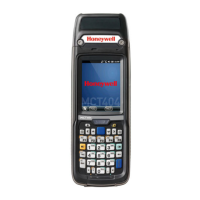
Honeywell MCT404 - User Manual

Honeywell MCT404
166 pages
Print Icon
To Next Page IconTo Next Page
Loading...
Honeywell Field Solutions
MC Toolkit (MCT404)
User Manual
Doc. No.: 34-ST-25-50
Revision 3
Date: June 2016

Table of Contents

Other manuals for Honeywell MCT404

Questions and Answers

  • J
    Jeremy HarrisSep 23, 2025
    What to do if Honeywell Cell Phone detection at poll address 63 failed?
    • M
      Mario CampbellSep 23, 2025
      If detection at poll address 63 fails on your Honeywell Cell Phone, it could be due to a potential issue with the modem. Try retrying the process. You can also reduce the poll address ranges and try detecting the device again.
  • M
    Morgan LeeAug 23, 2025
    Why is my Honeywell Cell Phone unable to launch or open FDC application?
    • C
      Cynthia HendersonAug 25, 2025
      The Honeywell Cell Phone might be unable to launch the FDC application due to several reasons: * .NET CF 3.5 may not be installed. Installing .NET CF 3.5. * FDC may be installed in the device memory instead of the SD card. Try re-installing FDC in the SD card. * One or more dependent files might be corrupt. Try re-installing FDC in the SD card.
  • C
    Christina WhiteAug 25, 2025
    Why is my Honeywell MCT404 unable to launch or open MC Toolkit application?
    • J
      John SandersAug 26, 2025
      The Honeywell Cell Phone might be unable to launch the MC Toolkit application because: * MC Toolkit is installed in the device memory instead of the SD card. Re-installing MC Toolkit in the SD card may solve this. * One or more dependent files are corrupt. Re-installing MC Toolkit in the SD card may also address this issue.
  • J
    Jared SheaAug 26, 2025
    What to do if Honeywell MCT404 Cell Phone offline download failed with 'Send command failed or invalid' message?
    • D
      David CarterAug 27, 2025
      If the Honeywell Cell Phone shows a 'Send command failed or invalid' message during offline download, it could be due to a send command failure or a potential issue with communication. In such cases, retry the offline download for the failed items.
  • N
    Nancy DoyleAug 27, 2025
    How to fix 'Internal Error' on Honeywell Cell Phone?
    • K
      Karl GreenAug 27, 2025
      If you encounter an 'Internal Error' on your Honeywell Cell Phone, it could be due to an internal error, the method code having an error, or the FDC encountering a construct that's not supported. In any of these cases, retry executing the method.
  • P
    Phillip RichardsSep 16, 2025
    Why do Date fields show incorrect date after importing history record to FDM on Honeywell MCT404?
    • A
      angel60Sep 16, 2025
      If the date fields show an incorrect date after importing a history record to FDM on your Honeywell Cell Phone, it's likely due to a regional settings mismatch. Change the regional setting to English (United States) in both the FDC PDA and the FDM machine.
  • C
    Cheryl LewisSep 13, 2025
    What does it mean if Manufacturer and Device Type name are not displayed on Honeywell MCT404 Cell Phone?
    • W
      wcopelandSep 13, 2025
      If the Manufacturer and Device Type name are not displayed on your Honeywell Cell Phone, it indicates that the DD file for the device is missing in the FDC library. Add the appropriate DD file to resolve this.
  • Y
    Yolanda JohnsonSep 14, 2025
    What does it mean if Honeywell Cell Phone displays 'Download failed!'?
    • R
      Randy MooreSep 14, 2025
      If the Honeywell Cell Phone displays 'Download failed!', it means that the selected configuration could not be downloaded to the Device. This could be due to a device mismatch, version incompatibility, or communication errors. Try downloading to the right device.
  • K
    Katherine JohnsonSep 5, 2025
    Why is my Honeywell Cell Phone unable to launch MC Toolkit Help?
    • T
      Tammy McclainSep 5, 2025
      The Honeywell Cell Phone might fail to launch MC Toolkit Help if the MC Toolkit application along with the Help files are installed in the device memory instead of the SD card. Re-installing MC Toolkit in the SD card may resolve this. It could also be due to one or more dependent files being corrupt, in which case, re-installing MC Toolkit in the SD card is also recommended.
  • R
    Robert RamseySep 3, 2025
    What to do if Honeywell MCT404 shows 'Host Failed to get good response from the Modem!'?
    • K
      Kathryn GarciaSep 3, 2025
      If the Honeywell Cell Phone displays 'Host Failed to get good response from the Modem!', this indicates an error associated with the communication port. Ensure that the modem has a good battery.

Summary

Before you begin

Getting Started

MC Toolkit Installation

Instructions for installing the MC Toolkit software.

Safety instructions

Provides general and specific safety regulations for using MCT404.

Connecting to a device through MC Toolkit (MCT404)

Guides on connecting the MC Toolkit to a field device.

Managing HART Devices using FDC Application Software

Managing DD files

Procedures for adding, deleting, and validating DD files.

Editing device variables

Steps for modifying device variable values.

Updating the device with edited variables

How to send edited variable values to the device.

Executing methods on a device

Steps for executing device-specific methods or functions.

Offline configuration

Managing DE Devices using MC Toolkit Software

Overview of device configuration

Explains how to configure DE devices online.

Online configuration

Procedures for online configuration of DE transmitters.

Input Calibration (DE Transmitters)

Steps for input calibration (Zero, LRV, URV) and resetting corrects.

Output Calibration - Loop Test

Verifies integrity of electrical components in the output current loop.

DE Output Calibration - Trim DAC Current

Calibrates analog output current for DE transmitters.

DE Calibration - Apply Values

Manually sets PV input to 0% (LRV) and 100% (URV).

How to view the Saved Configuration file and Import to Excel

Offline Configuration

Troubleshooting

MC Toolkit troubleshooting scenarios

Lists common startup problems for MCT404.

FDC application software troubleshooting scenarios

Troubleshooting for FDC application startup, DD library, and device identification.

MC Toolkit application software troubleshooting scenarios

Troubleshooting for MC Toolkit login, help, and error messages.

MC TOOLKIT ERROR MESSAGES

Lists common MC Toolkit error messages and their solutions.

DE Device error messages

Lists error messages related to DE devices and their resolutions.

Offline configuration Error Messages

Lists error messages related to offline configuration.

MC Toolkit Maintenance

Appendix C: Replacement Parts

Honeywell MCT404 Specifications

General IconGeneral
Form FactorBar
TypeFeature Phone
Display2.4-inch TFT
Resolution240 x 320 pixels
Expandable StorageMicroSD up to 32GB
Operating SystemProprietary
BatteryRemovable Li-Ion 1000 mAh
CameraVGA
Dimensions130 x 50 x 16 mm

Related product manuals