
 To Next Page
A
Anthony PhillipsAug 14, 2025
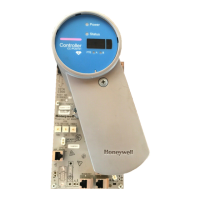
What to do if my Honeywell Controller CN100 is powering up?
- LLarry BrownAug 14, 2025
If your Honeywell Controller CN100 is powering up, allow it to complete its power-up sequence.

What to do if my Honeywell Controller CN100 is powering up?
If your Honeywell Controller CN100 is powering up, allow it to complete its power-up sequence.
What to do if Honeywell Controller CN100 or CEE is not loaded (NODB)?
If your Honeywell Controller CN100 or CEE is not loaded (NODB), load the required configurations to the CN100 or CEE.
What to do if Honeywell Controller CN100 is starting up or is running recovery firmware?
If your Honeywell Controller CN100 is starting up or is running recovery firmware, monitor the startup process and verify for any errors.
What to do if Honeywell CN100 CEE is disabled?
If your Honeywell Controller CEE is disabled, enable the CEE in the configuration settings.
What to do if Honeywell Controller CN100 is running in primary or non-redundant role, soft failure conditions exists?
If your Honeywell Controller CN100 is running in primary or non-redundant role, and soft failure conditions exist, investigate the source of these soft failure conditions.
What to do if Honeywell Controller CN100 is running in secondary role, soft failure conditions exists?
If your Honeywell Controller CN100 is running in secondary role, and soft failure conditions exists, investigate the source of these soft failure conditions.
What to do if Honeywell Controller ETH1 (FTEA) link is Down (FTE A cable disconnected)?
If the Honeywell Controller ETH1 (FTEA) link is down because the FTE A cable is disconnected, check the connection of the FTE A cable.
What to do if Honeywell CN100 Controller ETH2 (FTEB) link is Down (FTE B cable disconnected)?
If the Honeywell Controller ETH2 (FTEB) link is down because the FTE B cable is disconnected, check the connection of the FTE B cable.
What to do if Honeywell CN100 Controller IOLink is Down?
If the Honeywell Controller IOLink is down, inspect the IOLink connections.
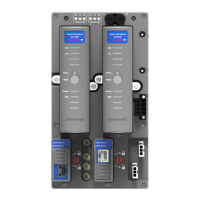
Details the components and function of the redundant controller setup.
Details the operating conditions and environmental requirements for the CN100 Controller.
Covers power requirements, voltage, and current for the CN100 Controller.
Specifies installation requirements related to electrical codes and hazardous locations.
Provides physical dimensions and layout information for the CN100 Controller.
Instructions for mounting the CN100 Controller on a DIN rail or CCA.
Guidance on planning power, grounding, and communication cabling for the CN100 Controller.
Details how to connect Wireless I/O devices to the CN100 Controller.
Information on the CN100 module, Network Adapter Module (NAM), and Input/Output Terminal Assembly (IOTA).
Essential safety precautions for performing maintenance procedures on the CN100 Controller.
Procedure for removing and inserting modules while the system is powered.
Step-by-step guide for replacing a CN100 Controller module in a redundant system.
Instructions for replacing the Network Adapter Module (NAM) on the IOTA.
Detailed steps for replacing the Input/Output Terminal Assembly (IOTA) on DIN rail or CCA.
List of spare parts and their corresponding model numbers for the CN100 Controller.
Explains the meaning of LED states for troubleshooting the redundant controller.
Provides contact information and steps for gathering information for technical support.
Lists the certification and approval ratings for the CN100 Controller.
Details installation requirements for Division 2/Zone 2 hazardous locations in the US, Canada, ATEX, and IECEx.
Lists the US, Canadian, European, CE LVD, EMC, and IEC standards relevant to the equipment.
Lists registered and trademarks associated with the product and other entities.
Information regarding licenses, notices, and restrictions for third-party materials.
Provides contact information for providing feedback on the documentation.
Instructions on how to report potential security vulnerabilities in Honeywell products.
Information on how to contact Honeywell Process Solutions for customer support.
Details on technical training classes offered by Honeywell for process control systems.
 General
| Model | CN100 |
|---|---|
| Type | Controller |
| Control Mode | PID, On/Off |
| Display | LCD |
| Output | Analog |
| Communication Protocol | Modbus RTU |
| Input | Analog |
| Operating Voltage | 24V DC |