– 49 –
USER FUNCTIONS
USER FUNCTIONSUSER FUNCTIONS
USER FUNCTIONS
Scheduling User Interface
The Scheduling Feature can be used to program the system to automatically perform certain
functions (i.e.; automatically arming the system in Stay mode and activating output devices).
✻ ✼ ✽ ✾ ✼ ✿ ❀ ❀ ❁ ❂ ✾ ✿
✝
❈
✞
❄ ❆
✟
❅ ❄ ❆ ❃
✟
❂ ❈ ❉ ❁ ✽ ❂
✚ ✛ ✜ ✚ ✢
✠
✤
✥ ✦ ✧ ★ ✩ ✪ ✫ ✬ ✭ ✮
✚ ✛ ✜ ✯ ✰
✠
✤
✱
✠
✲ ✳✴ ✵ ✶
✠
✤
✯ ✵ ✰ ✰ ✷ ✸ ✹ ✺
✻ ✼ ✽ ✻ ✾ ✿ ❀ ❁ ❂ ❃ ❄ ✾ ❅ ❆ ✼ ✻ ✼ ❇ ❈ ❈ ❈ ❉ ❊ ❈ ❈ ❉ ❈ ❈ ❋ ❉ ● ❈
❍ ■ ■ ✶ ✺
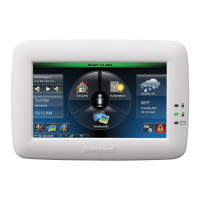
1. With the system in the disarmed state,
select the
✹
Tools
✺
icon from the second page
of the Home Screen. The system displays
the Keypad screen.
▲ ▼ ◆ ❖ P ◗ ❘ ❙ ❚ ❯
❱ ❲ ❳ ❨ ❲ ❩ ❬ ❭ ❪ ❫ ❴ ❵ ❴ ❭ ❫ ❬
❛ ❜ ❭ ❫ ❲ ❝ ❳ ❞ ❫ ❡
❢ ❣ ❤ ✐ ❥ ❦
❧ ♠ ♠ ♠ ♥ ♦ ♠ ♠ ♥ ♠ ♠ ♣ ♥ q ♠
r st
✉ ✈
✇
①
② ③
④
❢ ❦ ❥ ❣ ⑤
2. Enter your 4-digit Master User Code. The
system displays the Master User
programming screen.
⑥ ⑦ ⑧ ⑨ ⑩ ⑥ ❶ ❷ ❸
❹ ❺ ❻
⑩ ❼ ⑧ ❽ ⑩
✡ ☛ ☞ ✌ ✍ ✎ ✏ ✑ ✒ ✓
❾ ❿
⑩ ➀
❻ ➁
➂ ❺ ➃ ➄
➅
⑩ ❽ ⑧ ➀ ⑨ ⑩ ➆
➁
❼ ⑩
➁ ❻
⑥
➃
❶ ⑩ ⑨ ➇ ⑦ ⑩
➁
❹
⑩
❿
⑧
➃
⑩
➁➈ ➁
⑩ ➆
➁
✔ ✕ ✕ ✕ ✖ ✗ ✕ ✕ ✖ ✕ ✘ ✕ ✖ ✙ ✕
3. Select the
✹
Schedules
✺
icon. The system
displays the Scheduling screen.



 To Next Page
 Loading...