EasyManua.ls Logo

Honeywell MPA1C1 - User Manual

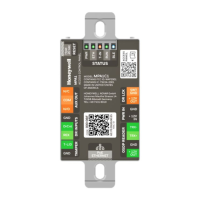
Honeywell MPA1C1
52 pages
Print Icon
To Next Page IconTo Next Page
Loading...
MPA1C1
Access Control Unit
Installation Guide
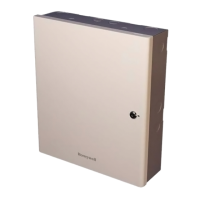
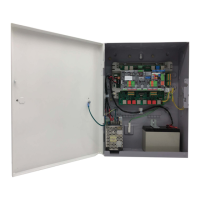
For MPA1C1 Controller and MPA1ENCP Plastic Enclosure
Document 800-26169
09/2020 Rev E

Questions and Answers

  • M
    Melissa GonzalezAug 4, 2025
    Why are my Honeywell MPA1C1 IP Access Controllers readers not responding to card reads?
    • R
      rburtonAug 4, 2025
      There are several reasons why your Honeywell IP Access Controllers readers might not be responding to card reads: * The OSDP readers may not be connected or are not in OSDP mode. Ensure that OSDP readers are connected and configured to OSDP mode. * The addressing on the OSDP readers might be incorrect. Configure the correct addressing on the OSDP readers. Valid addresses are '00' for auto addressing, '01' for entry reader, and '02' for exit reader. * The reader baud rate may not be set to 9600 Baud. Verify that the reader baud rate is set to 9600 Baud. * The reader might not accept secure channel communication. Ensure that the reader accepts secure channel communication.
  • J
    Jacob ColemanAug 14, 2025
    What to do if there are no communications with the Ethernet port on my Honeywell IP Access Controllers?
    • J
      Jason GarciaAug 14, 2025
      If there are no communications with the Ethernet port on your Honeywell IP Access Controllers, it might be because the panel is set up as a SECONDARY panel in EVL (Ethernet Virtual Loop) Mode. In this case, access the panel via the PRIMARY panel after registering the SECONDARY panel in the PRIMARY panel. If you need to access the panel directly, you will need to reset the panel and set up the panel again.
  • C
    Charles MataAug 25, 2025
    How to fix a Honeywell MPA1C1 panel that powers up but doesn't respond?
    • M
      Mackenzie PriceAug 26, 2025
      If your Honeywell IP Access Controllers panel powers up but does not respond to any communication, card reads, or input activation, reset the panel by pressing the reset button for 20 seconds. Then, use the mobile application (Device Utility App) to reconfigure the unit.

Summary

Installing the MPA1 C1 Panels

Download and Install App

Instructions for downloading and installing the required mobile application.

Mounting and Installing Options

Guidance on physical mounting and installation of the MPA1C1 unit.

MPA1 ENCP Plastic Enclosure Installation

Steps for installing the MPA1C1 in the MPA1ENCP plastic enclosure.

Commission the MPA1 C1

Procedures for configuring and commissioning the MPA1C1 panel.

Hardware Specifications

Technical details and specifications of the MPA1C1 hardware components.

Troubleshooting

Common problems and their solutions for the MPA1C1 unit.

Wiring and Connectivity

Power Supply

Information on powering the MPA1C1 using PoE or external supply.

Wiring the OSDP Readers

Detailed guide on connecting OSDP readers to the MPA1C1 panel.

System Configuration and Networking

Safety and Compliance

Basic Operation

Troubleshooting and Support

Honeywell MPA1C1 Specifications

General IconGeneral
BrandHoneywell
ModelMPA1C1
CategoryIP Access Controllers
LanguageEnglish

Related product manuals