EasyManua.ls Logo

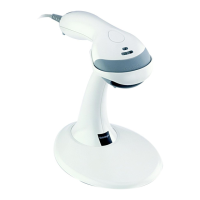
Honeywell MS2431 - User Manual

Honeywell MS2431
72 pages
Print Icon
To Next Page IconTo Next Page
Loading...
MS2421 / MS2422 / MS2431
Bar Code Scanner
Installation and User’s Guide

Table of Contents

Questions and Answers

  • A
    Alicia LewisSep 23, 2025
    What does it mean when Honeywell MS2431 razzes once and the blue LED flashes during power up?
    • T
      Tommy MorrisSep 23, 2025
      If your Honeywell Barcode Reader razzes once and the blue LED flashes during power up, this indicates a VLD failure. Contact a customer service representative.
  • J
    Jacqueline RoyAug 23, 2025
    What to do if Honeywell MS2431 scans but the data transmitted to the host is incorrect?
    • Y
      Yvonne DiazAug 23, 2025
      If the Honeywell Barcode Reader scans, but the data transmitted to the host is incorrect, verify that the scanner’s data format matches what the host system requires. Also, ensure that the scanner is connected to the correct host port.
  • A
    amandabishopAug 25, 2025
    What to do if the host is receiving data from Honeywell MS2431 but the data does not look correct?
    • G
      Gregory PerezAug 26, 2025
      If the host receives data from the Honeywell Barcode Reader but it doesn't look correct, check that the scanner and the host are configured for the same interface.
  • H
    Heather DavisAug 27, 2025
    What to do if characters are being dropped by Honeywell MS2431?
    • M
      Mark MaddoxAug 27, 2025
      If characters are being dropped by the Honeywell Barcode Reader, the intercharacter delay may need to be added to the transmitted output.
  • C
    Christopher CaseyAug 27, 2025
    Why Honeywell Barcode Reader doesn't scan and/or beep?
    • B
      Bill CarrollAug 27, 2025
      The Honeywell Barcode Reader may not scan or beep because it's trying to scan a symbology that isn't enabled. UPC/EAN and Code 128 are enabled by default, so verify that the type of bar code being read has been selected. Also, the unit might be configured for a character length lock or a minimum length, and the bar code being scanned doesn't meet the criteria. Verify that the bar code falls into the configured criteria; the scanner defaults to a minimum of 4 characters for non-UPC/EAN codes.
  • E
    eoneillSep 17, 2025
    What to do if Honeywell MS2431 Barcode Reader razzes continuously on startup?
    • K
      Kathryn WashingtonSep 17, 2025
      If your Honeywell Barcode Reader razzes continuously during power up, it indicates a diagnostic failure. If the unit will not function, contact a customer service representative.
  • N
    Nicole MasseySep 14, 2025
    Why Honeywell MS2431 locks up after scanning once?
    • G
      Gina GatesSep 14, 2025
      If your Honeywell Barcode Reader scans a bar code but locks up after the first scan, and the blue LED stays on, it suggests that the scanner is configured to support some form of host handshaking but is not receiving the signal. If the scanner is set up to support ACK/NAK, RTS/CTS, XON/XOFF, or D/E, verify that the host cable and host are supporting the handshaking properly.
  • T
    Travis DavisSep 15, 2025
    What does 3 beeps on Honeywell MS2431 mean?
    • M
      michaeljonesSep 15, 2025
      If your Honeywell Barcode Reader beeps 3 times during power up, it indicates a non-volatile RAM failure. If the unit will not hold the configuration, contact a customer service representative.
  • B
    Brad JonesSep 6, 2025
    What does it mean if Honeywell Barcode Reader unit razzes once and the blue LED flashes during power up?
    • D
      danielle48Sep 6, 2025
      If the Honeywell Barcode Reader razzes once and the blue LED flashes during power up, it signifies a VLD failure. Contact a customer service representative.
  • R
    Rachel DavisSep 3, 2025
    What does it mean if Honeywell MS2431 Barcode Reader unit razzes continuously during power up?
    • E
      Elizabeth NguyenSep 3, 2025
      If the Honeywell Barcode Reader razzes continuously during power up, it indicates a diagnostic failure. Contact a customer service representative if the unit will not function.

Honeywell MS2431 Specifications

General IconGeneral
InterfaceUSB
Scan PatternArea Image
Operating Temperature32°F to 122°F (0°C to 50°C)
Storage Temperature-40°C to 60°C (-40°F to 140°F)
Drop Specification1.8 m (6 ft) to concrete

Related product manuals