EasyManua.ls Logo

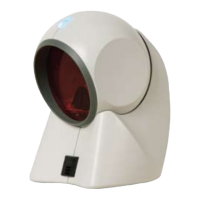
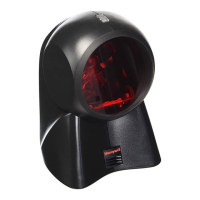
Honeywell MS7120 Orbit - User Manual

Honeywell MS7120 Orbit
53 pages
Print Icon
To Next Page IconTo Next Page
Loading...
QUESTIONS?
Ask the experts at POSMicro.com.
1.800.241.6264
Live Chat Now
support@POSMicro.com
Monday - Friday 6 AM to 5 PM Pacic Time
BULK DISCOUNTS
FREE SHIPPING*
SE HABLA
ESPAñOL
*Free ground shipping to the continental USA on orders over $100.
For Help Call
1.800.241.6264
Honeywell MS7120
Orbit Manual
More information available at POSMicro.com

Questions and Answers

  • R
    Richard KramerAug 13, 2025
    Why Honeywell Barcode Reader powers up but doesn't scan or beep?
    • M
      merrittdonaldAug 13, 2025
      If your Honeywell Barcode Reader powers up, but does not scan and/or beep, it may be because a particular symbology is not enabled. UPC/EAN, Code 39, interleaved 2 of 5, Code 93, Code 128 and Codabar are enabled by default. Verify that the type of bar code being read has been selected.
  • J
    Joe OlsonAug 17, 2025
    What to do if Honeywell MS7120 Orbit Barcode Reader powers up but doesn't scan or beep?
    • K
      Keith WilliamsAug 17, 2025
      If your Honeywell Barcode Reader powers up, but does not scan and/or beep, it may be that the beeper is disabled or no tone is selected. Enable the beeper and select a tone.
  • R
    Robert HendrixAug 21, 2025
    Why Honeywell MS7120 Orbit Barcode Reader doesn't scan or beep?
    • E
      Eric FrazierAug 21, 2025
      If your Honeywell Barcode Reader powers up, but does not scan and/or beep, it may be because the scanner has been programmed for a character length lock, or a minimum length, and the bar code being scanned does not satisfy the programmed criteria. Verify that the bar code that is being scanned falls into the criteria. (Typical of Non- UPC/EAN codes.) The scanner defaults to a minimum of 4 character bar code.
  • D
    Douglas RamirezAug 25, 2025
    What to do if Honeywell Barcode Reader locks up after the first scan?
    • L
      Lydia HuntAug 25, 2025
      If your Honeywell Barcode Reader unit scans a bar code but locks up after the first scan and the red LED stays on, it may be due to the scanner being configured to support some form of host handshaking but not receiving the signal. If the scanner is setup to support ACK/NAK, RTS/CTS, XON/XOFF or D/E, verify that the host cable and host are supporting the handshaking properly.
  • C
    Clayton BellAug 28, 2025
    Why Honeywell Barcode Reader beeps at some bar codes and not others?
    • K
      Kelli HamptonAug 28, 2025
      If your Honeywell Barcode Reader beeps at some bar codes and NOT for others of the same bar code symbology, it could be due to several reasons: the print quality of the bar code is suspect, the aspect ratio of the bar code is out of tolerance, the bar code may have been printed incorrectly, the scanner is not configured correctly for this type of bar code, or the minimum symbol length setting does not work with the bar code. To resolve this, check the print mode, the type of printer, and change print settings. Also, check if it is a check digit/character/or border problem, if check digits are set properly, and if the correct minimum symbol length is set.
  • W
    William RuizSep 1, 2025
    Why Honeywell MS7120 Orbit Barcode Reader doesn't read a couple of characters?
    • D
      David AtkinsSep 1, 2025
      If everything works except for a couple of characters on your Honeywell Barcode Reader, try operating the scanner in Alt mode, as these characters may not be supported by that country’s key look up table.
  • M
    Maria CooperSep 5, 2025
    How to troubleshoot Honeywell MS7120 Orbit with no LEDs, beep or motor spin?
    • L
      Lisa MillerSep 5, 2025
      If no LEDs, beep or motor spin on your Honeywell Barcode Reader, check the transformer, outlet, and power strip. Make sure the cable is plugged into the scanner, as no power is being supplied to the scanner.
  • Z
    zochoaSep 8, 2025
    Why Honeywell MS7120 Orbit Barcode Reader has no LEDs, beep?
    • C
      Curtis NguyenSep 8, 2025
      If no LEDs or beep on your Honeywell Barcode Reader, some host systems cannot supply enough current to power Orbit. Use the power supply included with the scanner, as no power is being supplied to the scanner from host.

Summary

Introduction to the Honeywell MS7120 Orbit Scanner

Scanner and Accessories Guide

Scanner Operational Notes

Installation for RS232, OCIA, and IBM 46 XX Interfaces

Installation for Keyboard Wedge Interface

Installation for Stand Alone Keyboard Interface

USB Interface Installation Notes

MS7120-00 Laser Emulation Installation

Scanner Failure Modes

Scan Volume Specifications

Optimal Low Density Scan Volume

Scan volume diagrams for optimal reading of low-density bar codes.

Optimal High Density Scan Volume

Scan volume diagrams for optimal reading of high-density bar codes.

Close Scan Volume

Scan volume diagrams for reading bar codes at a close distance.

Optional Wall;Counter Mount Installation

Troubleshooting Guide

Design Specifications

Operational Specifications

Details on scanner's operational parameters like light source, scan speed, and interfaces.

Default Settings Configuration

Scanner and Cable Terminations

Pinout Connections by Interface

Detailed pin assignments for various scanner interfaces like OCIA, RS-232, and Keyboard Wedge.

Limited Warranty Information

Notices and Safety Precautions

Laser Safety Precautions

Warnings and precautions for safe handling and use of laser light.

Honeywell MS7120 Orbit Specifications

General IconGeneral
Light SourceVisible Laser Diode 650 nm ± 10 nm
Print Contrast35% minimum reflectance difference
Operating Temperature0°C to 40°C (32°F to 104°F)
Storage Temperature-40°C to 60°C (-40°F to 140°F)
Humidity5% to 95% relative humidity, non-condensing
Scan PatternOmnidirectional
Scan Speed1120 scan lines per second
InterfacesUSB, RS232, Keyboard Wedge, IBM 468x/469x
Power Supply5 VDC ± 0.25 V
Decode CapabilityUPC/EAN, Code 39, Code 128, Interleaved 2 of 5, Codabar, MSI

Related product manuals