EasyManua.ls Logo

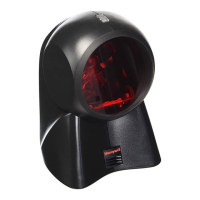
Honeywell 7120 Orbit - User Manual

Honeywell 7120 Orbit
44 pages
Print Icon
To Next Page IconTo Next Page
Loading...
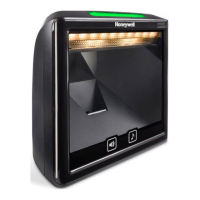
7120 Orbit™
Presentation Laser Scanner
User’s Guide

Questions and Answers

  • D
    Donna WhiteAug 19, 2025
    What to do if my Honeywell Barcode Reader has no LEDs, beeper, or motor spin?
    • B
      Brian CookeAug 20, 2025
      If your Honeywell Barcode Reader shows no LEDs, beeper, or motor spin, it indicates that the scanner isn't receiving power. Check the transformer, outlet, and power strip to ensure they are functioning correctly. Also, verify that the cable is securely plugged into the scanner.
  • D
    dwatsonAug 22, 2025
    Why is the data transmitted to the host incorrect when my Honeywell 7120 Orbit scans?
    • C
      Carolyn LevyAug 22, 2025
      If your Honeywell Barcode Reader scans, but the data transmitted to the host is incorrect, the scanner’s data format may not match the host system requirements. Verify that the scanner’s data format matches the format required by the host and ensure that the scanner is connected to the proper host port.
  • J
    Jessica GonzalesAug 23, 2025
    What to do if my Honeywell Barcode Reader powers up and scans but doesn't communicate with the host?
    • J
      John MoodyAug 25, 2025
      If your Honeywell Barcode Reader powers up and scans but doesn't communicate properly to the host, the com port at the host might not be working or configured properly. Check to make sure that the baud rate and parity of the scanner and the communication port match and that the program is looking for RS232 data.
  • B
    Barbara SummersAug 26, 2025
    What to do if my Honeywell 7120 Orbit Barcode Reader scans a barcode then locks up?
    • T
      Teresa MillerAug 26, 2025
      If your Honeywell Barcode Reader scans a bar code but locks up after the first scan, it's likely that the scanner is configured to support some form of host handshaking but isn't receiving the signal. If the scanner is set up to support ACK/NAK, RTS/CTS, XON/XOFF or D/E, verify that the host cable and host are supporting the handshaking properly.
  • P
    Patricia SimmonsAug 27, 2025
    Why does my Honeywell 7120 Orbit Barcode Reader power up but not scan or beep?
    • S
      Stacey HarrisAug 27, 2025
      If your Honeywell Barcode Reader powers up but does not scan and/or beep, the unit may be trying to scan a particular symbology that is not enabled. UPC/EAN, Code 39, Interleaved 2 of 5, Code 93, Code 128 and Codabar are enabled by default. Verify that the type of bar code being read has been selected. Also, the scanner could be configured for a character length lock, or a minimum length, and the scanned bar code does not meet the configured criteria. Verify that the bar code that is being scanned falls into the criteria, as the scanner defaults to a minimum of four character bar code.
  • P
    patricklaraAug 29, 2025
    Why is the data received by the host incorrect from my Honeywell 7120 Orbit Barcode Reader?
    • J
      Jane WeaverAug 29, 2025
      If the host is receiving data from your Honeywell Barcode Reader, but the data doesn't look correct, the scanner and host may not be configured for the same interface. Check that the scanner and the host are configured for the same interface.
  • M
    Michael RichardsonAug 31, 2025
    What to do if my Honeywell 7120 Orbit Barcode Reader scans but the data is not correct?
    • C
      Colin HarveySep 1, 2025
      If your Honeywell Barcode Reader scans but the data is not correct, the unit may not be configured correctly. Make sure that the proper PC type (i.e., AT or PS2) is selected. Also, verify correct country code and data formatting are selected and adjust the inter-scan delay.
  • E
    Ethan YatesSep 2, 2025
    Why does my Honeywell Barcode Reader have no LEDs and/or beeper?
    • A
      Alicia PowellSep 3, 2025
      If your Honeywell Barcode Reader has no LEDs and/or beeper, it could be that no power is being supplied to the scanner from the host. Some host systems cannot supply enough current to power the Orbit. Use the power supply included with the scanner.
  • M
    Michael AlvaradoSep 5, 2025
    Why does my Honeywell 7120 Orbit Barcode Reader beep for some barcodes but not others of the same type?
    • C
      Christine CummingsSep 5, 2025
      If your Honeywell Barcode Reader beeps for some barcodes but not others of the same symbology, the bar code may have been printed incorrectly. Check if it is a check digit, character or border problem. Also, the scanner may not be configured correctly for the type of bar code, so check if check digits are set properly. Finally, the minimum symbol length setting might not work with the bar code, so check if the correct minimum symbol length is set.
  • C
    Cristina CrawfordSep 7, 2025
    What to do if my Honeywell 7120 Orbit is not transmitting each character?
    • B
      bryan63Sep 7, 2025
      If your Honeywell Barcode Reader is not transmitting each character, the unit may not be configured correctly. Increase the inter-scan code delay setting. Adjust whether the F0 break is transmitted. It may be necessary to try both settings.

Summary

Installation Guide

RS232 and Light Pen Emulation Installation

Instructions for installing the scanner using RS232 or Light Pen emulation interfaces.

RS485 Installation

Instructions for installing the scanner using the RS485 interface.

Keyboard Wedge Installation

Instructions for installing the scanner using the Keyboard Wedge interface.

Stand-Alone Keyboard Installation

Instructions for installing the scanner using the Stand-Alone Keyboard interface.

Full Speed USB Installation

Instructions for installing the scanner using the Full Speed USB interface.

Scanner Operation

Failure Mode Indicators

Details specific LED and beep patterns that indicate scanner malfunctions and required actions.

Firmware Upgrading

Scanner and Cable Terminations

Regulatory Compliance

Safety Precautions

Provides crucial safety warnings regarding laser exposure and handling of the scanner.

Limited Warranty Information

Customer Support

Technical Assistance Options

Provides contact methods for obtaining technical support, including knowledge base and portal.

Product Service and Repair

Outlines the process for obtaining warranty or non-warranty service and repair for the product.

Honeywell 7120 Orbit Specifications

General IconGeneral
BrandHoneywell
Model7120 Orbit
CategoryBarcode Reader
LanguageEnglish

Related product manuals