52 NFS2-3030 Operations Manual — P/N 52546:A 11/29/2005
Viewing and Printing History Information Time and Date Range Selection for All Events
Lines 8 through 11 give more information about the event. Refer to Section 1.6.2, “Event Reporting
Format”, on page 13 for an explanation of these fields.
Soft Keys
NEXT EVENT - Press to view next event (In the above example, event 005 of 017).
PREVIOUS EVENT - Press to view previous event (In the above example, event 003 of 017).
PRINT “xxx” HISTORY - Press to print the history for the event(s) chosen. (In the above
example, all 17 events). The report will look like this:
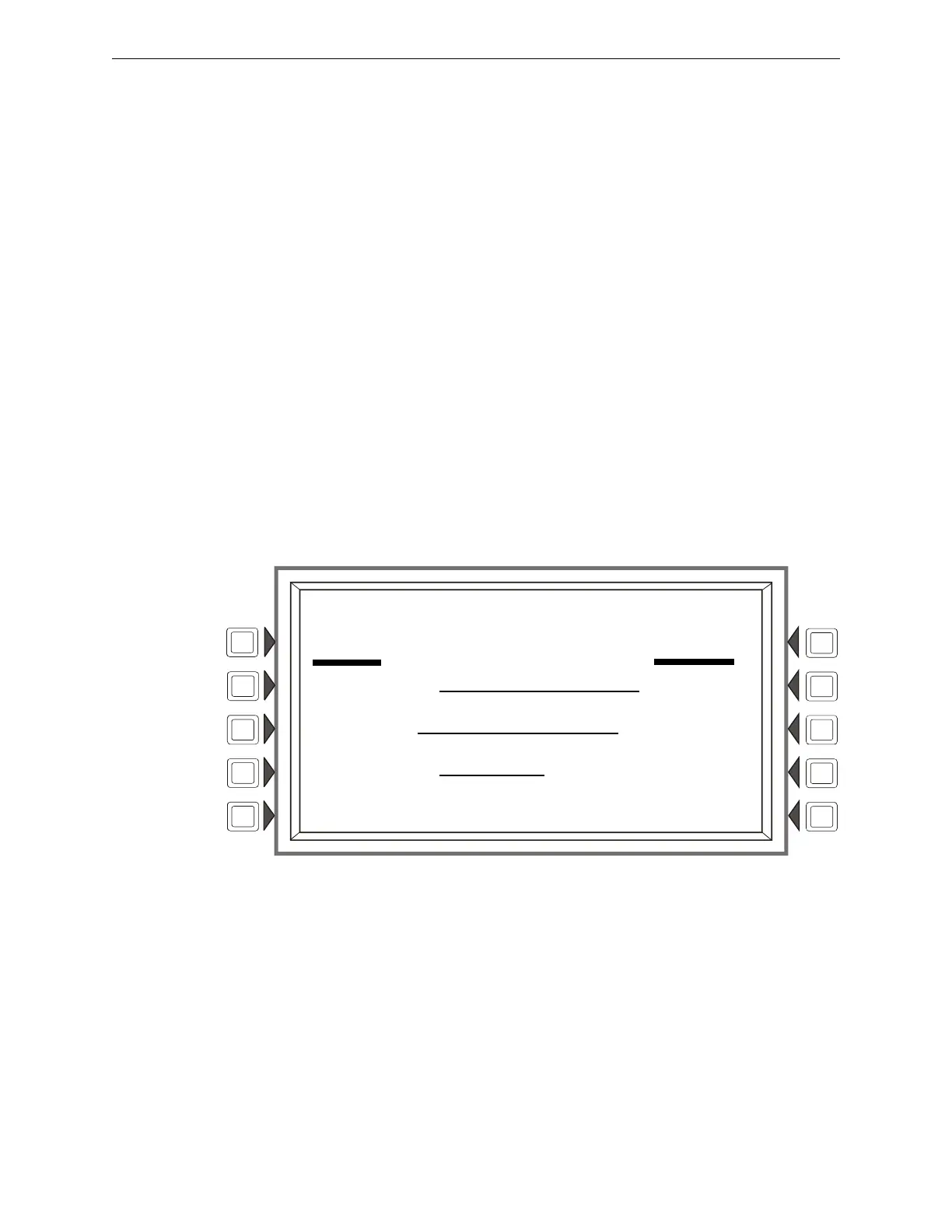
4.2 Time and Date Range Selection for All Events
Pressing the Time/Date Interval soft key on the History Select screen displays the Time & Date
Range Select screen. This screen allows for selection of a time period that defines the range of
events to be viewed and/or printed.
Figure 4.2 Time & Date Range Select Screen
Display
See description in Section 4.1, “Events History”, on page 51 for lines 1-5.
Soft Keys
START TIME: - Use the keypad to enter a start time for event viewing in the following format:
HH:MMA/P DDD MM/DD/YY
END TIME: - Use the keypad to enter an end time for event viewing.
EVENT TYPE: - Press this soft key to scroll through the following: ALL EVENTS, ALARMS
ONLY, TROUBLES ONLY, SUPERVISORY ONLY, SECURITY ONLY, OTHER ONLY. Stop
scrolling at the desired event type.
******EVENT HISTORY************************************************************
TROUBLE
TM4 NO ANSWER 08:52:05P SAT AUG 13, 2005
ACK TROUBLE
TM4 NO ANSWER 08:53:35P SAT AUG 13, 2005
CLEAR TROUBLE
TM4 NO ANSWER 08:54:05P SAT AUG 13, 2005
*******************************************************************************
LAKEVIEW GENERAL HOSPITAL
SYSTEM NORMAL
11:58:45A WED AUG 24, 2005
TIME & DATE RANGE SELECT
START TIME: 12:00A THU 08/18/05
END TIME: 02:00P MON 08/22/05
EVENT TYPE: ALL EVENTS
ACCEPT
BACK



 To Next Page
 Loading...