7
•
Press and hold to Power on/off
○
9 Center Soft Key (OK Key)
•
Press to access Applications list in Home Screen
•
Confirm and select options
○
10 Key symbols
•
Press to choose a * or + symbol. Press the Center Soft Key to
Lock the device.
○
11 Letters symbols
•
In Home Screen, press to toggle vibrate.
•
During keypad input, press to switch between numbers, upper case
letters lower case letters, and predictive text. Press and hold to select a
language.
1.2
Setting up your phone
Your phone may not have any SIM card pre-installed. MicroSD
cards
excluded as well
. Optional microSD Memory Cards are supported (up to
128GB).
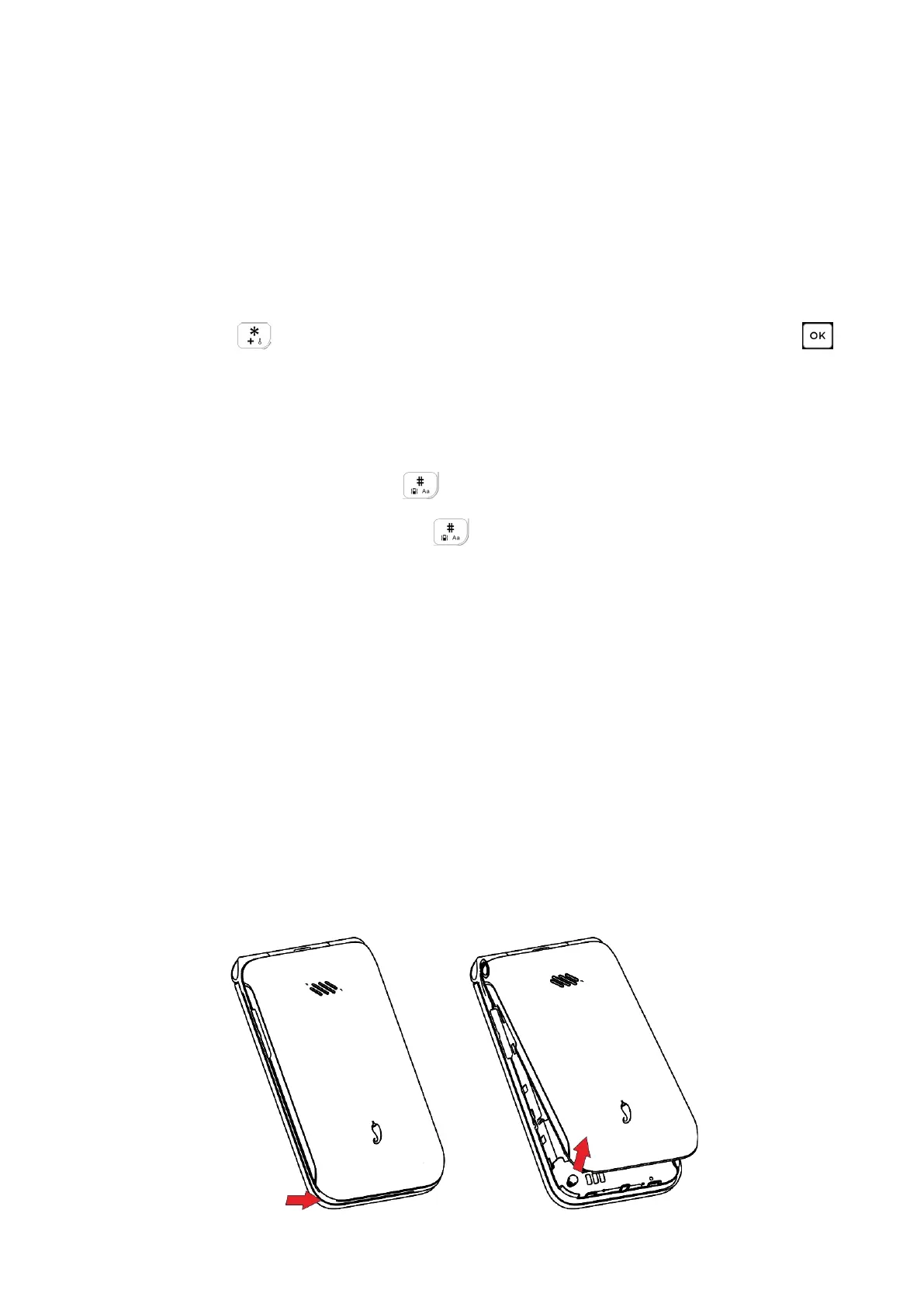
NOTE: Power off the device before opening the back cover to install a
microSD Memory Card or replace the nano-SIM card.
Step 1. With the device facing down, remove the back cover from the bottom
left corner. Use your fingernail to carefully lift the cover away from the device
body.



 To Next Page