EasyManua.ls Logo

HP 54600A - Page 44

HP 54600A
60 pages
Print Icon
To Next Page IconTo Next Page
To Previous Page IconTo Previous Page
Loading...
Figure
18
Figure
19
Operating
Your
Oscilloscope
To
make
cursor
•easuremeats
1
~
+--7
.40~
10
.~/
f1
llilit-1~
•••
I y
•.
·~I
'I'.
I I I I
••
I
••
I
•••
I I I I
••
I I I I I
••
I.
I
I.
I
••••
I
I
I
I
n
I !
' I
; i
~
l
,
)
I
t
,_........,
i '
I '
. !
I
I I I
J...
4
..
I
I.
(•
I ' I ' I ' I I I I I I I
~
I I
tl
=
200.0ns
t2
=
5.800us
Ot
=
5.600ue
1/0t
=
178.6KHz
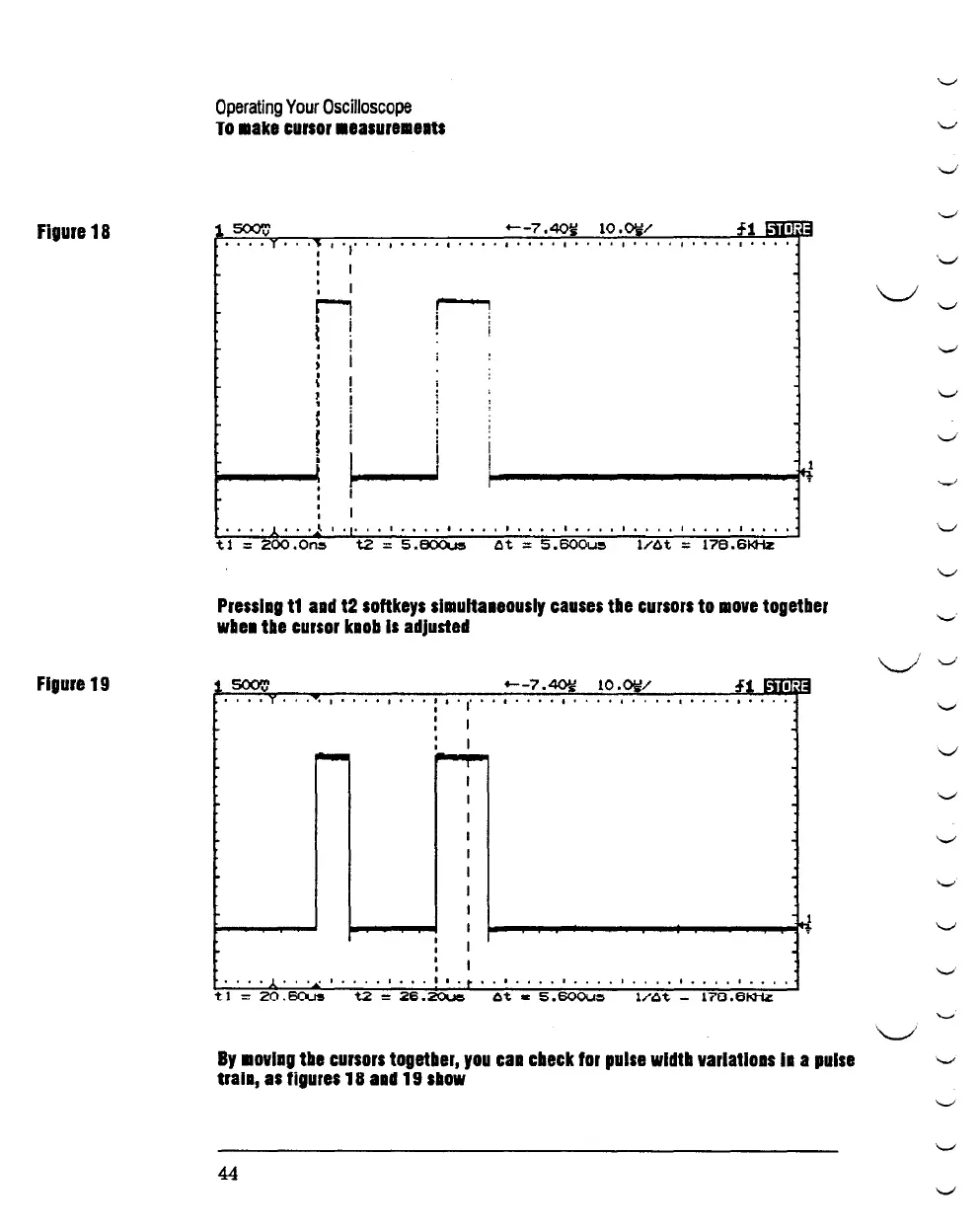
Presslag
t1
aad
t2
softkeys
slmu1ta1eously
causes
tbe
cursors
to
move
togetber
wbe1
tbe
cursor
klob
Is
adjusted
+--7.~
10.~/
T I I : I I' I I I I I
: I
: I
~
I
I
I
I
I
I
I
I
I
: I
! I
l_ I I I I o
.f"
I I I I I
tl
-
20.80us
t2
-
26.~
~t
a
5.600u~
1/At
-
170.6~
By
movlag
tbe
cursors
togetber,
you
caa
cbeck
for
pulse
wldtb
varlatloas
Ia
a
pulse
trala,
as
figures
18
aad
19
sllow
44
'-"
'-"
-_!
'-"
'._,;
\._/
'-"
'-"
'-"
v
'-"
'-"
'-"
...._,.
0
._,;
'-"
v
'-"
'-"
...._,.
'-"
..._,.
0
\_./
'-"
...._,
'-"
'-"

Related product manuals