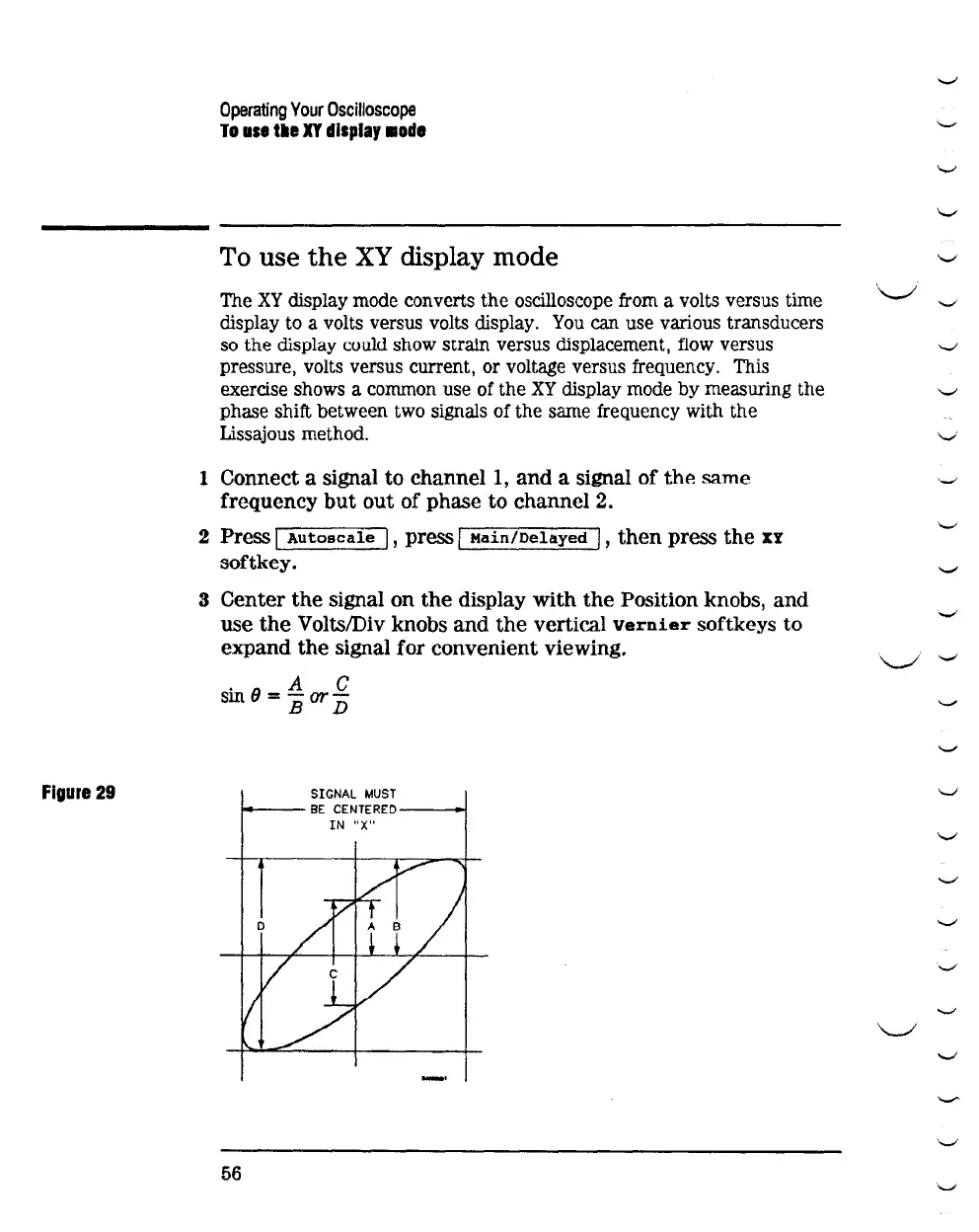
Figure
29
Operating
Your
Oscilloscope
To
use
tile
XY
display
•ode
To
use
the
XY
display mode
The
XY
display mode converts the oscilloscope from a volts versus time
display to a volts versus volts display.
You
can use various transducers
so the display could show strain versus displacement, flow versus
pressure, volts versus current, or voltage versus frequency. This
exercise shows a common use of the
XY
display mode
by
measuring the
phase shift between two signals of the same frequency with the
Lissajous method.
1 Connect a signal to
channel!,
and
a signal
of
the
same
frequency
but
out
of
phase to
channel2.
2 Press I
Autoscale
I , press I
Main/Delayed
I ,
then
press
the
XY
softkey.
3 Center
the
signal on
the
display
with
the
Position knobs,
and
use
the
Volts/Div knobs
and
the
vertical
vernier
softkeys to
expand
the
signal for convenient viewing.
.
6
A C
sm
=
BorD
SIGNAL
MUST
14---
BE
CENTERED----+!
IN
"X"
56
.
.._.,
'-'
'-'
'-'
'-'
\.._,;
'-"
-......;
'-'
v
'-'
'-'
'-'
.
.._.,
~
.._.,
'-'
'-'
'-....!
\._I
'-'
'-'
'-..._;
'-'
'...._,!
v
._.
'-'
'-....!



 To Next Page