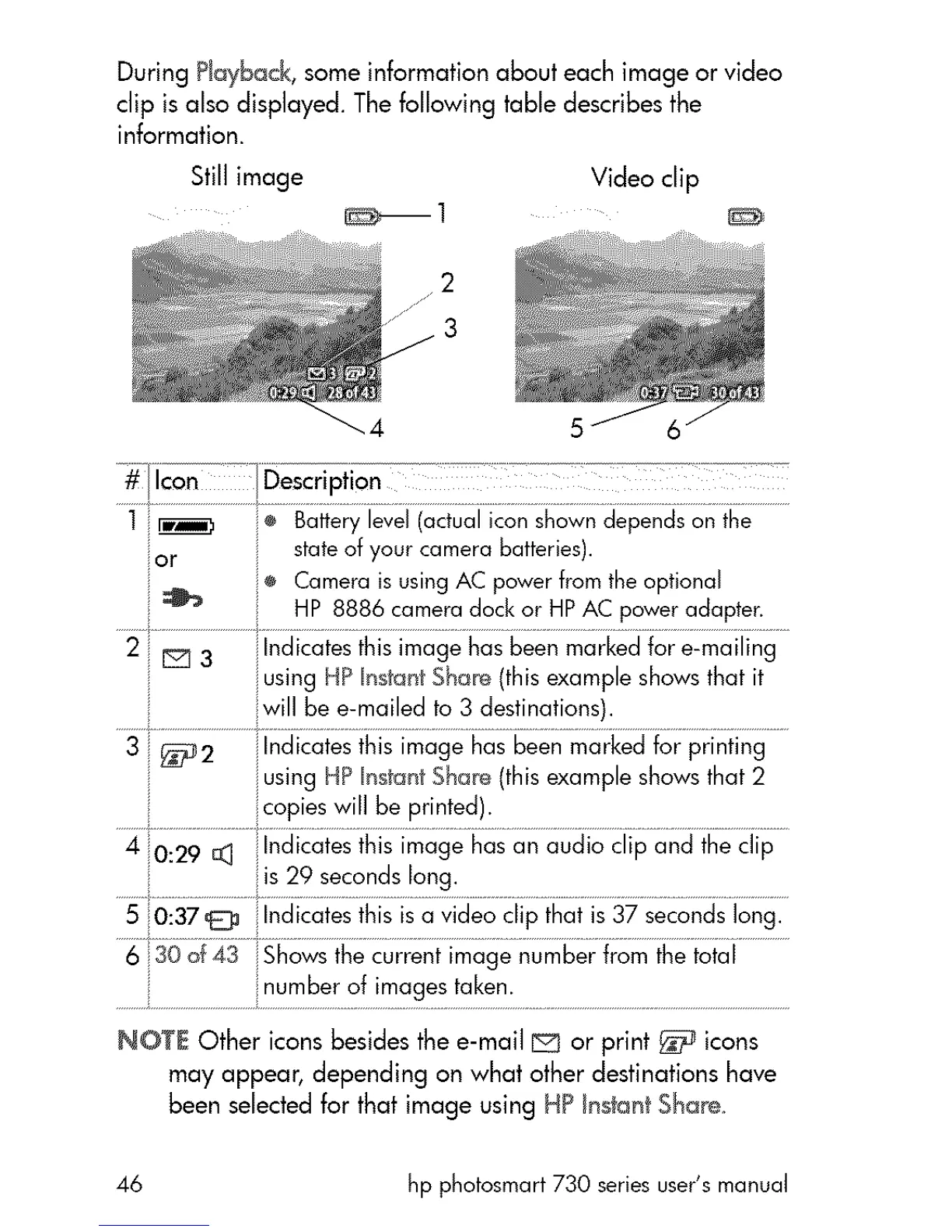
During Playback, some information about each image or video
clip is also displayed. The following table describes the
information.
Stillimage Videoclip
2
3
or stateof your camera batteries).
e CameraisusingAC powerfromtheoptional
HP 8886 cameradock or HPAC poweradapter.
2 EE_3 Indicatesthis image has beenmarkedfor e-mailing
using HP InstantShar,e(this example showsthat it
will be e-mailed to 3 destinations).
3 _2 ilndicates this image has been markedfor printing
iusing HP InstantShare (this example showsthat 2
copies will be printed).
4 0:29 _ Indicates this image has an audio clip and the clip
5 0:37@ Indicatesthis isa video clip that is37 secondslong.
6 30 0f43 iShows thecurrent image number from the total
NOTE Other icons besides the e-mail E_ or print _ icons
may appear, depending on what other destinations have
been selected for that image using H? _nstantS_are_
46 hp photosmart 730 series user's manual



 To Next Page