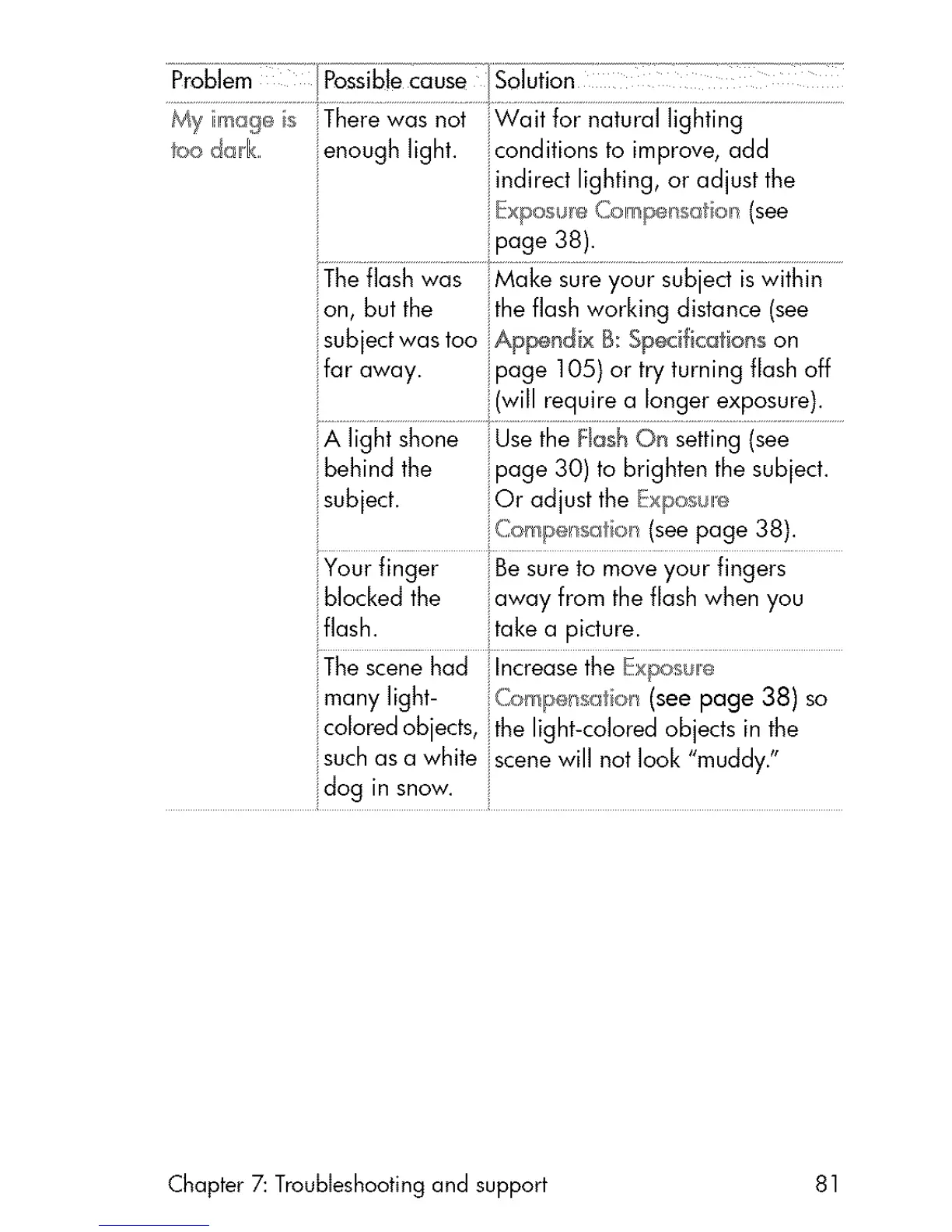
_oodark
enough light, iconditions to improve, add
_ ndirect lighting, or adjust the
ipage 38).
your subjeci iswithit]
on, but the the flash working distance (see
subjectwas too iAppend x B: Specifications on
ifar away. ipage 105) or try turning flash off
iI i!(will require a longer exposure).
]_tiingi]ee......................
iibehind the page 30) to brighten the subject.
subject. !Or adjust the Expos_,_
jCor_!_el'rsatk_n(seepage 38).
jYour finger jBesure to move your fingers
blocked the ;;awayfrom the flash when you
flash, take a picture.
i i
iThescenehad Increasethe Exposul!e:
many light- (ompensa oil (see page 38) so
coored objects, the ght-colored objects in the
i_suchas a white Jscenewill not look "muddy."
Chapter 7: Troubleshooting and support 81



 To Next Page