Installation Guide
Replacing the needle support assembly
19
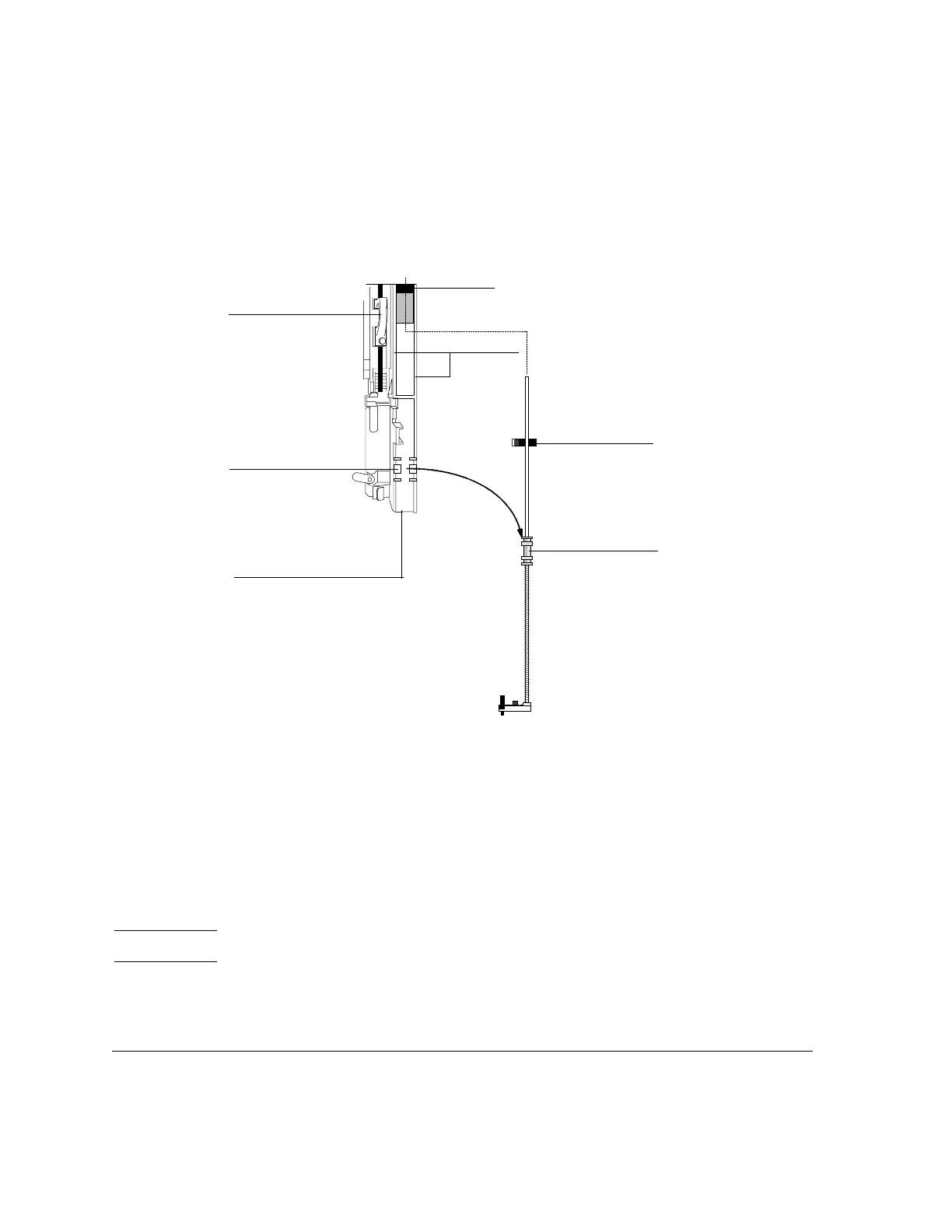
Figure 12 Removing the needle support assembly
4. With your finger under the shaft near the bearing on the needle support
assembly, pull gently to release the bearing from the bearing clip in the
syringe carriage.
5. Carefully use the bearing to pull the rod down until you can lift the assembly
out of the syringe carriage.
Caution Be careful not to pull the assembly by its metal shaft. The shaft is easily bent.
Bearing clip
Guide
Syringe
Slide
Bearing
Syringe carriage
Plunger carrier loop
carriage
tracks



 To Next Page