EasyManua.ls Logo

HP 8153A - Page 211

HP 8153A
282 pages
Print Icon
To Next Page IconTo Next Page
To Previous Page IconTo Previous Page
Loading...
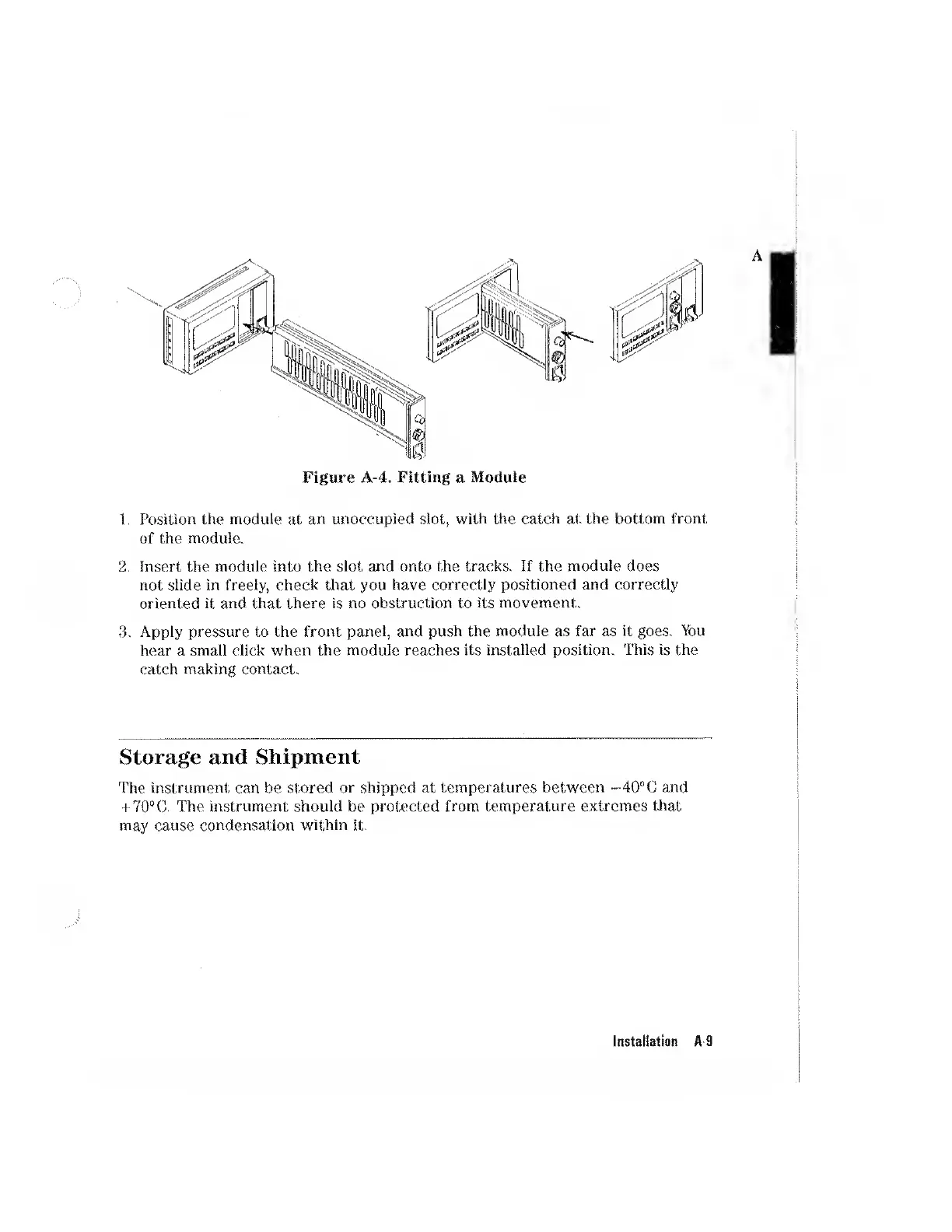
Figure
A-4.
Fitting
a
Module
1.
Position
the
module
at
an
unoccupied
slot,
with
the
catch
at
the
bottom
front
of
the
module.
2
.
Insert
the
module
into
the
slot
and
onto
the
tracks.
If
the
module
does
not
slide
in
freely,
check
that
you
have
correctly
positioned
and
correctly
oriented
it
and
that
there
is
no
obstruction
to
its
movement.
3.
Apply
pressure
to
the
front
panel,
and
push
the
module
as
far
as
it
goes.
You
hear
a
small
click
when
the
module
reaches
its
installed
position.
This
is
the
catch
making
contact.
Storage
and
Shipment
The
instrument
can
be
stored
or
shipped
at
temperatures
between
-•40°C
and
+
70°C.
The
instrument
should
be
protected
from
temperature
extremes
that
may
cause
condensation
within
it.
Instaliation
A-9