EasyManua.ls Logo

HP 8153A - Page 58

HP 8153A
282 pages
Print Icon
To Next Page IconTo Next Page
To Previous Page IconTo Previous Page
Loading...
Note
4
The
environmental
conditions
and
the
temperature
of
the
instrument
affect
the
electrical
offset.
For
the
best
results
you
must:
Allow
the
instrument
time
to
acclimatize
(c.24
hours).
Allow
the
instrument
time
to
warm
up
(c.20
minutes).
Make
sure
that
the
optical
input
is
not
receiving
any
light.
If
you
are
using
multi-mode
cable
you
must
disconnect
the
cable
and
cover
the
input
to
the
sensor
to
perform
a
zero.
It
is
a
good
practice
to
zero
the
instrument
before
making
any
important
measurements.
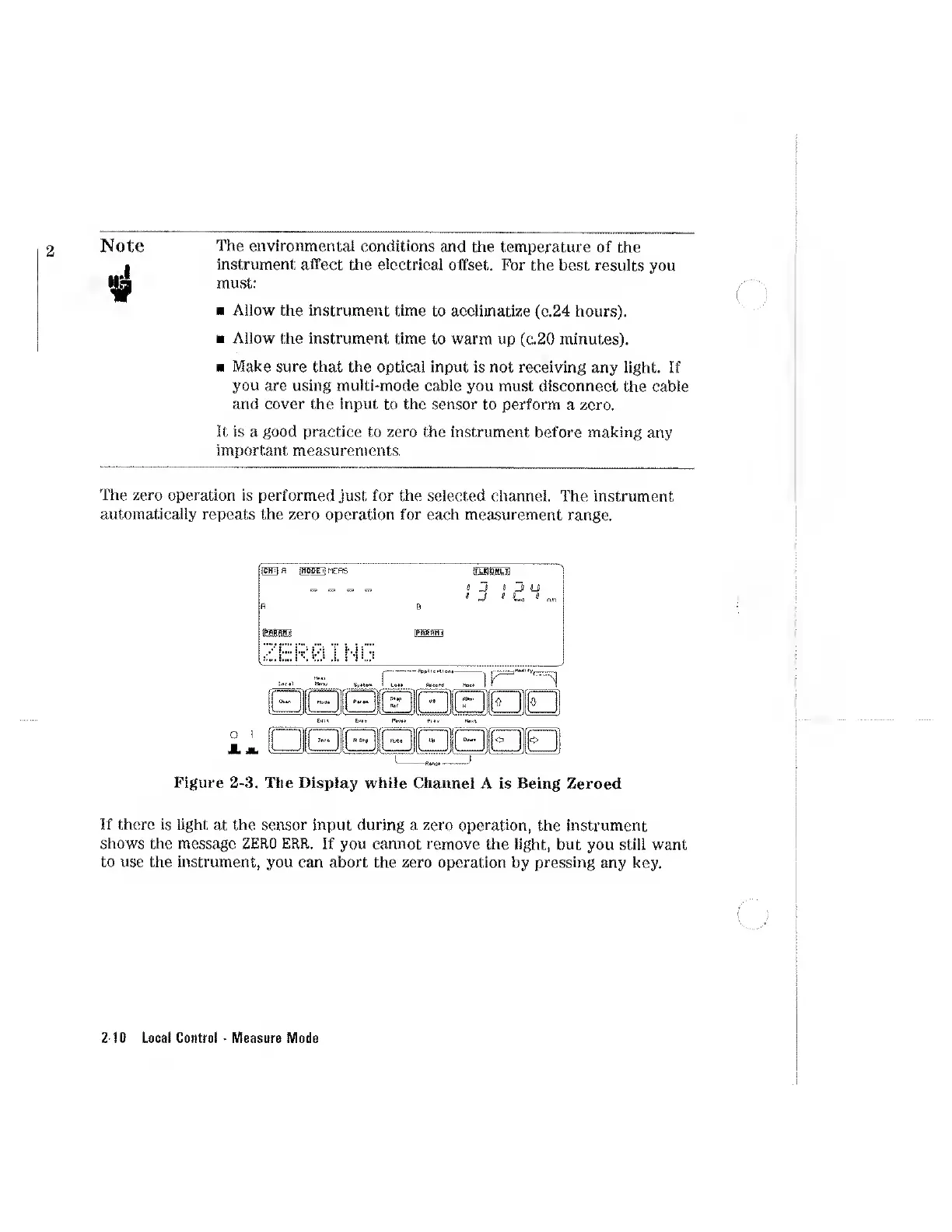
The
zero
operation
is
performed
just
for
the
selected
channel.
The
instrument
automatically
repeats
the
zero
operation
for
each
measurement
range.
Figure
2-3.
The
Display
while
Channel
A
Is
Being
Zeroed
If
there
is
light
at
the
sensor
input
during
a
zero
operation,
the
instrument
shows
the
message
ZERO
ERR.
If
you
cannot
remove
the
light,
but
you
still
want
to
use
the
instrument,
you
can
abort
the
zero
operation
by
pressing
any
key.
2-10
Local
Control
Measure
Mode

Other manuals for HP 8153A

Related product manuals