EasyManua.ls Logo

HP 8508A - Page 39

HP 8508A
130 pages
Print Icon
To Next Page IconTo Next Page
To Previous Page IconTo Previous Page
Loading...
Operation
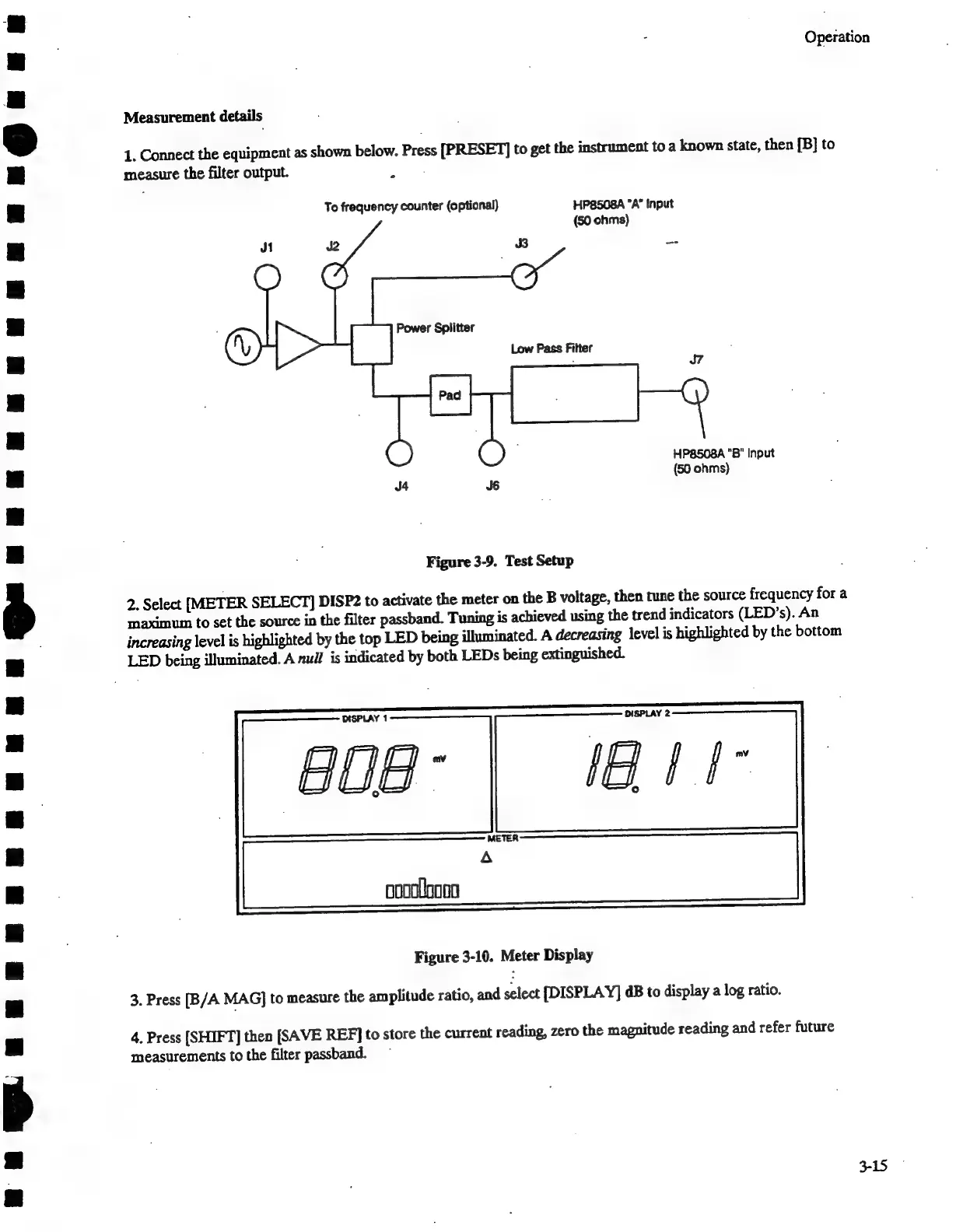
Measurement
details
1,
Connect
the
equipment
as
shown
below.
Press
[PRESET]
to
get
the
instrument
to
a
known
state,
then
[B]
to
measure
the
filter
output.
Le
a
To
frequency
counter
(optional)
HP8508A
"A"
Input
(50
ohms)
Power
Splitter
Low
Pass
Filter
HP8508A
"B"
Input
(50
ohms)
Figure
3-9.
Test
Setup
2.
Select
[METER
SELECT]
DISP2
to
activate
the
meter
on
the
B
voltage,
then
tune
the
source
frequency
for
a
maximum
to
set
the
source
in
the
filter
passband.
Tuning
is
achieved
using
the
trend
indicators
(LED’s).
An
increasing
level
is
highlighted
by
the
top
LED
being
illuminated.
A
decreasing
level
is
highlighted
by
the
bottom
LED
being
illuminated.
A
null
is
indicated
by
both
LEDs
being
extinguished.
oooolooo
Figure
3-10.
Meter
Display
3.
Press
[B/A
MAG]
to
measure
the
amplitude
ratio,
and
select
[DISPLAY]
dB
to
display
a
log
ratio.
4.
Press
[SHIFT]
then
[SAVE
REF]
to
store
the
current
reading,
zero
the
magnitude
reading
and
refer
future
measurements
to
the
filter
passband.
3-15

Related product manuals