Installing the chassis 18
CAUTION:
To prevent improper cooling and thermal damage, operate servers only when the
open side of the server is enclosed by either another server, a divider, or the chassis wall.
CAUTION: To prevent improper cooling and thermal damage, do not operate the chassis
unless all bays are populated with a component or a blank.
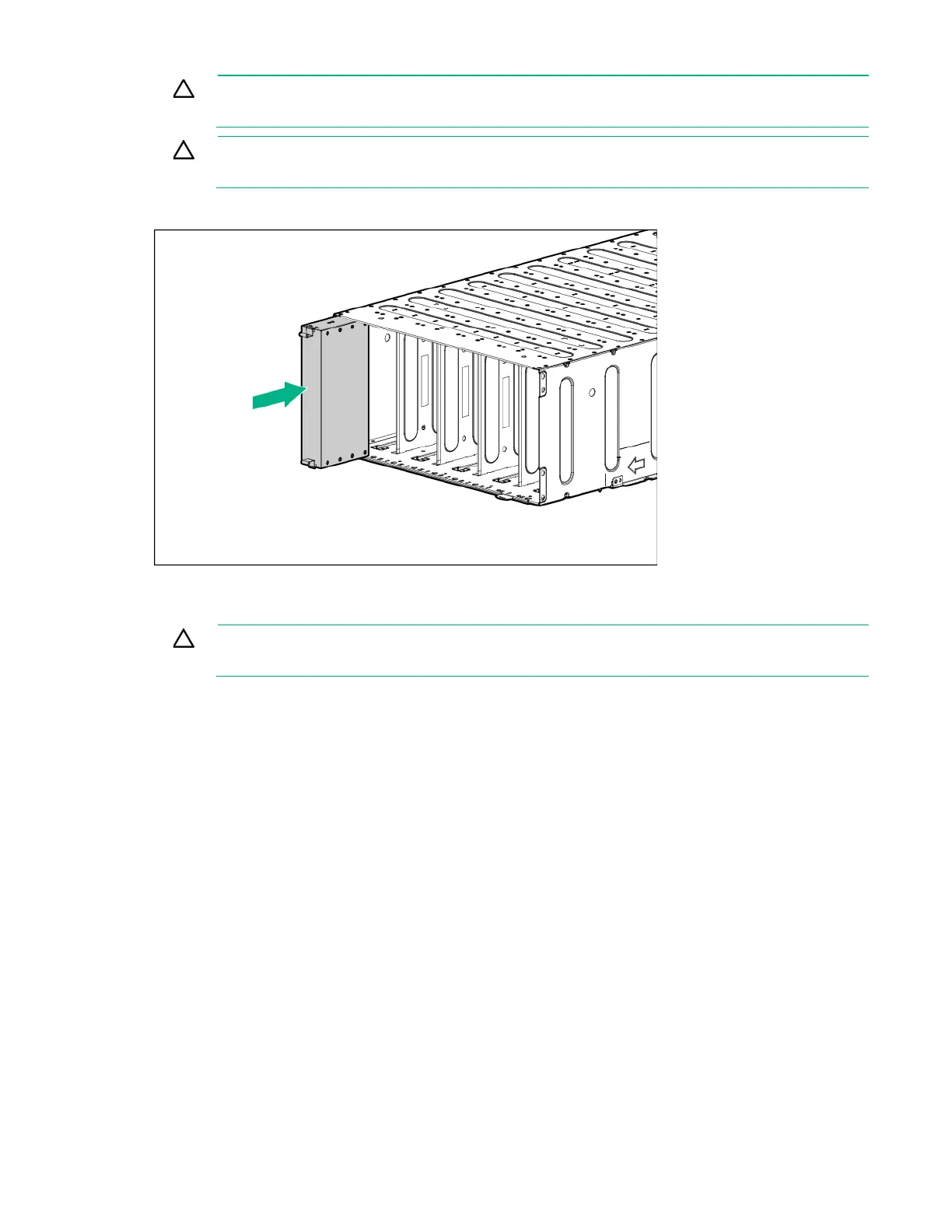
Install the component as indicated.
Installing a server
CAUTION:
To prevent improper cooling and thermal damage, operate servers only when the
open side of the server is enclosed by either another server, a divider, or the chassis wall.
When installing servers in the chassis, observe the following guidelines to ensure proper air flow:
• Always populate the enclosure from right to left, beginning with bay 10.
• Operate servers only when the open side of the server is enclosed by either another server, a
divider, or the chassis wall.






 To Next Page