Cabling 31
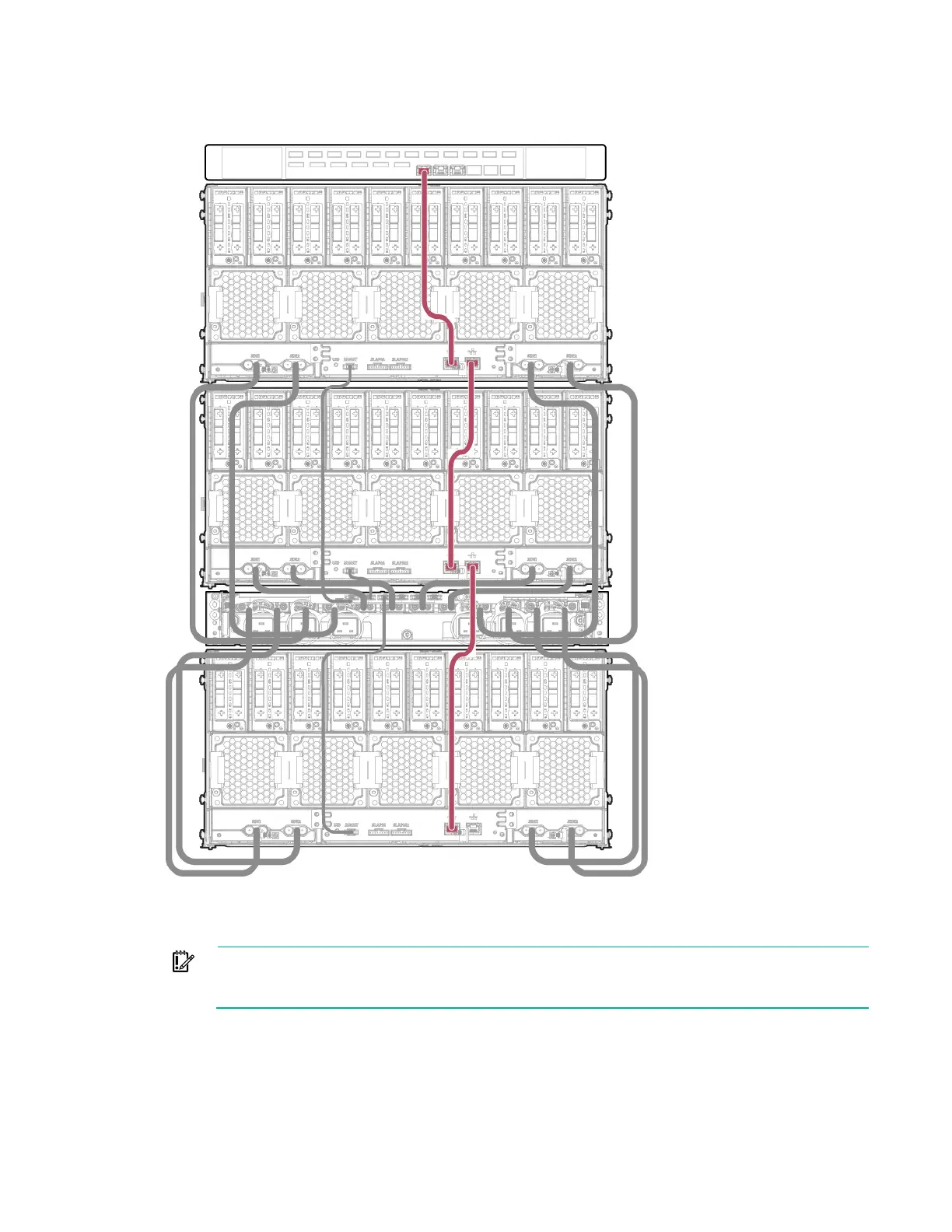
• Connect the chassis together using a daisy chain configuration, and then connect one RJ-45 from
one chassis to the top-of-rack switch.
Connecting the optional HPE APM module
IMPORTANT:
If you have an APM connected to an Apollo a6000 Chassis, do not connect the
iLO port of the APM and the iLO port of the enclosur
e to the network at the same time. Having
both ports connected at the same time results in a loopback condition.
1. Connect the APM to the network (shown in green).
2. Connect the APM to the chassis (shown in red).






 To Next Page