Installing the chassis 23
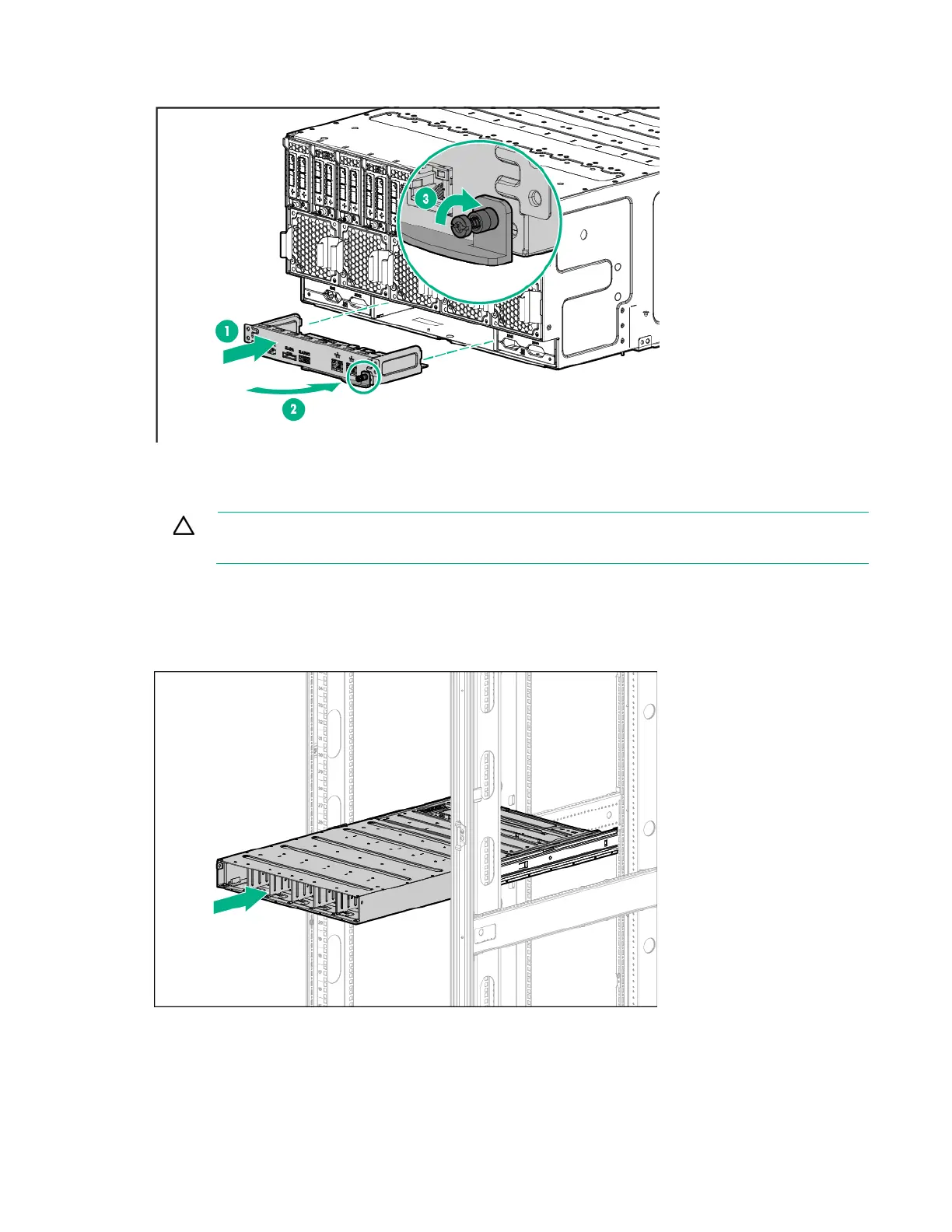
Install the component as indicated.
Installing the power shelf
CAUTION: To prevent damage to the component, power down the chassis and disconnect
all power cords before removing or installing the component.
To install the component:
1. Install the power shelf rack rails into the rack. For more information, see the HPE Power Shelf Rack
Rail Kit for HPE and Third Party Racks Installation Instructions.
2. Install the power shelf.






 To Next Page