Installing the chassis 24
3.
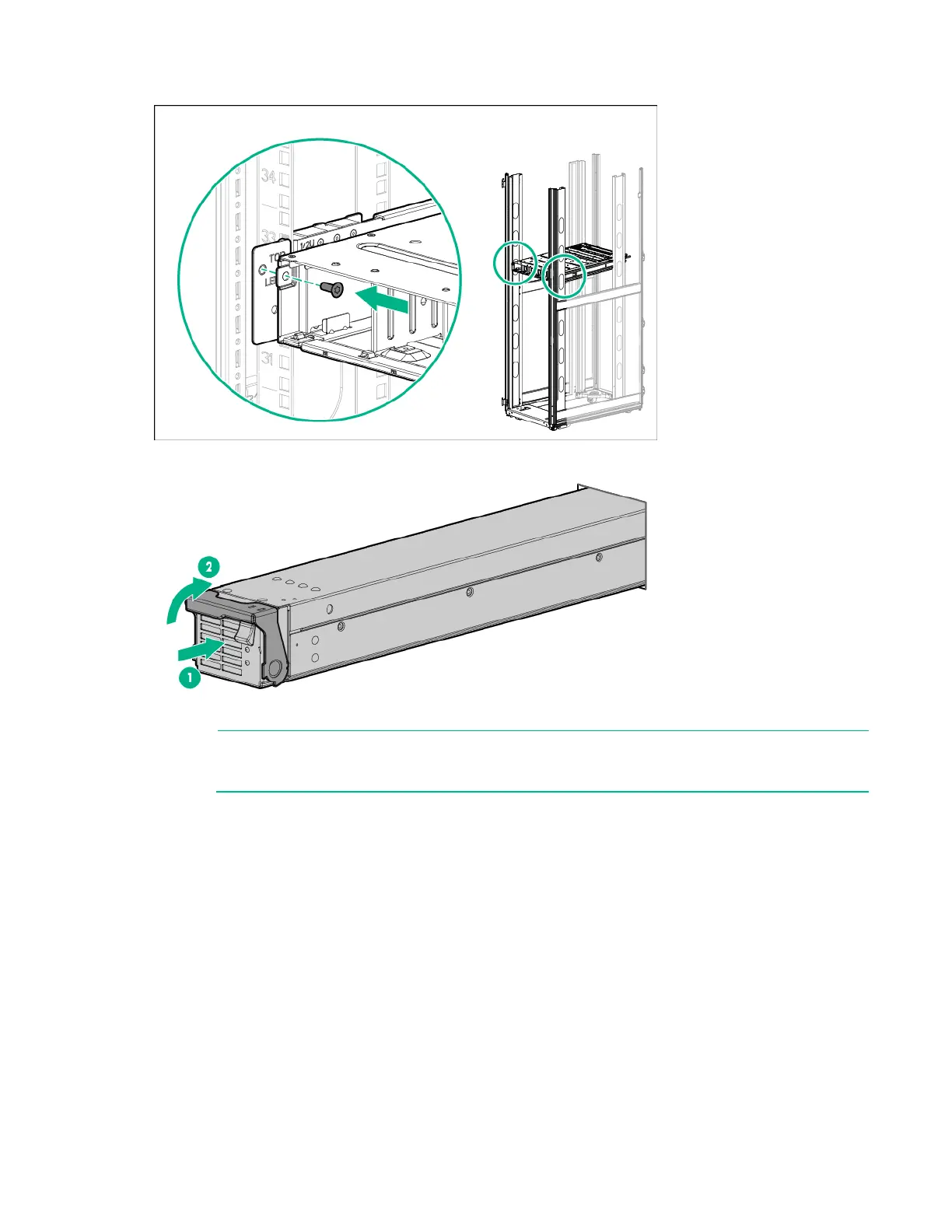
Secure the power shelf to the rack.
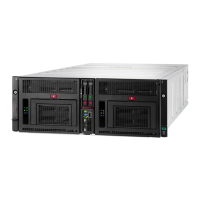
4. Install the power supplies into the power shelf, if needed.
NOTE: If additional clearance is requ
ired to install power cables, loosen the thumb screw on
either side of the shelf and slide the shelf out while installing the cables. Use caution to avoid
bending the shelf.
5. Remove the power supply vent cover.
6. Install the 12V DC power cables:






 To Next Page