Removal and Replacement Procedures
Maintenance and Service Guide 6–15
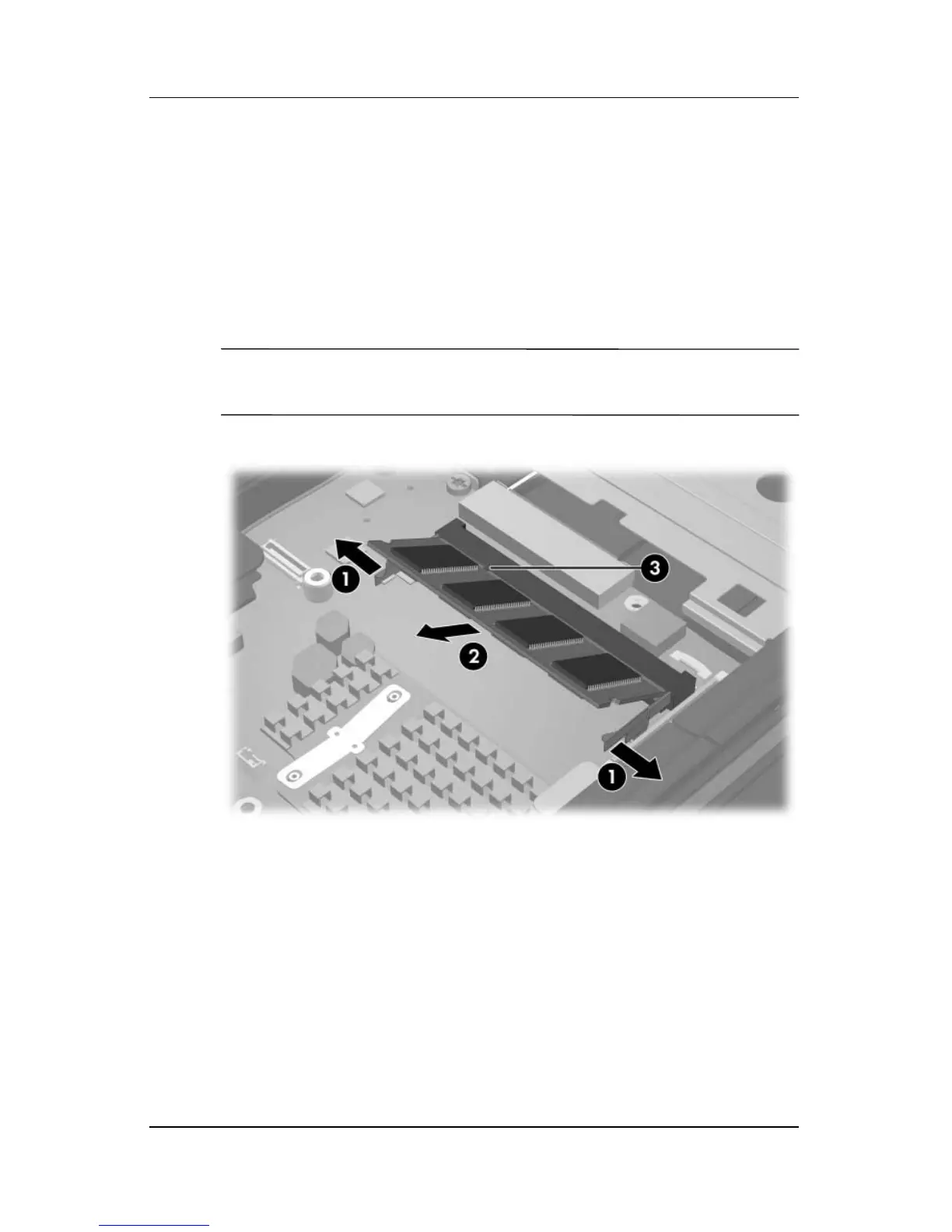
6. Spread the retaining tabs 1 on each side of the memory
module socket to release the memory module. (The side of
the memory module opposite the socket rises away from the
computer.)
7. Slide the memory module 2 away from the socket at an
angle.
8. Remove the memory module.
✎
Memory modules are designed with a notch 3 to prevent
incorrect installation into the memory module socket.
Removing the Memory Module
Reverse the above procedure to install a memory module.



 To Next Page
 Loading...










