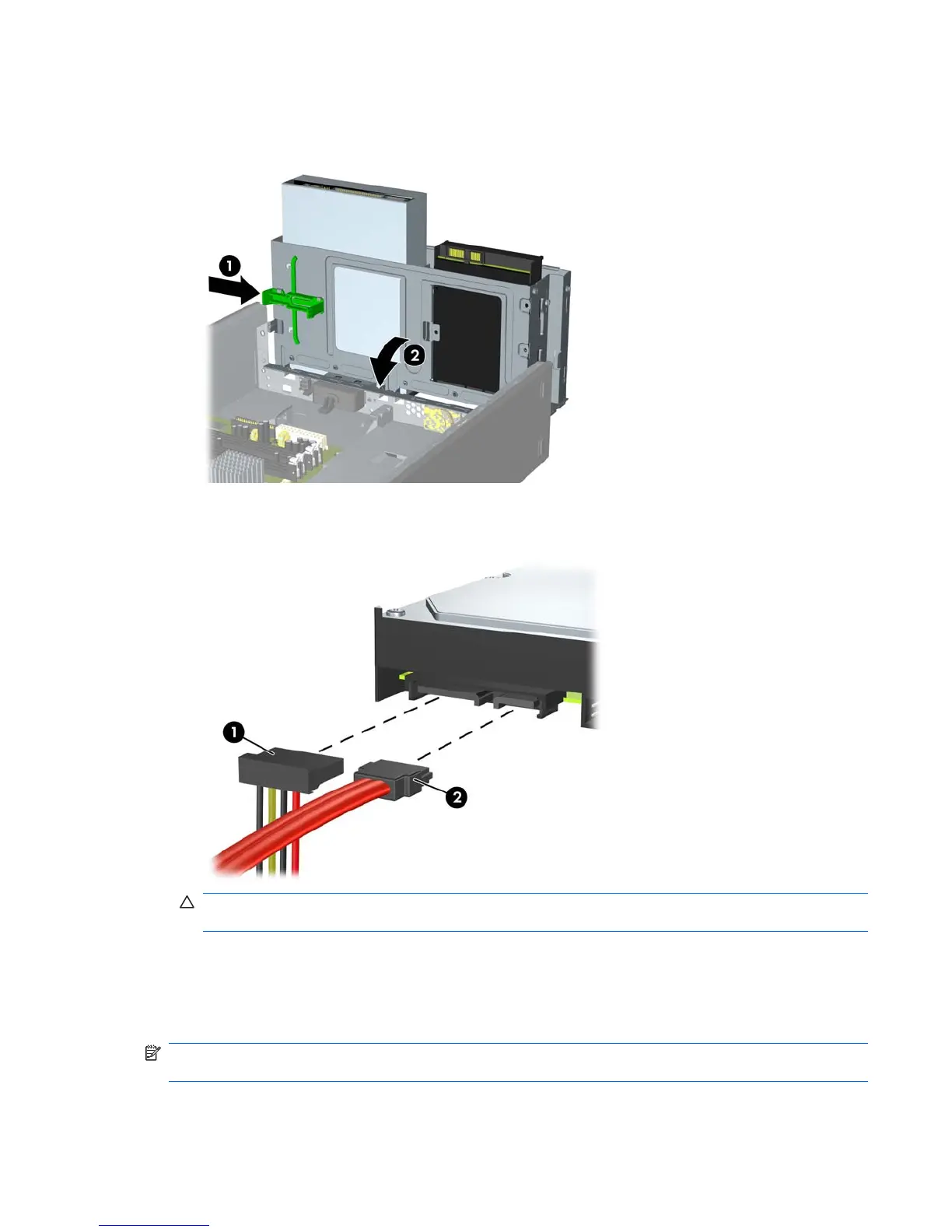
5. Push in the latch holding the drive cage upright and lower the drive cage all the way down.
Figure 8-26 Lowering the Drive Cage
6. Connect the power cable (1) and data cable (2) to the back of the hard drive.
Figure 8-27 Connecting the Hard Drive Cables
CAUTION: Never crease or bend a SATA data cable tighter than a 30 mm (1.18 in) radius. A
sharp bend can break the internal wires.
7. Replace the access panel and front bezel.
8. Reconnect the power cord and any external devices, then turn on the computer.
9. Lock any security devices that were disengaged when the access panel was removed.
NOTE: If you are replacing the primary hard drive, use the Recovery Disc Set to restore the operating
system, software drivers, and any software applications that were preinstalled on the computer.
Drives 103










 To Next Page