Front Bezel
1. Prepare the computer for disassembly (Preparation for Disassembly on page 37).
2. Remove the access panel (
Access Panel on page 38).
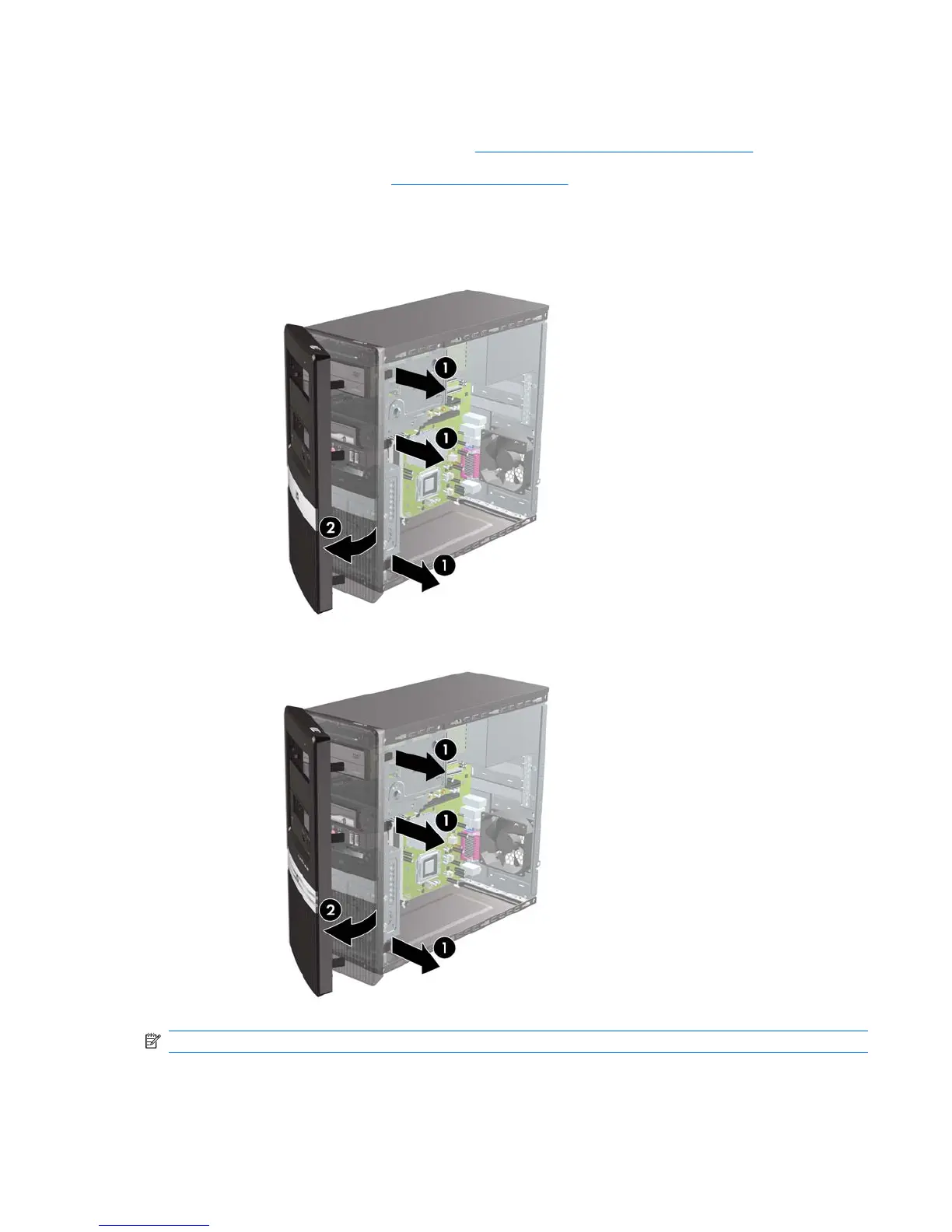
3. Press outward on the three latches on the right side of the bezel (1), then rotate the right side of
the bezel off the chassis (2) followed by the left side.
Figure 7-4 Removing the Front Bezel – dx2810
Figure 7-5 Removing the Front Bezel – dx2818
NOTE: The appearance of the front bezel may vary.
To reinstall the front bezel, reverse the removal procedure.
Front Bezel 39










 To Next Page