Front Bezel
1. Prepare the computer for disassembly (Preparation for Disassembly on page 83).
2. Remove the access panel (
Access Panel on page 84).
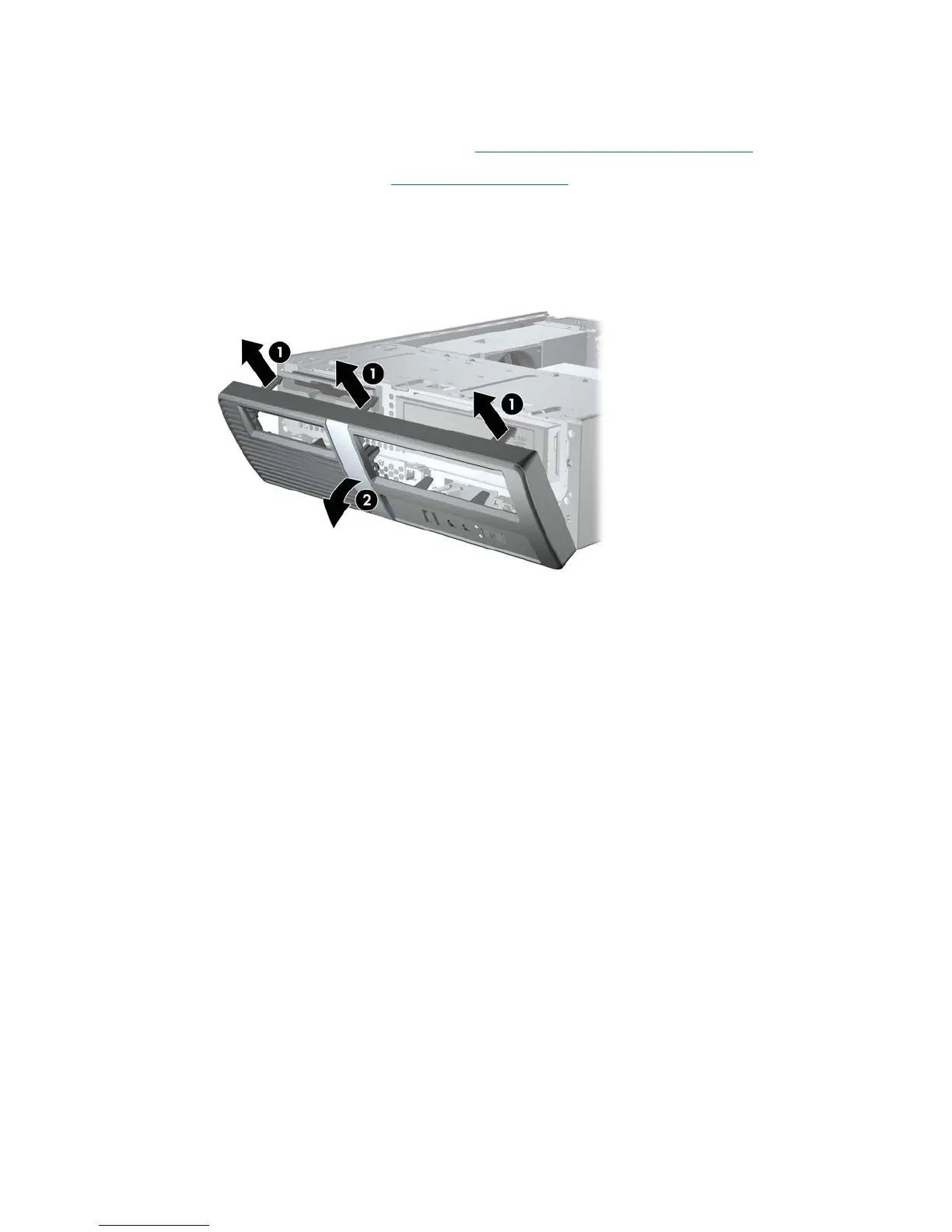
3. To remove the front bezel, pull up on each of the three tabs on the top of the bezel (1) to release
them, then rotate the bezel down and off the chassis (2).
Figure 8-2 Removing the Front Bezel
To install the front bezel, reverse the removal procedure.
Front Bezel 85










 To Next Page