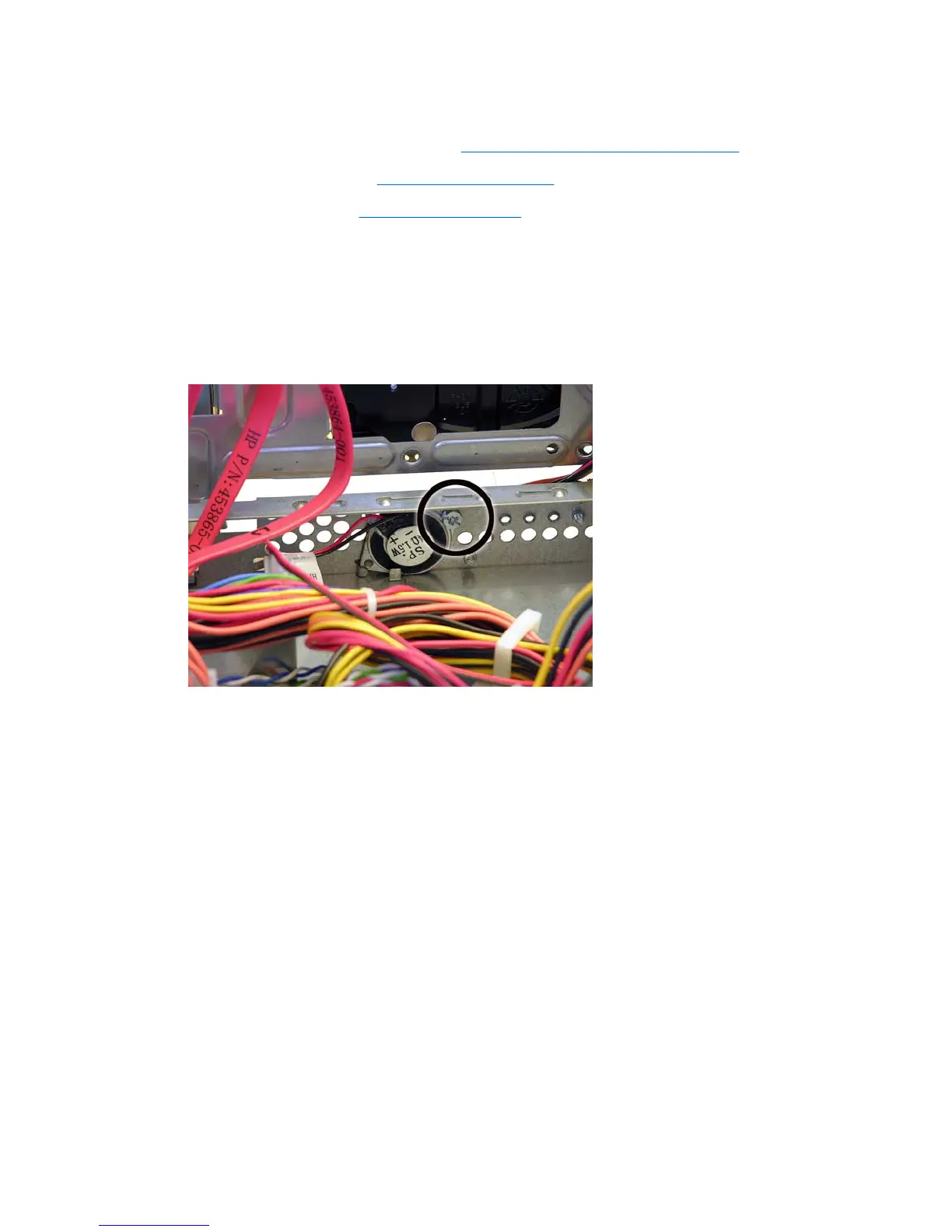
Speaker
1. Prepare the computer for disassembly (Preparation for Disassembly on page 83).
2. Remove the access panel (
Access Panel on page 84).
3. Remove the front bezel (
Front Bezel on page 85).
4. Rotate the drive cage to its upright position.
5. Loosen the square plastic fastener to gain access to the speaker wire.
6. Disconnect the speaker wire from the white system board connector labeled SPEAKER.
7. Remove the screw that secures the speaker to the inside of the chassis, slide the speaker away
from the power switch, and then remove it from the chassis.
To install the speaker, reverse the removal procedures.
116 Chapter 8 Removal and Replacement Procedures Small Form Factor (SFF) Chassis





 To Next Page