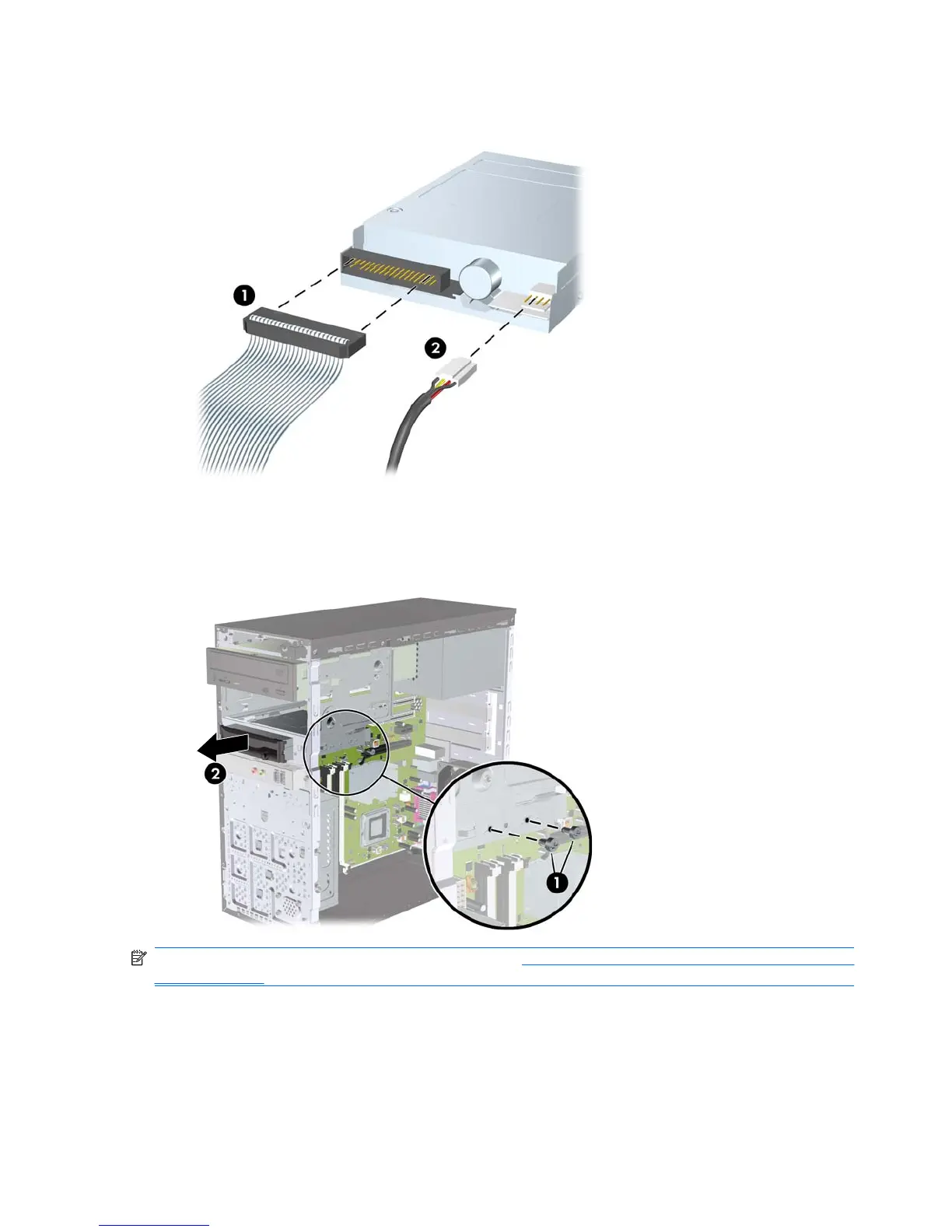
4. Disconnect the data cable (1) and power cable (2) from the rear of the drive.
Figure 7-23 Disconnecting the Diskette Drive Cables
5. Remove the two retainer screws that secure the drive to the bay (1) then slide the drive forward
and out of the bay (2).
Figure 7-24 Removing a 3.5-inch Device (Diskette Drive Shown)
NOTE: To install an external 3.5-inch drive, refer to Installing a Drive into the 3.5-inch External Drive
Bay on page 59.
58 Chapter 7 Removal and Replacement Procedures Microtower (MT) Chassis










 To Next Page