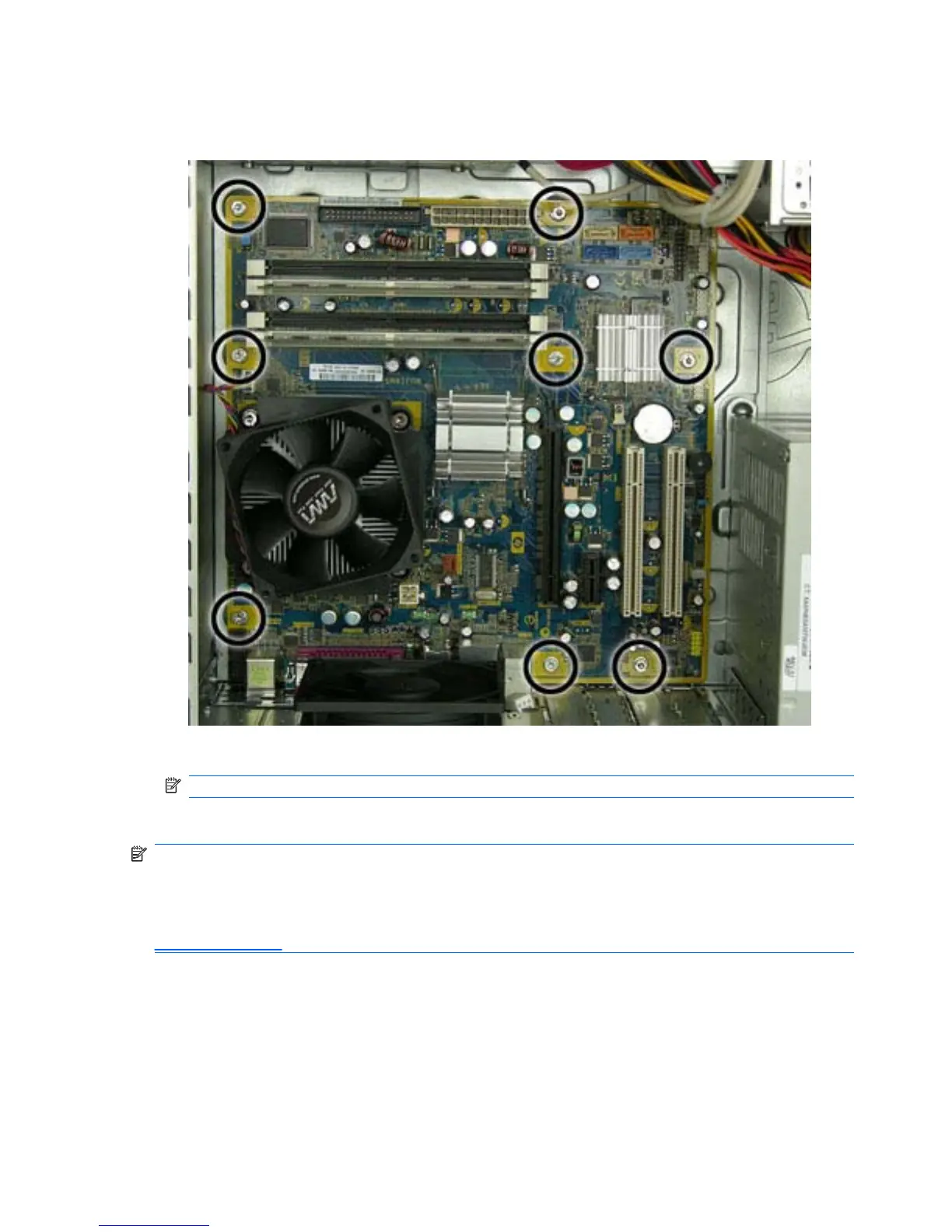
7. Disconnect all cables from the system board.
8. Remove the eight screws that secure the system board to the chassis.
9. Slide the system board toward the front of the chassis, and then lift it up and out of the chassis.
NOTE: The system board in the computer may look slightly different from the one shown here.
To install the system board, reverse the removal procedure.
NOTE: When replacing the system board, you must also change the chassis serial number in the
BIOS.
NOTE: After installing a new system board, always update the system ROM to ensure that the latest
version of the BIOS is being used on the computer. The latest system ROM BIOS can be found at:
http:///support/files.
74 Chapter 7 Removal and Replacement Procedures Microtower (MT) Chassis










 To Next Page