Chapter 1 Installation Overview
4
1. Remove the air cooling duct. Lift the front until the T-hook is free of its
slot as shown below. Then gently pull the duct towards the front of the
NetServer and up and out of the chassis. Store it in a safe place for now;
you must replace it before you replace the NetServer cover.
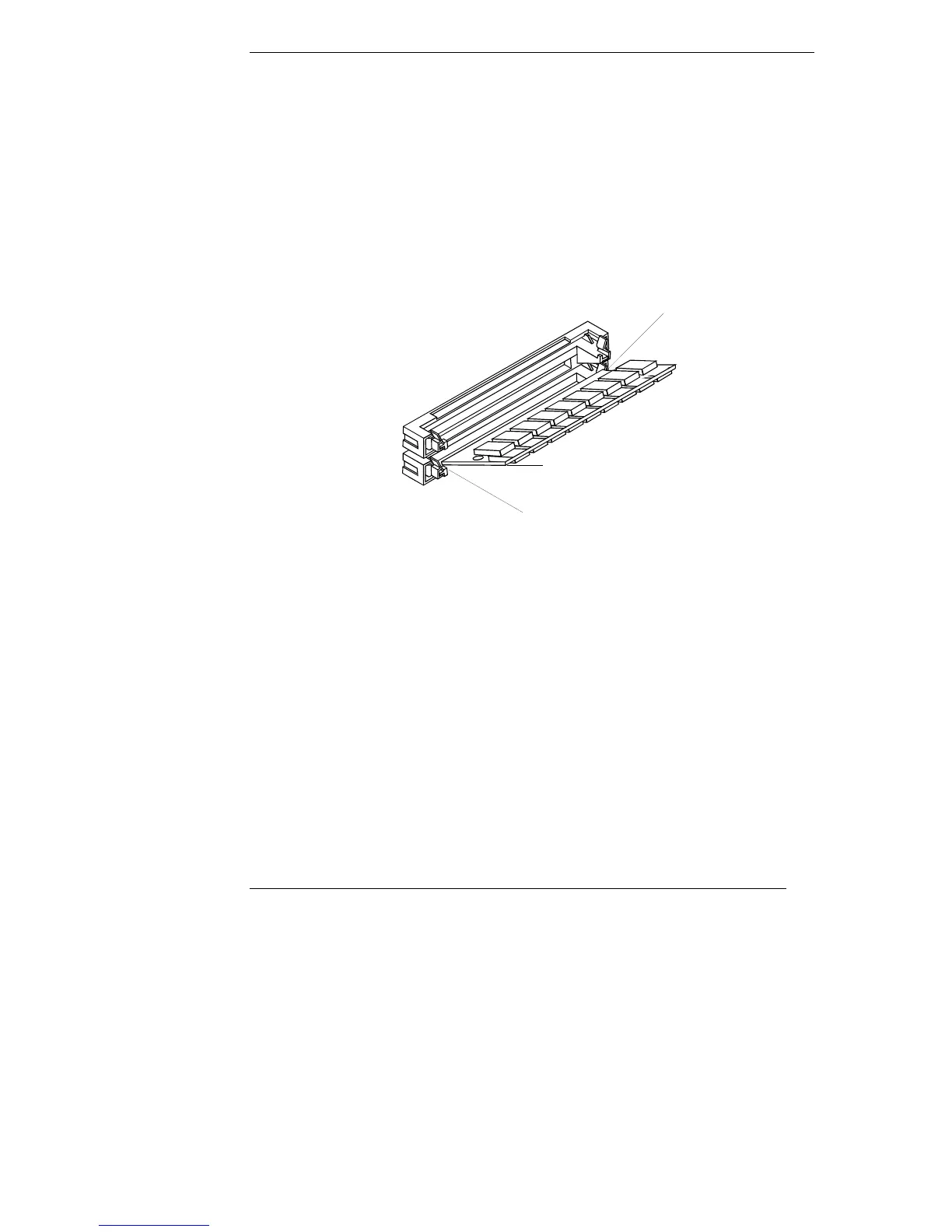
2. Align the notched corner on the SIMM with the key on the end of the slot
and insert the SIMM at a 45-degree angle, as shown below.
3. Pivot the SIMM to the 90-degree angle until the retaining clips on both
sides snap into place.
4. Replace the cooling duct before replacing the NetServer cover.
90°
45°
Notch
Figure 1-2. Installing a SIMM in the NetServer E 30









 To Next Page