11
8
10
4
5
1
7
6
2
3
9
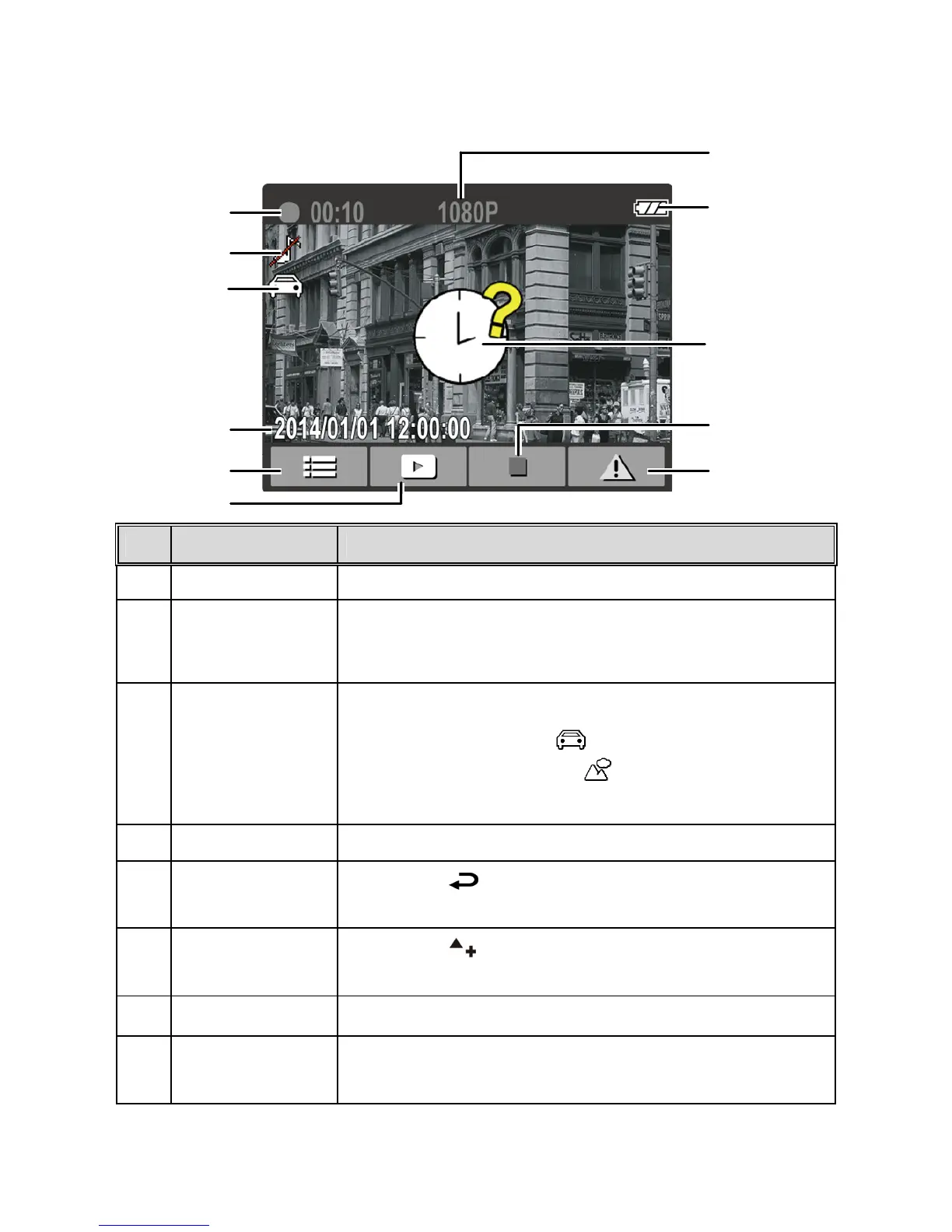
3.1.5 The Recording Screen
No.
Item Description
1 Duration Indicates the current recording duration.
2 Voice Record
Indicates sound will not be recorded with the
video. Enter the OSD menu to enable "Voice
Record".
3
Smart
Scene Mode
There are two options for the Smart Scene Mode:
1. Drive Priority
2.Scenery Priority
See section 4.2
Menu Tree for more details.
4 Date and time Indicates the current recording date and time.
5
Settings Menu
Icon
Press the [
] button to enter the camcorder
settings menu.
6 Playback icon
Press the [
] button to go to the playback
menu.
7 Resolution Indicates the current video resolution.
8 Battery
Indicates the estimated remaining battery level
or if it is being charged.



 To Next Page