9
2 Getting Started
2.1 Storage Media
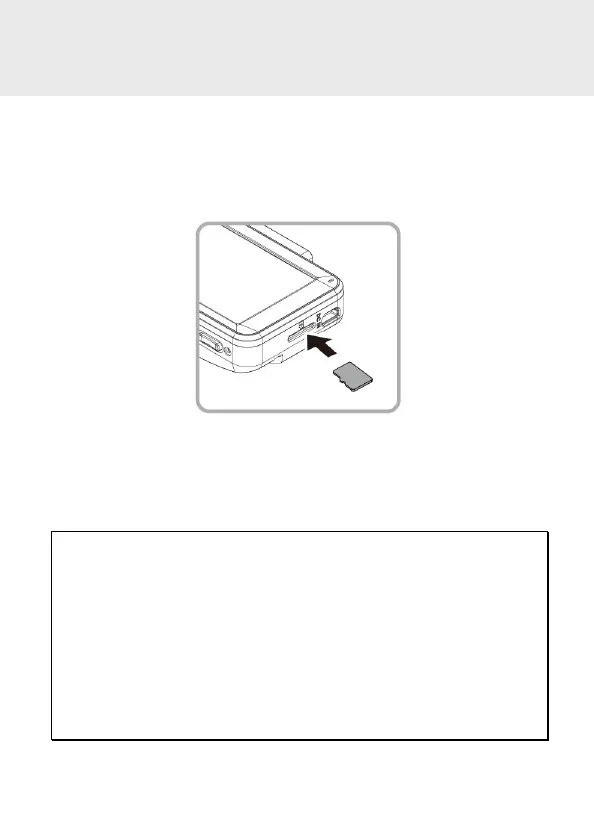
2.1.1 Insert the Memory Card
Insert memory card with the pins facing forward, see the picture as
below:
2.1.2 Remove the Memory Card
If the camcorder is power on, please power off first and wait for the
procedure of switching off the camcorder completed before removing
the memory card.
Note:
1. Do not remove or insert the memory card when the camcorder is turned on. This may damage the
memory card.
2. Suggest to use class V30 or higher, and capacity 16GB or higher micro SD card.
3. Please format the micro SD cards before the initial use. The formatted file type for this camcorder
is FAT32 file.
4. Periodically format the microSD card (recommended period: once a month).
5. Capacity of 64GB or higher must format by the device before starting to use.
6. Memory cards have a service life. Long-term use may lead to write speed degradation and file save
failure. If this happens, it is recommended that you purchase a new memory card.
7. Due to the various specifications of memory cards on the market, and the quality is uneven, we do
not guarantee that all memory cards are compatible with our products. If there is a memory card
abnormality, resulting in the inability to store recorded images, It’s not directly related with the
dashcam. Please swap the new card from where you purchased.



 To Next Page