41
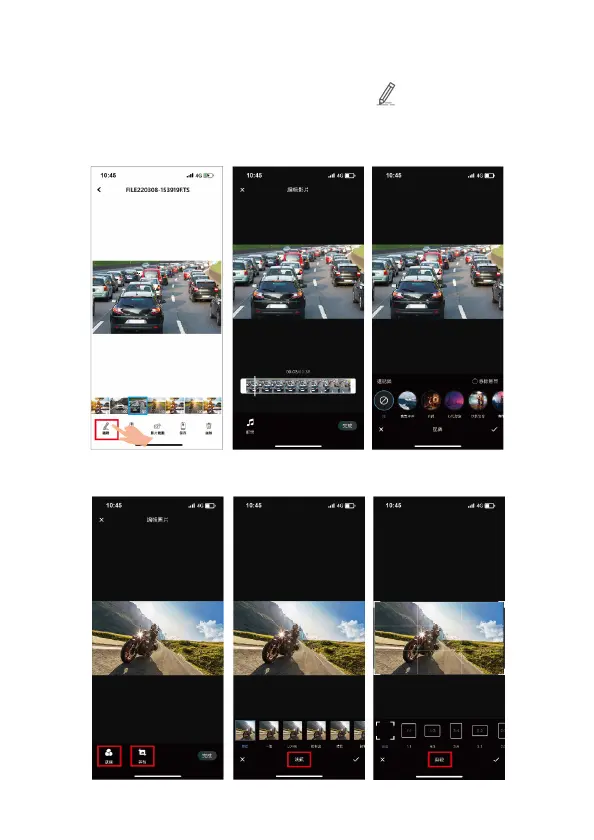
5.3.1 Edit Video or Picture
Open the downloaded file in “Album”, then, tap Edit icon. The video
or picture can be edited.
1. Edit video: Remove original audio/voice, and embed favorite music from
the recommendations.
2. Edit picture: Crop the picture, or change the color of picture from
recommendations.



 To Next Page