8
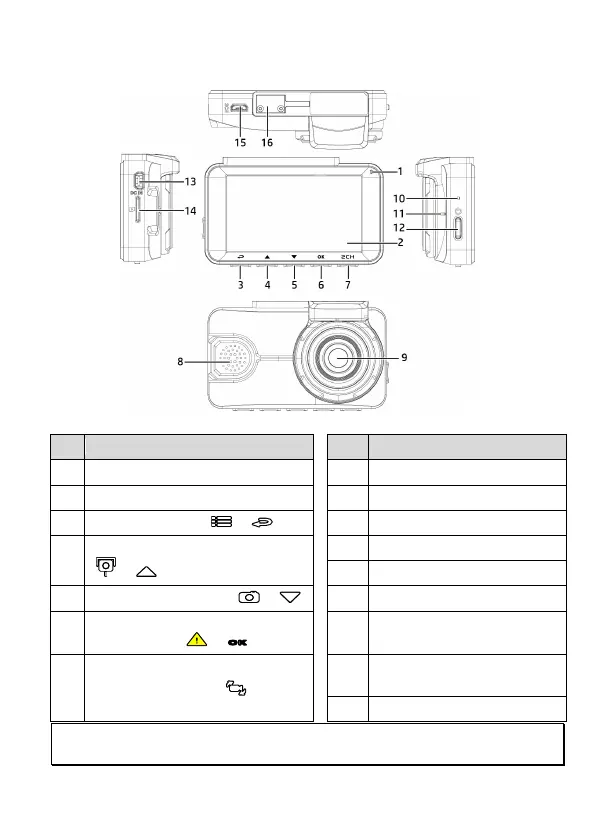
1.3 Product Overview
No.
Item
No. Item
1 LED Indicator
8 Speaker
2 LCD Color Screen
9 Wide Angle Lens
3 Menu / Back Button ( / )
10 Reset
4
Add Speed Point / Up Button
( / )
11 Microphone
12 Power/HUD
5 Snapshot / Down Button ( / )
13 Power Connector Port
6
Emergency Recording /
Confirm Button (
/
OK
)
14 Memory Card Slot
7
Switch Camera Button ( / 2CH
)
15
Rear camera connector port
(option)
16 Bracket Socket
Note:
Please press the button (3~7) according to the diagram notice shown on screen.



 To Next Page