38
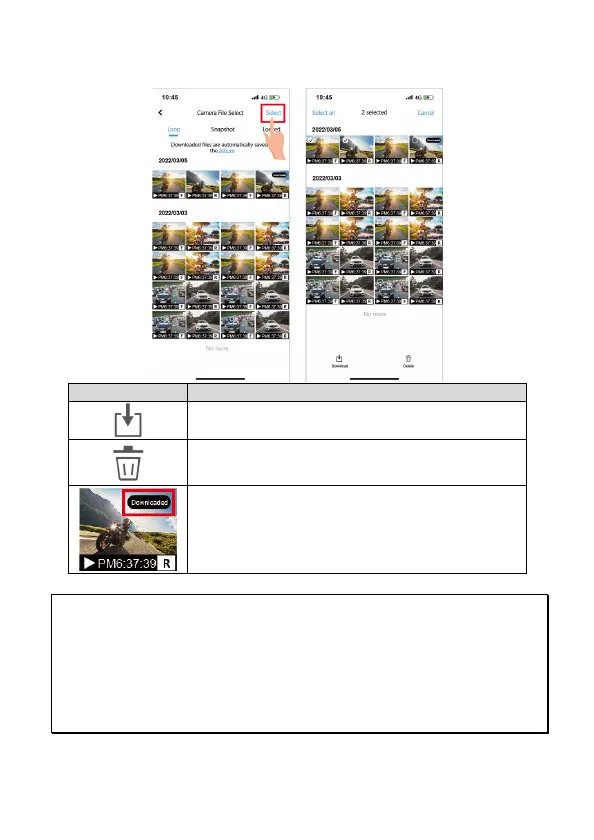
3. Tap the right top corner “Select” and pick up the files that you want to
delete or download and tap below icon to execute.
Icon Description
Download the file to smartphone.
Delete file from microSD card.
Downloaded file will mark as “Downloaded” on
preview thumbnail. It can be opened from ”Album”
without Wi-Fi connection to the camera.
Note:
1. If recordings have no audio, check if Microphone is OFF in the menu. For video playback, we
recommend VLC Media Player.
2. Deleted files cannot be recovered. Backup any important files before deleting them.
3. The snapshot is activated by app. The image file will be stored both in microSD card in the camera
and “Album” folder of MUFU Video app. The file will be marked as “Downloaded” on preview
thumbnail.
4. If you plan to download a large number of videos and photos, take out the microSD card and use
PC/Mac.



 To Next Page