14
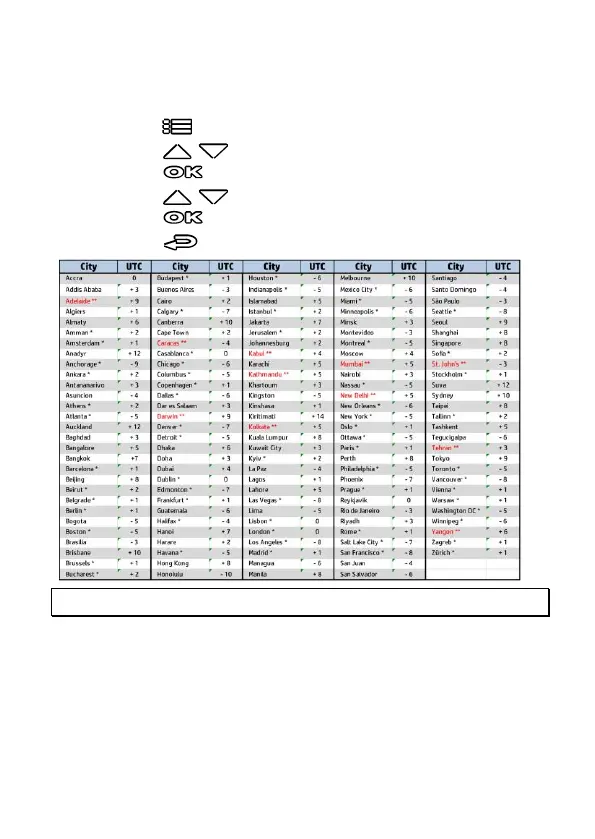
2.6.1 Set Time zone
To set the time zone, do the following:
1. Press the button to enter the OSD menu.
2. Press the / button to select Set Time zone, and then
press the button for entering function menu.
3. Press the / button to set the current time zone, and then
press the button to complete setting.
4. Press the button to return to recording screen.
Note: If satellite positioning is not successful, camcorder clock will run based on user defined time.



 To Next Page