21
3.3.2 Add Speed Point
You may customize speed cam positions in this product.
1. When the GPS positioning is completed , press to add speed
camera point manually.
2. This product features a capacity of 50 speed cam positions. In case
you are trying to add more than that the system prompts with
message "Speed Position is full".
Note:
You may delete custom speed cam positions by selecting the
Delete Last Position
or
Delete All
Position
option from the
Speed Position Management
menu. Please note that all of your existing
speed cam positions are deleted once the
Delete All Position option
is selected. Make sure you are
ready to recreate your custom speed cam positions before running this option.
3.3.3 Speed Limit Alert
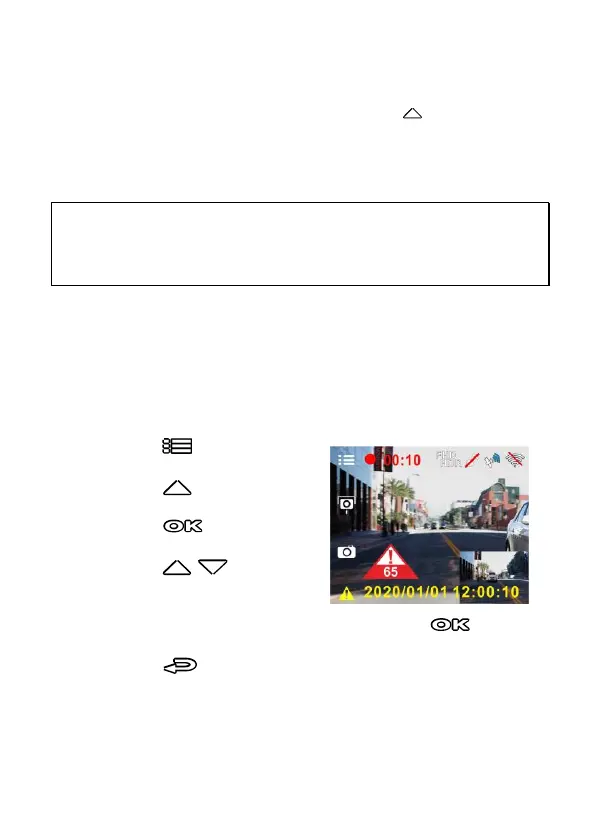
If the Speed Limit Alert function is enabled, this product produces
audible alert and screen message once your car’s location is determined
by GPS and its running speed exceeds the set limit.
To set the Speed Limit Alert, do the following:
1. Press the button to enter
the OSD menu.
2. Press the / button to select
Speed Limit Alert, and then
press the button for
entering function menu.
3. Press the / button to
set up a Speed Limit Alert to
trigger this product’s alarm [Off /
50 ~ 200 km/h (30~125 mph)], and then press the button
to complete setting.
4. Press the button to return recording screen.
5. The screen pops up red icon to remind you to slow down when you
are driving faster than the set speed limit.



 To Next Page