17
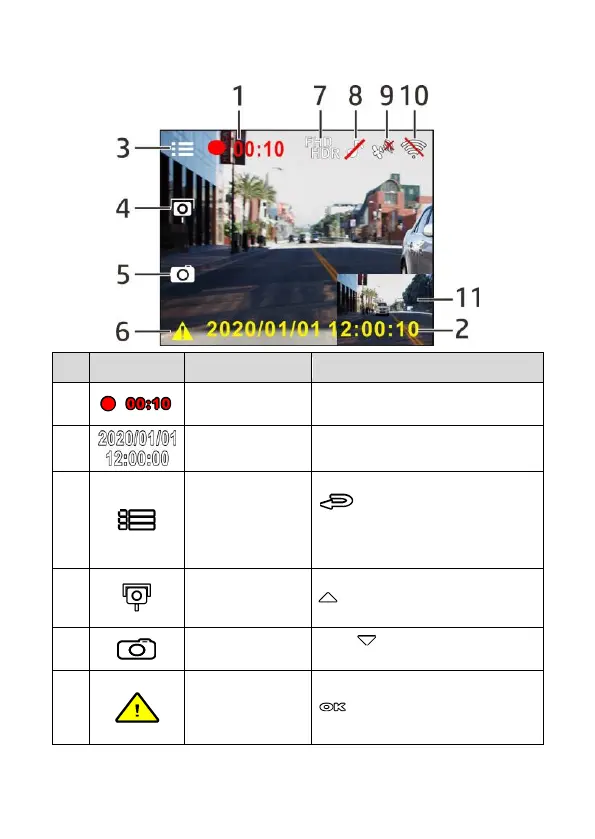
3.1.1 The Recording Screen
Indicates the video current duration.
Indicates the current recording date
and time.
1.During video recording, press the
button to enter the Menu.
2.Long press 3 seconds to enter 2
GRID FUNCTION CHART to check
current direction and speed.
During video recording, press the
button to add a speed cam
point.
PIV (Picture in
Video) Button
Press to capture video screen
shots.
Emergency
Recording Button
During video recording, press the
button to enter emergency
recording mode.



 To Next Page