2 Million Imp - Preventive Maintenance Guide - HP Indigo press 5000
CA294-00570 rev 01 page 14 of 18
Appendix B - Vacuum pump maintenance
To perform vacuum pump maintenance, do the following:
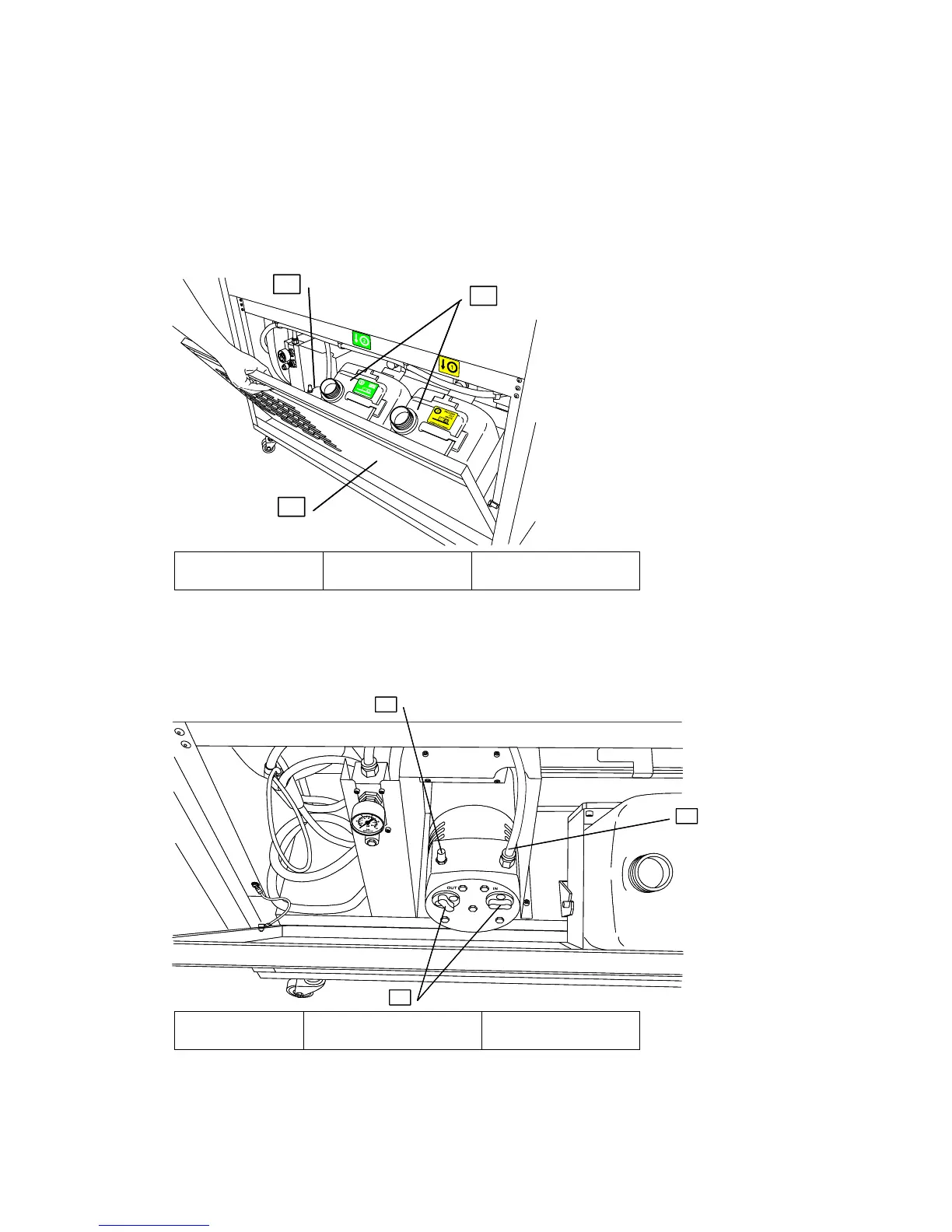
1. Remove the water and process oily waste bottles from their positions behind the lower service
door at the press rear. See Figure 3.
Figure 3 Press rear
1
2
3
1
2
3
1 - Waste bottles 2 - Vacuum pump 3 - Removable door
2. Lift up the lower door and remove it. See Figure 3.
3. Disconnect the fast-on tube. See Figure 4.
Figure 4 Vacuum pump location
1
3
2
1
3
2
1 - Fast-on tube 2 - Vacuum pump filters 3 - Muffler filter
4. Remove the vacuum pump filters. See Figure 4.



 To Next Page