2 Million Imp - Preventive Maintenance Guide - HP Indigo press 5000
CA294-00570 rev 01 page 15 of 18
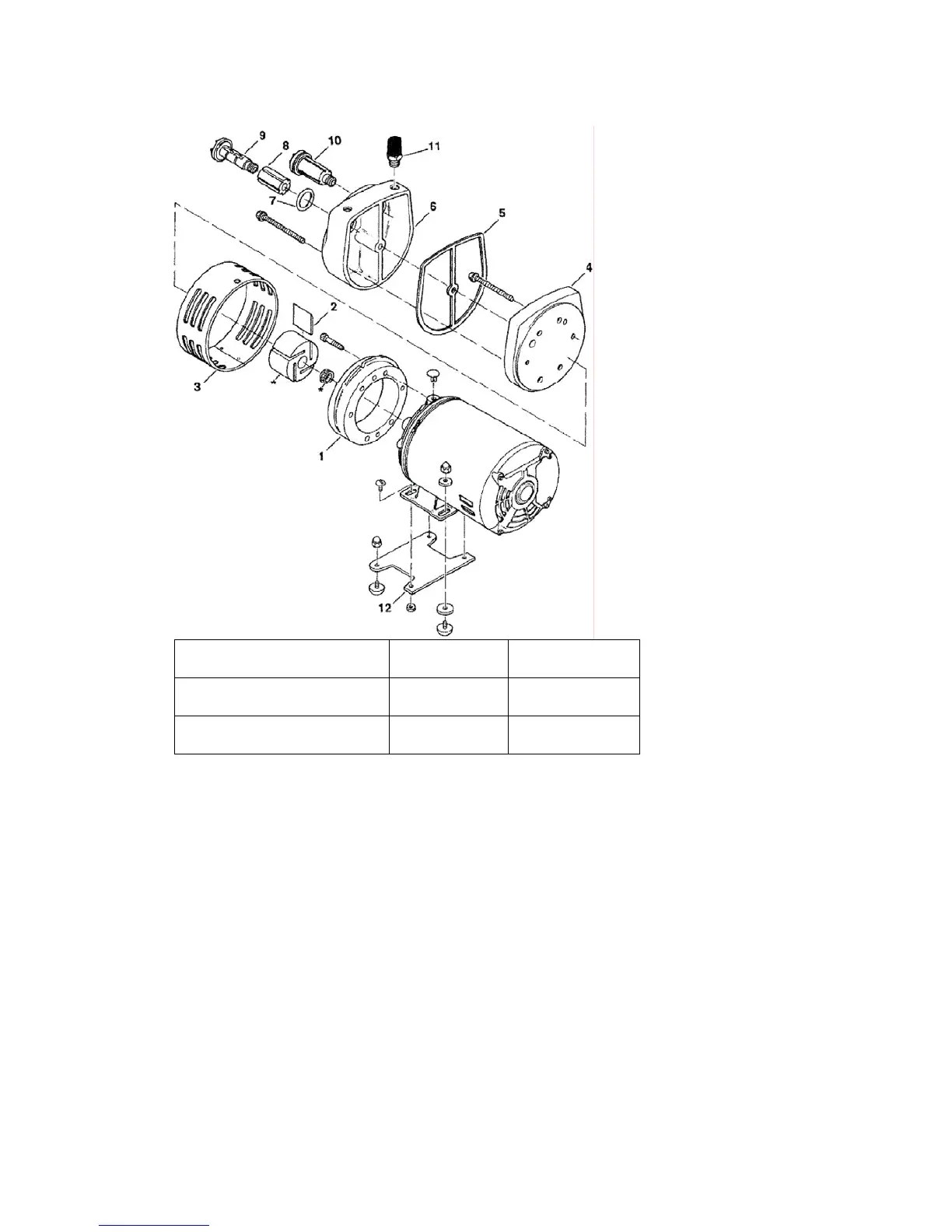
Figure 5 Vacuum pump assembly
(8-10) - Vacuum pump filters 6 - Muffler box 11 - Muffler filter
2 - Vane 4 - End plate 5 - Gasket
7 - Vacuum pump filter O-ring
5. Remove the muffler box with its five retaining screws. See Figure 5.
For 2 million preventive maintenance
1. Clean the vacuum pump filters using pressurized air. See Figure 5.
2. Clean the muffler box with a clean, dry cloth. See Figure 5.
3. Clean the muffler filter. See Figure 5.
For 8 million preventive maintenance
1. Remove the end plate with its five retaining screws. See Figure 5.
2. Remove the four old vanes. See Figure 5 and Figure 6.



 To Next Page