Pulley replacement only for presses operating at 60Hz frequency
Proprietary and Confidential MKT-0102-AI Rev 00 Page 4 of 10
Removing the old pulley
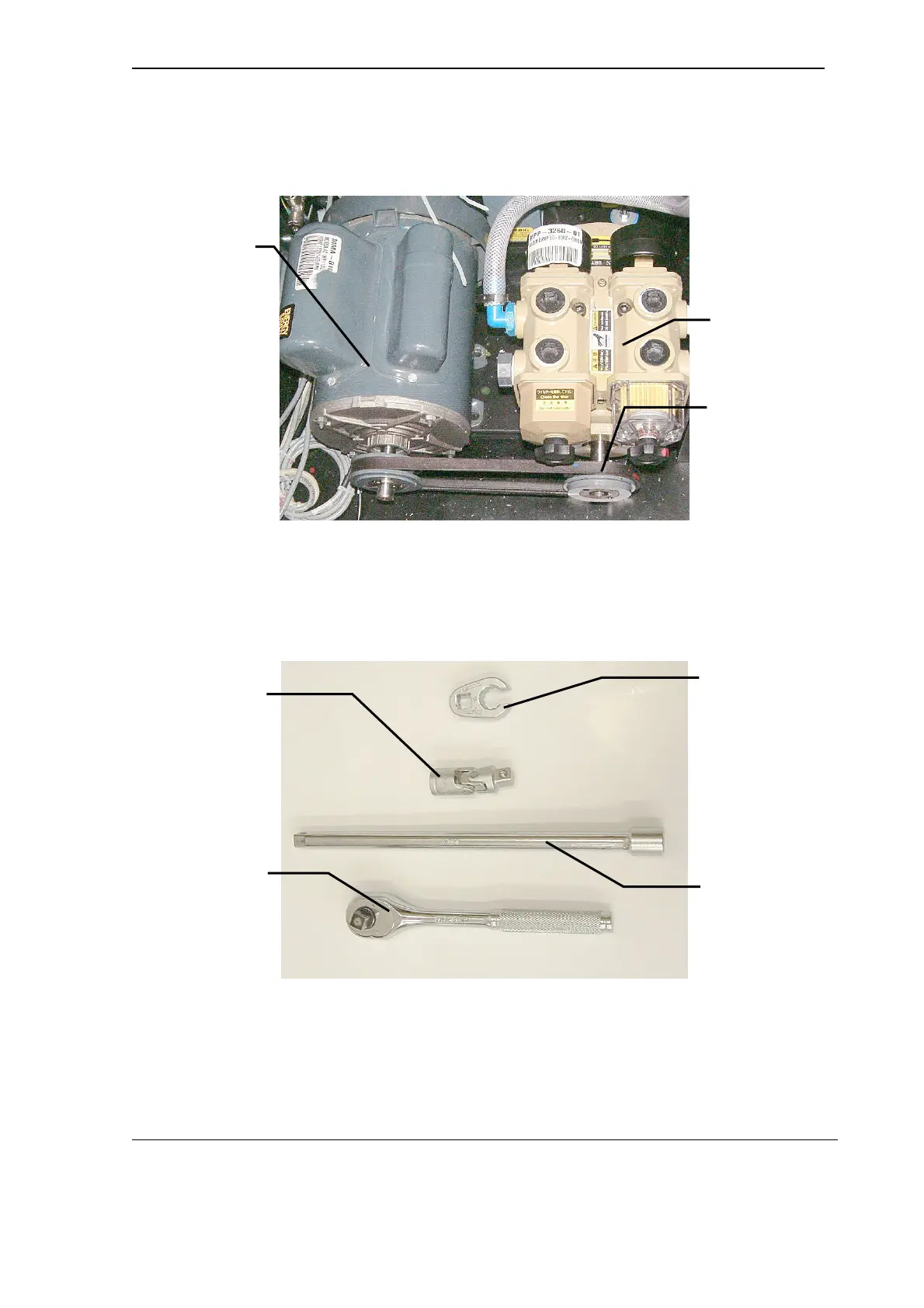
This procedure is performed without removing the compressor floor assembly from
the press. See Figure 1.
Figure 1 Compressor floor assembly
(shown installed)
1. Loosen the four motor mounting screws using a 13 mm open ring spanner
(P/N MTZ-1173-01). See Figure 2.
Do not remove the screws.
Figure 2 Tools for loosening the motor mounts
2. Slide the motor toward the pump.
3. Remove and keep the belt.
4. Remove the old pulley from the pump shaft as follows (see Figure 3):
VACUUM/BLOWER
PUMP
PUMP PULLEY
(TO BE REPLACED)
VACUUM/BLOWER
PUMP MOTOR
13 mm OPEN
RING SPANNER
3/8 INCH DRIVE
ELBOW
3/8 INCH DRIVE
EXTENSION
3/8 INCH DRIVE
RATCHET



 To Next Page