5. Configure the SNMP Settings. Click Next to continue.
6. Configure the Network Interface Information for both NICs. Click
Next to continue.
7. Configure the System Information. Click Next to continue.
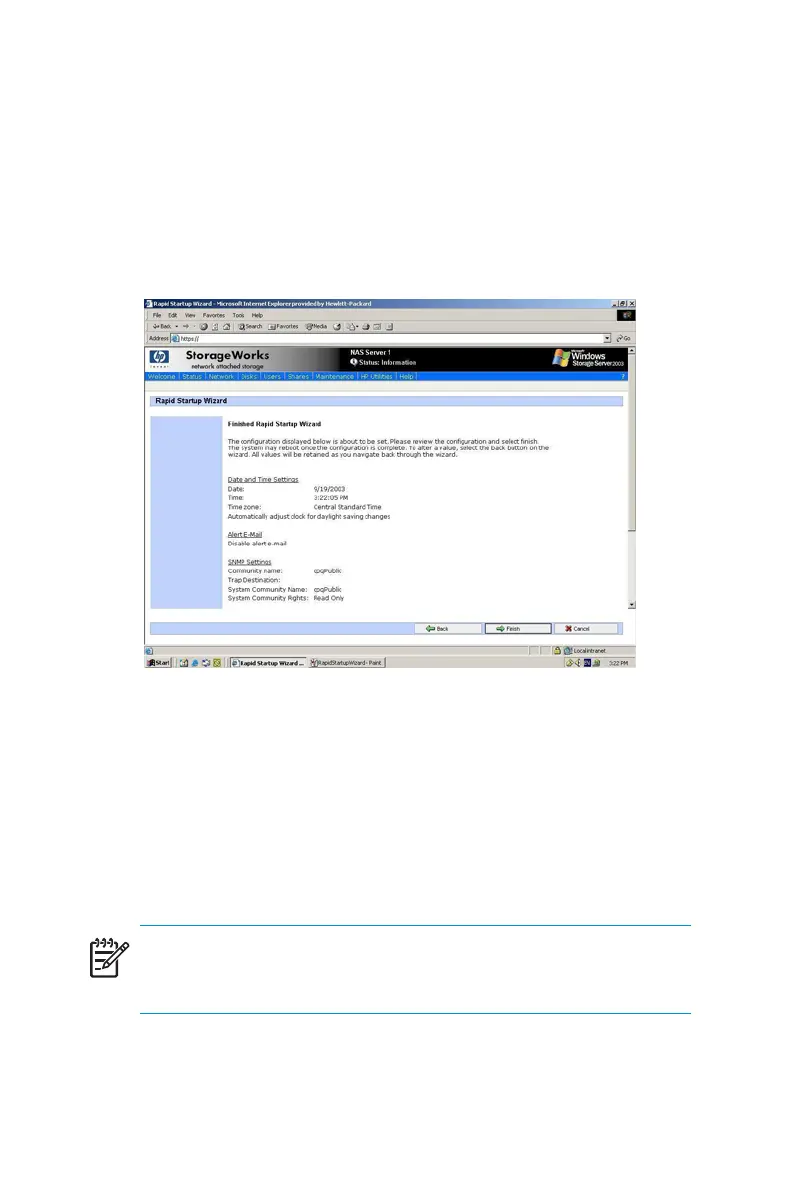
8. Verify that the information is correct when the configuration review
screen is displayed as shown in Figure 2.
Figure 2 Rapid Startup configuration review screen
9. Click Finish to exit Rapid Startup. If a reboot is required, Rapid Startup
displays a message that a reboot is occurring an d the configuration
information will be set.
The browser returns to the status page. The refresh can take several
minutesifthedevicewasrestarted.
NOTE:
After the Rapi d Startup Wizard is complete, the Welcome page
becomes the default page.
28
System Configuration



 To Next Page