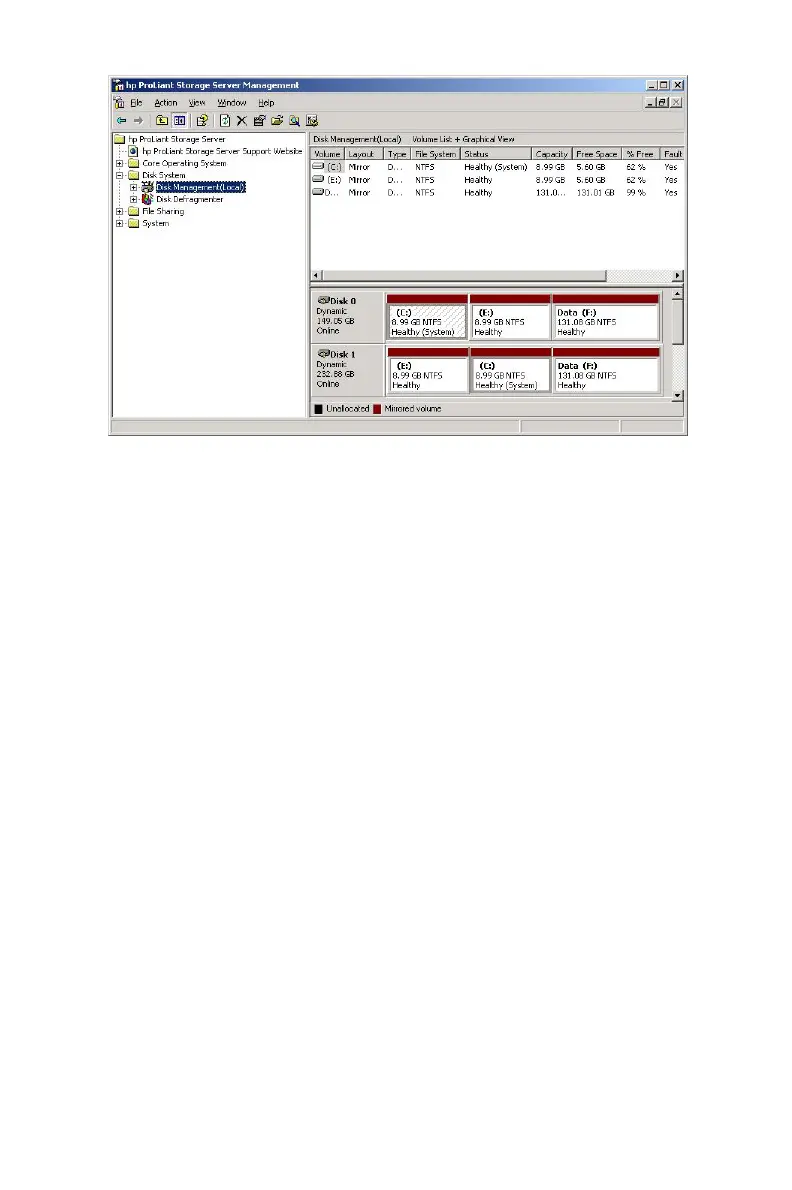
Figure 11 Disk management, partitioning (ML110 G2 E xpress)
Under normal circumstances, the ML110 G2 (Express) storage ser ver boots
up from the primary OS logical drive.
• If a single drive failure occurs, it is transparent to the OS.
• Ifaseconddrivefails,thedatavolumeislostandmustberestored
from backup.
When the OS has a failure such as system filesbecomingcorrupted,
registry corrupted, and the system hangs during boot, the system should be
run from the secondary OS. To run the system from the secondar y OS:
1. Power down the unit.
2. Connect a monitor, keyboard, and mouse directly to the rear
of the unit.
3. Power on the unit.
4. During boot up, select to use the secondary partition.
TheusershouldbackuptheiruserdataandthenusetheQuickRestoreDVD
to restore the system to the factory default state as soon as conveniently
possible.
50 Server Storage



 To Next Page