EnglishEnglish 11
HP 19” Color Monitor User’s Guide
Adjusting Your Monitor
Direct Access to Brightness and Contrast
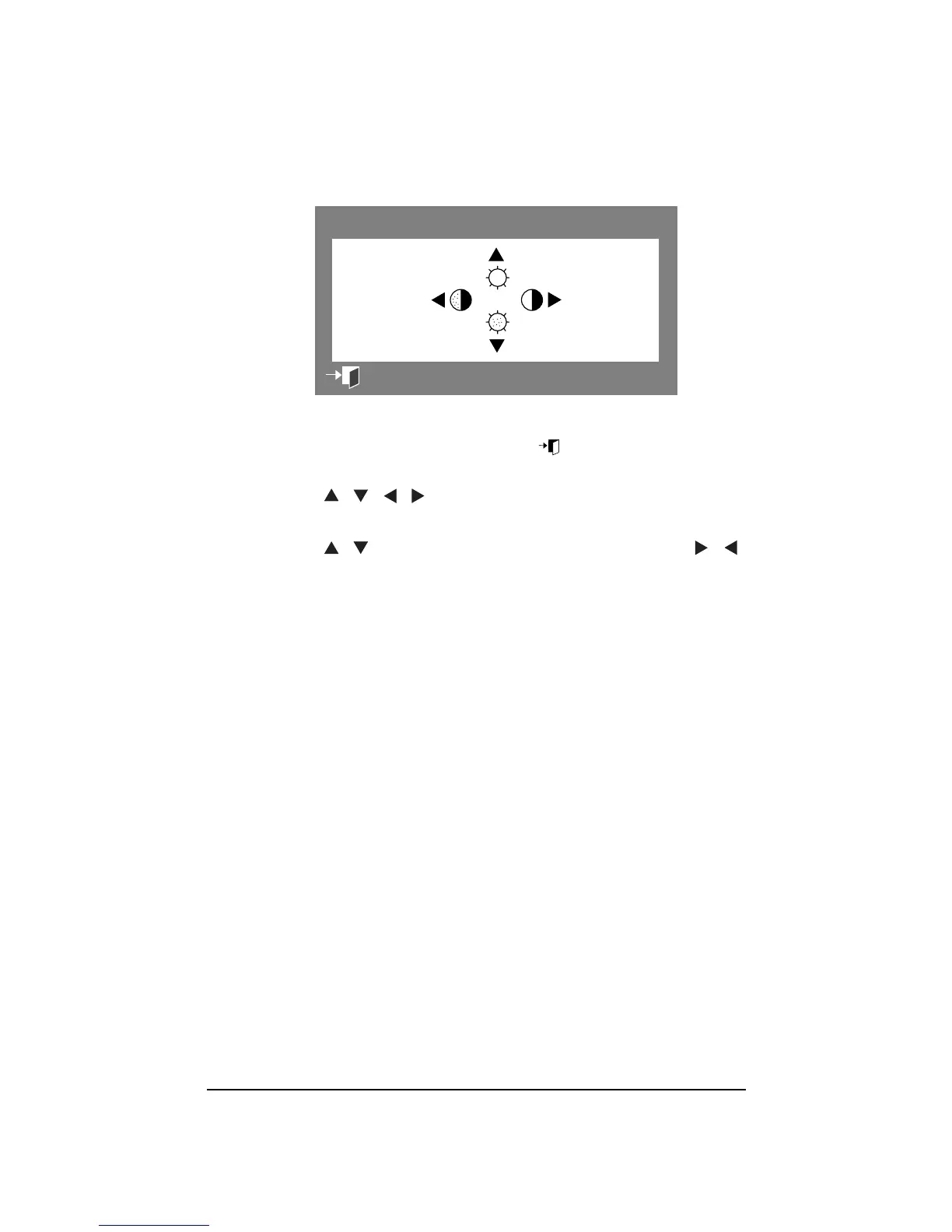
This feature allows you to adjust the brightness and contrast. Once
you have adjusted the settings, press the Menu
button twice to
close the Brightness/Contrast OSD.
1 Press the buttons to display the Brightness/Contrast
OSD.
2 Press the buttons to adjust the brightness, or the
buttons to adjust the contrast.
50
50
:
Brightness/Contrast
EXIT
100
50



 To Next Page