HP 19” Color Monitor User’s Guide
Adjusting Your Monitor
22 EnglishEnglish
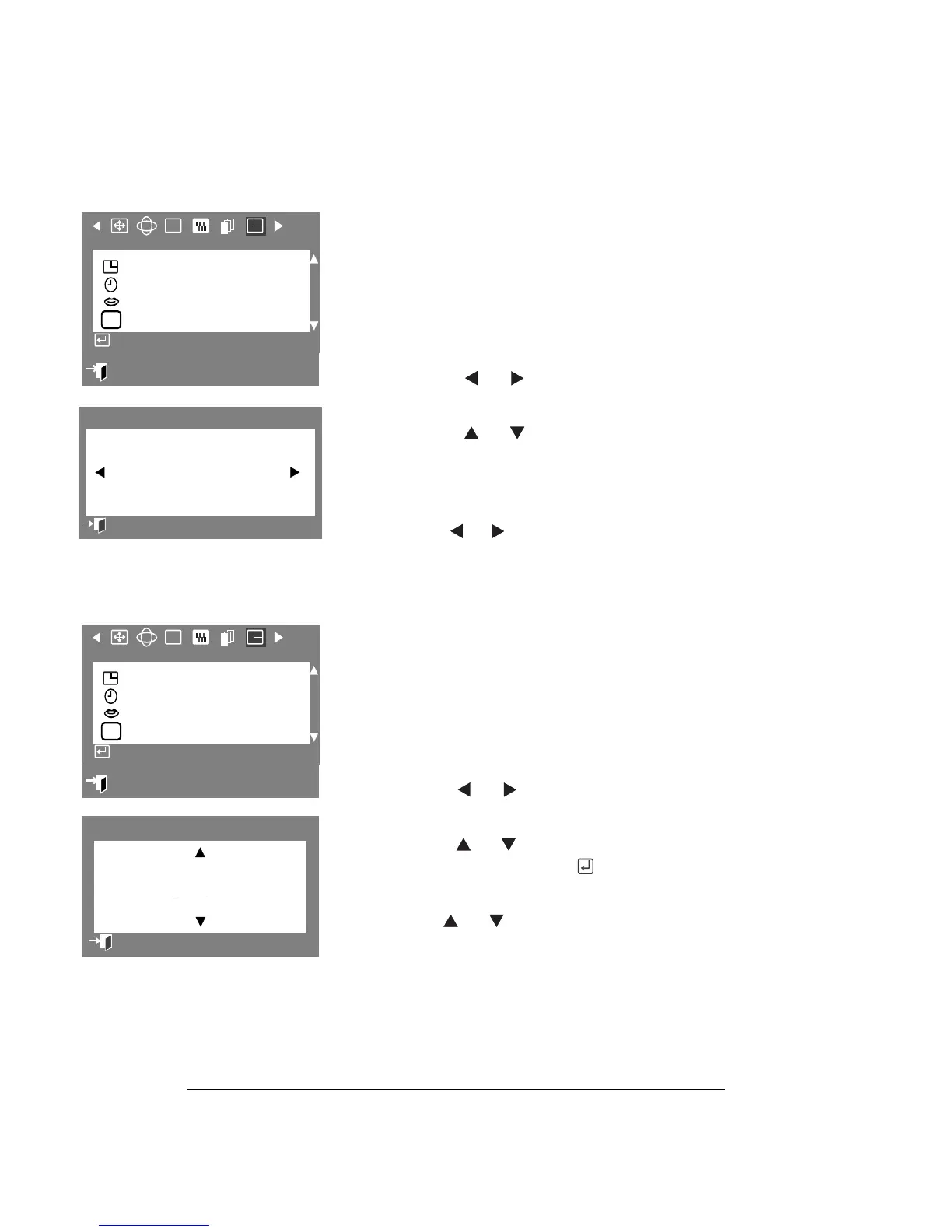
MENU DURATION
The menu will automatically turn off if no
adjustments are made for a certain time
period. The Menu Duration parameter allows
you to set the length of time the menu will
wait before it turns off.
1 Press the Menu button.
2 Press the or buttons to display
Menu OSD.
3 Press the or buttons to
highlight Menu Duration, then press the
Menu button to display the Menu
Duration selection OSD.
8 Use the or buttons to select 3, 7,
7, 7,
7,
10, 20, or 50 seconds. The default
value is 10 seconds.
LANGUAGES
The Languages parameter allows you to
change the language used in the menu. The
language chosen only affects the language
used in OSDs. It has no effect on any
software running on the computer.
1 Press the Menu button.
2 Press the or buttons to display
Menu OSD.
3 Press the or buttons to highlight
Languages, then press the
button to
display the Language selection OSD.
4 Use the or buttons to select the
language you would like to use. You
can choose one of seven languages
(English, French, Portuguese, Italian,
Spanish, Chinese, or German).
H
2
RGB
Menu Position
Menu Duration
Languages
Timing
H
Access Fonction
:
Exit
Information
Menu Duration
Previous Menu
3710200
Seconds
RGB
Menu Position
Menu Duration
Languages
Timing
H
Access Fonction
:
Exit
Information
Languages
Previous Menu
Deutsch
English
Russian
ta
ano



 To Next Page