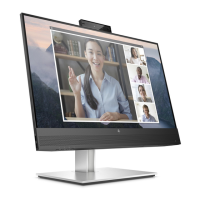
Need help?
Do you have a question about the HP P27q G4 and is the answer not in the manual?
Key precautions to minimize risk of personal injury during service operations.
Guidelines for professional repairers regarding safety and component handling.
Steps and materials required to prepare the monitor for disassembly.
Step-by-step instructions for removing the monitor's rear cover.
Steps to remove the power board, including connector identification and warnings.
Table listing common screen and connectivity problems with their causes and solutions.
This document serves as a comprehensive Maintenance and Service Guide for the HP P27q G4 monitor model, providing essential information for trained service personnel. It outlines the device's functionality, user-facing features, and detailed maintenance procedures, ensuring safe and effective servicing.
The HP P27q G4 is a high-performance monitor designed for various computing needs. It functions as a visual output device, connecting to source devices such as computers or game consoles via VGA and HDMI inputs. The monitor is equipped with an IPS panel and LED backlight, delivering a clear and vibrant display. Its primary function is to present visual information with high resolution, supporting both native and lower resolutions with custom scaling to maintain image integrity. The monitor integrates Plug and Play capability, simplifying setup with compatible operating systems. For enhanced security, it includes a security cable slot. The on-screen display (OSD) provides a user-friendly interface for adjusting various settings, while HP Display Assistant software offers additional control and theft deterrence features. The monitor also incorporates HDCP copy protection for digital inputs and an energy saver feature to reduce power consumption.
The HP P27q G4 monitor offers a range of features designed to enhance the user experience and adaptability to different environments. It boasts a wide viewing angle, allowing for clear visibility from various positions, whether sitting, standing, or moving from side to side. The monitor's ergonomic design includes tilt, pivot, swivel, and height adjustment capabilities, enabling users to customize the display's orientation for optimal comfort and productivity. The pivot feature is particularly useful for rotating the monitor panel from landscape to portrait mode, catering to specific content viewing needs. A removable stand provides flexibility for alternative mounting solutions, such as VESA-compatible arms or wall mounts.
Connectivity options are straightforward, with a VGA video input for legacy systems and one HDMI (High-Definition Multimedia Interface) video input, for which a cable is provided, ensuring compatibility with modern devices. The front of the monitor features a Menu button to access the OSD, along with assignable OSD buttons that can be configured for quick access to frequently used operations. A power button is conveniently located on the front for easy control of the monitor's on/off state. The rear of the monitor houses the power connector, HDMI port, VGA port, and a security cable slot.
The OSD adjustments are available in several languages, making setup and screen optimization accessible to a broad user base. The HP Display Assistant software further extends control over monitor settings and enables theft deterrence features, adding an extra layer of security. The monitor's ability to support 2560 x 1440 resolution on both its 23.8-inch and 27.0-inch diagonal viewable screen areas, coupled with full-screen support for lower resolutions and custom scaling, ensures that images are displayed at their maximum size while preserving their original aspect ratio. This combination of ergonomic adjustments, diverse connectivity, and intuitive controls makes the HP P27q G4 a versatile and user-friendly display solution.
The Maintenance and Service Guide for the HP P27q G4 monitor provides detailed instructions and precautions for trained service personnel to perform repairs and maintenance safely and effectively. It emphasizes the importance of adhering to safety information and service precautions, including working in a dry and clean environment, using proper safety devices and approved tools, and following ESD safety procedures when handling electrical components. The guide specifies that only professional service technicians familiar with the product should perform servicing, and end-users should not attempt these procedures.
The document outlines two levels of service: Level 1 for cosmetic/appearance/alignment service and Level 2 for circuit board or standard parts replacement. It provides a comprehensive illustrated parts catalog, detailing major components such as the panel, middle frame, LED board, adapter board, main board, mainframe, and key board, along with their respective quantities and screw types. This catalog is crucial for identifying and ordering correct replacement parts.
Instructions for ordering parts are provided, including HP spare part numbers for the power board and information on where to purchase capacitors and connectors from EU distributors like RS, tme, and Digi-Key. The guide also directs users to the HP part store for cables and to EET for internal and external power supplies, ensuring that all necessary components can be sourced.
Detailed removal and replacement procedures are given for key components. For instance, the Rear Cover removal involves unscrewing the stand-base assembly, splitting the middle frame and rear case using fingers, and then using a scraper bar tool to open the hooks. Subsequent steps include tearing off tapes, removing screws for the LED board, and disconnecting pins and screws for the middle frame and panel. The guide also covers the removal of the mylar, main board, power board, and key board, along with disconnecting all wires.
A specific section is dedicated to the Power board removal, highlighting its part number and providing a critical warning about discharging the capacitor after unplugging the power supply due to residual charge. The location of the part number on the board is also indicated.
Connector repair procedures for HDMI (CN503) and D-SUB (CN101) connectors are meticulously described. These procedures involve using a soldering iron and de-soldering pump to remove solder, a hot air gun to melt solder, lifting the old connector, placing the new component, and soldering it in place. Crucially, the guide stresses that connector repair is only for out-of-warranty situations and must be performed by professional repairers in a repair center, not by end-users. It also emphasizes electrostatic protection, the use of lead-free solder wire to meet ROHS requirements, careful insertion of new parts to avoid short circuits, and avoiding liquid contact with the board.
After any repair, a function test is mandated to confirm that all functions are working correctly. This includes HDMI and D-SUB tests to ensure image display and sound playback are proper, using a computer or DVD/D-SUB player as a tool.
The guide also addresses firmware updates, directing users to support.hp.com for available updates. Before returning a repaired product to the customer, an AC leakage current check on exposed metallic parts is required to ensure electrical safety.
Finally, a "Support and troubleshooting" section provides a table of common issues, their possible causes, and recommended solutions. This includes problems like a blank or flashing screen, blurred images, "Check Video Cable" messages, "Input Signal Out of Range" errors, failure to enter a low-power sleep state, and "OSD Lockout" or "Power Button Lockout" messages, along with clear steps to resolve them. This comprehensive approach to maintenance ensures the longevity and reliable operation of the HP P27q G4 monitor.
 General
| Color depth | 8 bit |
|---|---|
| Color gamut | 72 % |
| Pixel pitch | 0.233 x 0.233 mm |
| Screen shape | Flat |
| Pixel density | 109 ppi |
| Display diagonal | 27 \ |
| Anti-glare screen | Yes |
| Display technology | LCD |
| Native aspect ratio | 16:9 |
| Vertical scan range | 50 - 60 Hz |
| Maximum refresh rate | 60 Hz |
| Horizontal scan range | 30 - 80 kHz |
| Display number of colors | - |
| Display brightness (typical) | 250 cd/m² |
| Supported graphics resolutions | 640 x 480 (VGA), 720 x 400, 800 x 600 (SVGA), 1024 x 768 (XGA), 1280 x 1024 (SXGA), 1280 x 720 (HD 720), 1280 x 800 (WXGA), 1440 x 900, 1600 x 1200 (UXGA), 1600 x 900, 1680 x 1050 (WSXGA+), 1920 x 1080 (HD 1080), 1920 x 1200 (WUXGA) |
| Product color | Black |
| Market positioning | Business |
| Pivot angle | -90 - 90 ° |
| Tilt angle range | -5 - 23 ° |
| Panel mounting interface | 100 x 100 mm |
| HDMI version | 1.4 |
| AC input voltage | 100 - 240 V |
| Power consumption (max) | 36 W |
| Power consumption (standby) | 0.5 W |
| Power consumption (typical) | 32 W |
| Operating temperature (T-T) | 5 - 35 °C |
| Storage relative humidity (H-H) | 5 - 95 % |
| Operating relative humidity (H-H) | 20 - 80 % |
| Package weight | 4630 g |
| Harmonized System (HS) code | 85285210 |
 Weight and Dimensions
| Depth (with stand) | 211.6 mm |
|---|---|
| Width (with stand) | 614.2 mm |
| Height (with stand) | 504.9 mm |
| Depth (without stand) | 50.5 mm |
| Height (without stand) | 367.9 mm |
| Weight (without stand) | 6840 g |

 To Next Page