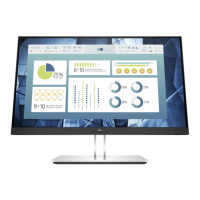
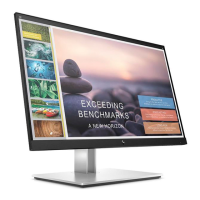
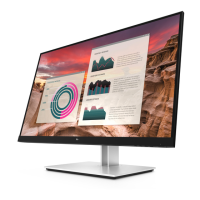
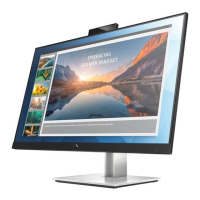
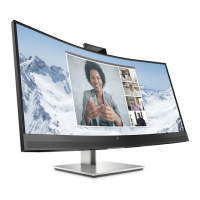
This document is a Maintenance and Service Guide for the HP P24q G4 monitor model. It provides comprehensive information for trained service personnel regarding the device's functionality, features, and maintenance procedures. The guide emphasizes safety precautions and proper service methods to ensure the safe and reliable operation of the equipment.
Function Description
The HP P24q G4 is a monitor designed for visual display. It offers various input options to connect to source devices such as computers or game consoles, enabling the display of images and video content. The monitor is equipped with an On-Screen Display (OSD) menu for user adjustments and optimization of the screen. It also includes features for power management to meet energy-saving requirements. The monitor's design allows for flexible mounting solutions, indicating its adaptability to different user setups.
Usage Features
The P24q G4 monitor comes with several features aimed at enhancing the user experience:
- Display: The monitor provides a viewable screen area with a specific resolution, supporting lower resolutions with custom scaling to maintain image size while preserving the original aspect ratio. It utilizes a nonglare IPS panel with an LED backlight, which contributes to a comfortable viewing experience by reducing reflections.
- Viewing Angle: A wide viewing angle allows for clear visibility from various positions, whether sitting, standing, or moving from side to side, making it suitable for collaborative environments or personal use with flexible seating arrangements.
- Adjustability: The monitor offers tilt capability, allowing users to adjust the panel's vertical angle for optimal viewing comfort. It also features pivot capability, enabling rotation of the monitor panel from landscape to portrait mode, which can be particularly useful for tasks involving long documents or coding. Swivel and height adjustment capabilities further enhance ergonomic flexibility, allowing users to position the screen precisely to their preference.
- Removable Stand: The stand is removable, which is a key feature for users who prefer alternative mounting solutions, such as VESA-compatible arms or wall mounts, to free up desk space or achieve a specific setup.
- Video Inputs: The monitor includes a VGA video input for legacy connections and one HDMI (High-Definition Multimedia Interface) video input, with a cable provided, for modern digital connections to various source devices like computers or game consoles.
- Plug and Play: It supports Plug and Play capability, simplifying setup when connected to an operating system that supports this feature, allowing for automatic detection and configuration without extensive manual intervention.
- Security: A security cable slot provision is located on the rear of the monitor, allowing for the attachment of an optional security cable to deter theft, which is beneficial in public or shared environments.
- On-Screen Display (OSD): The OSD menu provides adjustments in multiple languages, facilitating easy setup and screen optimization for users from diverse linguistic backgrounds.
- HP Display Assistant Software: This software is available for adjusting monitor settings and enabling theft deterrence features, offering an additional layer of control and security.
- HDCP Support: The monitor supports HDCP (High-bandwidth Digital Content Protection) copy protection on all digital inputs, ensuring compatibility with protected content sources.
- Energy Saver Feature: An energy saver feature is incorporated to meet requirements for reduced power consumption, contributing to energy efficiency and lower operating costs.
Maintenance Features
The guide outlines specific procedures and precautions for maintaining and servicing the P24q G4 monitor, primarily intended for trained service personnel:
- Safety Information: Emphasizes reading "Important Safety Information" and "Important Service Information and Precautions" before any service, highlighting the need for a dry, clean working environment, proper safety devices, approved tools, and ESD safety procedures when handling electrical components. It also warns about batteries and their disposal.
- Professional Repair: Stresses that repairs must be performed by professional service technicians in a repair center, not end-users. It notes that the primary side of the monitor is a high voltage area.
- RoHS Compliance: The monitor meets ROHS requirements, and service personnel are instructed to use lead-free solder wire when soldering. For replacement parts, if original parts are RoHS compliant, replacement parts MUST also be RoHS compliant.
- Capacitor Replacement: Specific instructions are provided for replacing capacitors, including matching polarity, specification, part number, and location, and inserting new parts carefully to avoid short circuits.
- Board Handling: Warnings are given against getting the board wet to prevent short circuits and malfunctions.
- Soldering Techniques: Advice includes using lead-free solder, working quickly to avoid overheating the circuit board, and keeping the soldering iron tip clean and well-tinned.
- Post-Repair Inspection and Testing: After repair, a close inspection of the circuit board is required to confirm its good condition, followed by a function test to confirm the power supply is working properly. An AC leakage current check on exposed metallic parts is mandatory to ensure product safety before returning it to the customer.
- Disassembly Preparation: Detailed steps for preparing the monitor for disassembly are provided, including cleaning the room, identifying the disassembly area, checking monitor placement, and ensuring the availability of necessary equipment such as a press fixture, working table, screwdriver, knife, gloves, cleaning cloth, ESD protection, and a scraper bar of specified dimensions.
- Component Removal and Replacement: The guide details procedures for removing and replacing specific components, such as the Rear Cover, Power board, and repairing connectors (HDMI and D-SUB). These procedures involve removing screws, carefully separating parts, using specialized tools like a scraper bar, and disconnecting wires.
- Power Board Handling: A critical warning is issued regarding the power board: after unplugging the power supply, the capacitance is still charged, and service personnel should not touch or discharge the capacitor without proper precautions.
- Connector Repair: Specific instructions for repairing HDMI and D-SUB connectors are provided, including using a soldering iron and de-soldering pump to remove solder, using a hot air gun to melt solder, lifting the old connector, placing the new component, and soldering it. It reiterates that connector repair is for out-of-warranty cases and must be done by professional repairers in a repair center, requiring electrostatic protection and lead-free solder.
- Function Test: After any repair, a function test is required to confirm that all functions are working, specifically checking HDMI and D-SUB image and sound display using a computer or DVD player.
- Troubleshooting: A section is dedicated to common problems, their possible causes, and recommended solutions, covering issues like a blank screen, monitor being off, improper cable connections, auto-sleep mode, video card incompatibility, and blurred images.
- Firmware Updates: Information on where to find firmware updates (support.hp.com) is provided, noting that if no firmware is posted, an update is not needed.
- Parts Ordering: Instructions on how to order spare parts, including the power board, capacitors, and connectors, from authorized HP repair centers and EU distributors are included, along with a link to the HP part store for cables.

 Need help?
 General
 Weight and Dimensions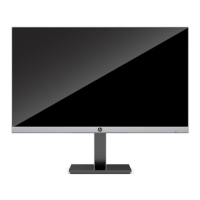

 To Next Page