Need help?
Do you have a question about the HP E24mv G4 and is the answer not in the manual?
Cautions and notes to minimize personal injury risk for service personnel.
Guidelines for service operations and precautions for technicians.
Steps and materials needed to prepare for monitor disassembly.
Steps to remove the rear cover of the monitor.
Detailed steps for removing and replacing the power board.
Procedure for repairing the DisplayPort connector (CN501).
Procedure for repairing the HDMI connector (CN502).
Procedure for repairing the D-SUB connector (CN101).
Procedure for repairing the USB 3.0 B connector (CN106).
This document serves as a Maintenance and Service Guide for the HP E24mv G4 model monitor, providing comprehensive information for trained service personnel. It outlines procedures for disassembly, part removal and replacement, diagnostic testing, and problem troubleshooting. The guide emphasizes safety precautions and adherence to regulatory requirements throughout the service process.
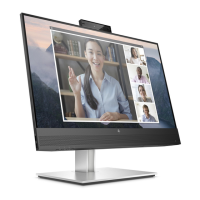
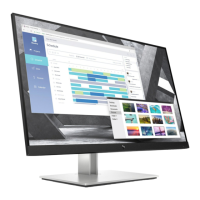
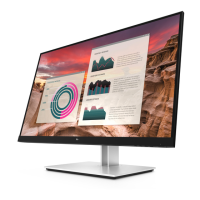
The HP E24mv G4 monitor is a 60 cm (23.8 in) diagonal display designed for conferencing and general computing use. It features a liquid crystal display (LCD) with active matrix and in-plane switching (IPS) technology, offering a wide viewing angle and a nonglare panel with LED backlight. The monitor supports a resolution of 1920 x 1080 at 60 Hz, with full-screen support for lower resolutions and custom scaling to preserve the original aspect ratio. It includes a wide color gamut for NTSC color spaces and color space presets for NTSC.
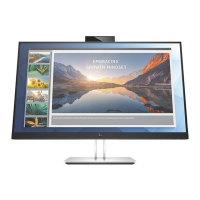
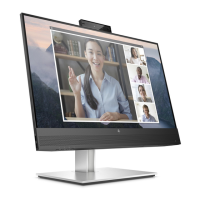
For conferencing, the monitor integrates a camera with RGB and IR lenses, camera microphones, and a camera light to indicate active use. Audio features include speaker mute and volume control buttons, as well as a microphone button and mute light.
Connectivity options are extensive, including DisplayPort, HDMI, and VGA video inputs, an audio-out (headphone)/audio-in (microphone) combo jack, and a USB hub. The USB hub comprises one USB Type-B upstream port for connecting to a computer and four USB downstream ports for peripheral devices. One of the USB ports supports HP Sleep and Charge, allowing small devices like smartphones to charge even when the computer is off, provided OSD Performance mode is enabled.
The monitor is designed with an energy saver feature to reduce power consumption and includes a security cable slot for an optional security cable, along with cable management features.
The E24mv G4 monitor offers several ergonomic adjustments to enhance user comfort and flexibility. It has tilt, swivel, and height adjustment capabilities, and can pivot from landscape to portrait orientation.
User interaction is facilitated through a menu button and three assignable on-screen display (OSD) buttons. These OSD buttons can be reconfigured to quickly access commonly used operations, allowing for easy setup and screen optimization in multiple languages. The OSD menu provides controls for brightness, input selection, and other display settings.
The monitor stand is removable, allowing for flexible mounting solutions, including VESA® mounting brackets (100 × 100 mm) for wall-mount devices, swing arms, or workstations. The HP Quick Release 2 device enables quick attachment and removal of the monitor head from the stand.
The service guide details procedures for professional service technicians in a repair center, emphasizing that end-users should not perform these repairs. Key maintenance features include:
The guide underscores the importance of proper service methods for safe and reliable equipment operation, warning against improper methods that could damage the equipment.
 General
| Color gamut | 72 % |
|---|---|
| Pixel pitch | 0.274 x 0.274 mm |
| Screen shape | Flat |
| Display diagonal | 23.8 \ |
| Surface hardness | 3H |
| Anti-glare screen | Yes |
| Native aspect ratio | 16:9 |
| Vertical scan range | 50 - 60 Hz |
| Maximum refresh rate | 60 Hz |
| Horizontal scan range | 30 - 80 kHz |
| Contrast ratio (dynamic) | 5000000:1 |
| Contrast ratio (typical) | 1000:1 |
| Display number of colors | - |
| Display diagonal (metric) | 60.45 cm |
| Display brightness (typical) | 250 cd/m² |
| Supported graphics resolutions | 640 x 480 (VGA), 720 x 400, 800 x 600 (SVGA), 1024 x 768 (XGA), 1280 x 1024 (SXGA), 1280 x 720 (HD 720), 1280 x 800 (WXGA), 1280 x 800, 1440 x 900 (WXGA+), 1440 x 900, 1600 x 900, 1680 x 1050 (WSXGA+), 1920 x 1080 (HD 1080) |
| HDMI version | 1.4 |
| DisplayPort version | 1.2 |
| USB Type-A downstream ports quantity | 4 |
| Power consumption (max) | 50 W |
| Power consumption (standby) | 0.5 W |
| Power consumption (typical) | 28 W |
| Operating altitude | 0 - 5000 m |
| Non-operating altitude | 0 - 12192 m |
| Operating temperature (T-T) | 5 - 35 °C |
| Operating relative humidity (H-H) | 20 - 80 % |
| Package type | Box |
| Package depth | 411 mm |
| Package width | 596 mm |
| Package height | 225 mm |
| Package weight | 10400 g |
| Pivot angle | -90 - 90 ° |
| Tilt angle range | -5 - 23 ° |
| Height adjustment | 150 mm |
| Panel mounting interface | 100 x 100 mm |
| Cables included | AC, DisplayPort, HDMI, USB Type-A to USB Type-B |
| Certification | Australian-New Zealand MEPS; BIS; BSMI; CB; CCC; CE; CECP; CEL; cTUVus; EAC; ENERGY STAR®; FCC; GS Mark; ISO 9241-307; KC/KCC; NOM; PSB; SEPA; TCO Certified; TCO Certified Edge; TUV/GS; VCCI; Vietnam MEPS; WEEE; Low blue light; WW application; UAE; Ukraine certificates |
| Product color | Black, Silver |
| Country of origin | China |
| Market positioning | Business |
| RMS rated power | 2 W |
| Number of speakers | 2 |
 Weight and Dimensions
| Depth (with stand) | 216 mm |
|---|---|
| Width (with stand) | 539.4 mm |
| Height (with stand) | 530.7 mm |
| Weight (with stand) | 6500 g |
| Depth (without stand) | 47 mm |
| Height (without stand) | 355.6 mm |

 To Next Page