Installing hardware options
HP ProLiant DL585 Server User Guide 4-23
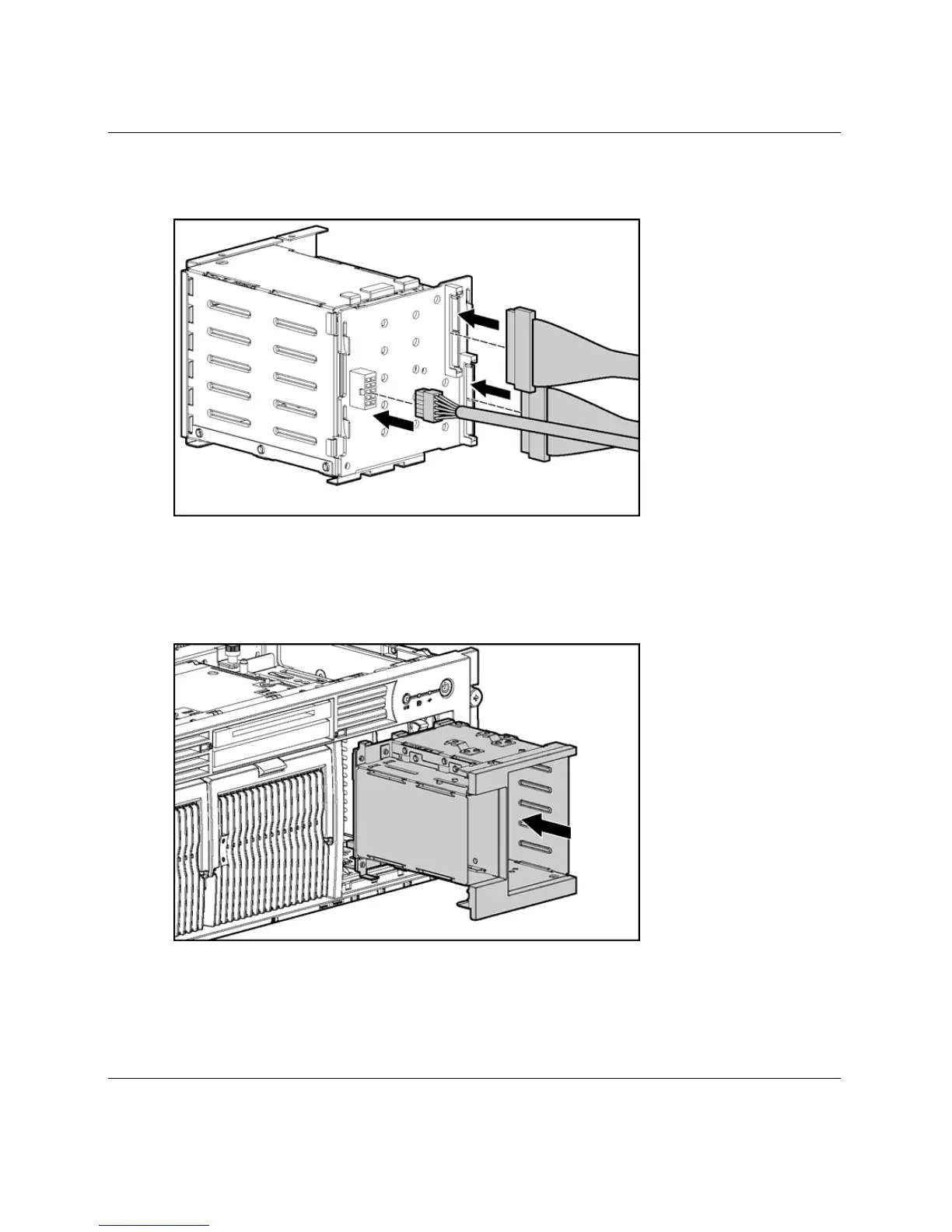
11. Connect the cables to the connectors on the back of the SAS hard drive cage.
Figure 4-21: Connecting the cables to the SAS hard
drive cage
12. Install the SAS hard drive cage, pulling the slack in the SAS cables over the
center wall.
Figure 4-22: Installing the SAS hard drive cage
13. Connect the SAS cables to the SAS controller.






 To Next Page