Removal and replacement procedures 28
6.
Remove the access panel (on page 23).
7. Remove the front bezel (on page 24).
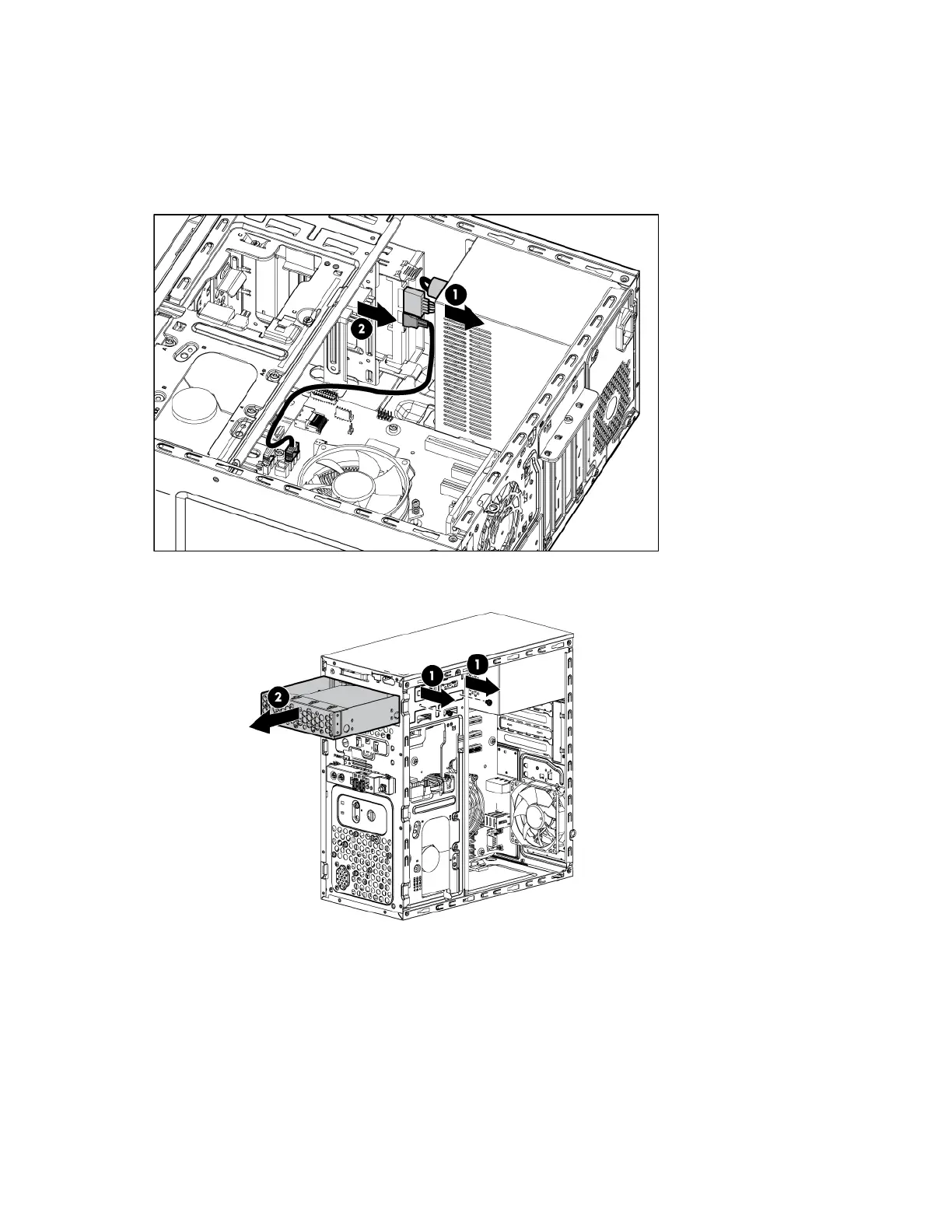
8. Disconnect the SATA and power cables from the drive:
a. Press the cable lock under the connectors of both cables.
b. Pull the cables out.
9. Remove the two screws securing the LFF drive, and then remove it from the drive bay.


 To Next Page
 Loading...